iPhone 18 Pro Max Buying Guide Kenya: Storage, Colour, SIM Version and Warranty
iPhone 18 Pro Max Buying Guide for Kenya: How to Choose the Right Storage, Colour, SIM Version and Warranty
From the Mega Store Kenya team: This guide sums up what we explain to customers choosing phones at our Nairobi CBD shop. Prices and stock change quickly, so WhatsApp 0740 922 861 to confirm the exact version and price before you pay.
Buying an iPhone 18 Pro Max in Kenya is not as simple as walking into a shop and pointing at a box. The same phone name can hide several different versions: four storage sizes, four colours, an eSIM-only model and a physical SIM model, sealed and unsealed units, and different warranty arrangements. Choose well and you get a phone that serves you happily for four or five years. Choose badly and you can end up with a phone that cannot take your Safaricom line, a storage size you outgrow in a year, or a unit with no real warranty behind it.
This guide is written for people in Nairobi, Mombasa, Kisumu, Nakuru, Eldoret and the rest of Kenya who are searching for "iPhone 18 Pro Max Kenya", "buy iPhone 18 Pro Max Nairobi", "iPhone 18 Pro Max for sale Kenya" or "iPhone 18 Pro Max 256GB, 512GB and 1TB". It walks through every decision in the order you should make it, explains the trade-offs honestly, and tells you what to check before you pay. It is written by the team at Mega Store Kenya, a gadget shop at New Alnoor Exhibition, Shop 7, Second Floor, Taveta Road (at the Taveta and Taveta Road junction) in Nairobi CBD, and we also sell online across the country.
If you prefer to talk before you read, call or WhatsApp us on 0740 922 861, or write to [email protected]. Otherwise, read on, because ten minutes with this guide will save you from the most common mistakes.
What the iPhone 18 Pro Max actually is
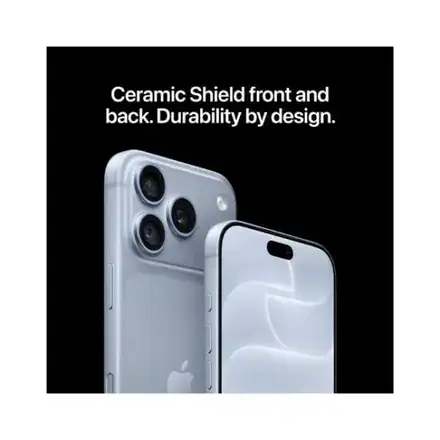
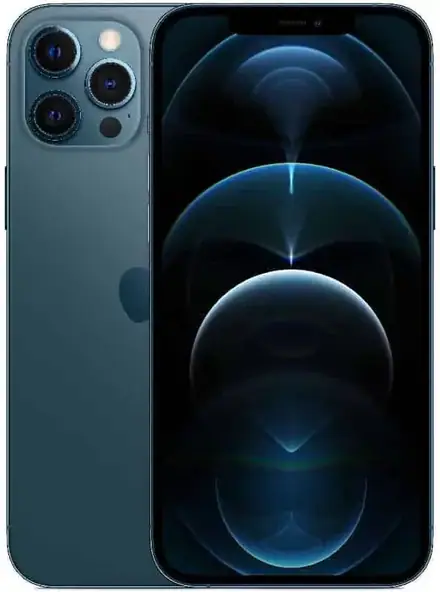
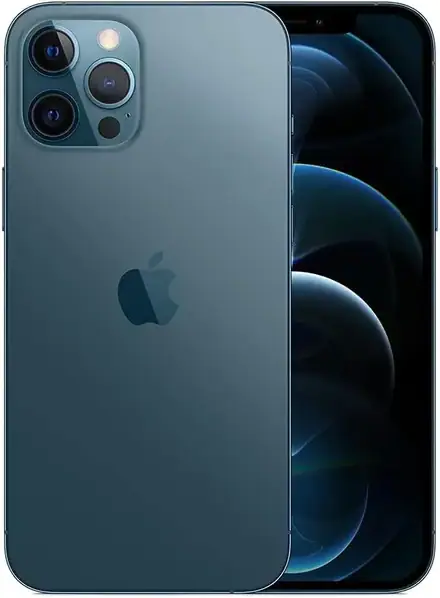
The iPhone 18 Pro Max is the largest and most capable phone in Apple's 2026 iPhone line. It has a 6.9-inch Super Retina XDR OLED display with ProMotion up to 120 Hz and an always-on mode, the A20 Pro chip, three 48MP Fusion cameras on the back including a variable-aperture main camera, an 18MP Center Stage front camera, Camera Control on the side, a USB-C port with USB 3 speeds, and an aluminium unibody with Ceramic Shield 2 on the front. Apple lists it at 163.4 x 78.0 x 8.75 mm and 249 g, and rates it IP68 for up to six metres of water for up to 30 minutes.
Apple publishes battery life figures instead of capacity: up to 29 hours of typical use, up to 43 hours of video playback and up to 38 hours of streamed video. Apple does not publish RAM or battery capacity in mAh, so we do not quote those either. The phone ships with iOS 27, as Apple lists it, and supports Apple Intelligence, with features arriving by software update and depending on language, region and version.
It is, in short, the iPhone for the person who wants the best of everything and does not mind carrying a big phone. If that sounds like you, the rest of this guide will help you choose the exact version. If you are not sure that a 6.9-inch phone is right for you, the section near the end on who should look at the smaller iPhone 18 Pro will help.
Step 1: Decide whether you really want the Max
Before you choose anything else, hold a 249 g phone in your hand. The iPhone 18 Pro Max is big. It does not fit comfortably in small jeans pockets, one-handed typing is difficult for many people, and it is noticeably heavier than the iPhone 18 Pro, which Apple lists at 211 g with a 6.3-inch screen.
People who love the Max usually share a few traits. They watch a lot of video on the phone, they read or work on it for hours, they play games, they use the camera heavily, or they simply do not want to charge in the middle of the day. The Max has the biggest screen and the longest battery life of the family: Apple's figure of up to 43 hours of video playback compares with up to 34 hours for the iPhone 18 Pro.
People who regret the Max usually bought it for status and then found it awkward to use. If you mostly message, browse, take photos and use apps like M-Pesa, WhatsApp, Instagram and TikTok, the smaller iPhone 18 Pro has the same A20 Pro chip and the same camera system in a more manageable body. Our comparison guide at /guides/iphone-18-pro-max-vs-iphone-18-pro-vs-iphone-17-pro-max-kenya sets the two side by side. Visit our shop on Taveta Road and hold both before you decide. It costs nothing, and it is the single best way to choose.
Step 2: Choose your storage size
Apple offers the iPhone 18 Pro Max in 256GB, 512GB, 1TB and 2TB. Storage is the one thing you cannot upgrade later, because iPhones have no memory card slot, so this is the decision that most deserves thought. Here is how to think about each size.
256GB: enough for most people, if you are disciplined
256GB is the starting size. It is plenty for apps, messages, music and a normal photo library. The problem is video. A few minutes of high-quality 4K video can take a surprising amount of space, and once you begin filming family events, trips or content for social media, 256GB fills up. Heavy WhatsApp users also find that media from groups quietly eats storage.
Choose 256GB if you back up photos to iCloud or a computer regularly, you stream music and films instead of downloading them, you record little video, and you are happy to clean up now and then. It is the sensible choice if you want the Max screen and camera but want to keep the purchase manageable.
512GB: the comfortable middle
512GB is the size we recommend most often to people who ask us what to buy. It doubles the space, so you can shoot plenty of 4K video, keep several games installed, download films for travel and not think about storage for years. For a phone you intend to keep for four or five years, this is usually the value sweet spot, because storage needs grow every year as apps, photos and videos get larger.
Choose 512GB if you take lots of photos and video, you play games, you keep offline music and films, or you simply do not want to manage space. If you are unsure between 256GB and 512GB, choose 512GB.
1TB: for creators and people who never delete
1TB is four times the starting size. It holds an enormous library of photos, hours of high-quality video, big games and offline films without ever asking you to delete anything. This size is for people who shoot a lot of high-quality video on the phone, photographers who shoot in large formats, anyone who works with ProRes video (Apple lists ProRes and ProRes RAW support), and people who want a single phone that holds everything for many years.
Choose 1TB if video is part of your income or your hobby, or if you have a long history of running out of space on every phone you have owned. For most people, 1TB is more than needed, and the money is better spent on a case, a charger and AirPods.
2TB: a special-purpose choice
The 2TB version is for professionals who carry huge video libraries, people who film constantly and edit on the phone, and anyone who wants never to think about storage in their life. It is also the version that holds its place at the top of the range. If you are asking whether you need 2TB, you probably do not, but if you know you do, we can usually source it, and we confirm availability per unit.
A simple rule
Count the video you shoot, not the photos. If you shoot very little video, 256GB is fine. If you shoot some, choose 512GB. If you shoot a lot or edit on the phone, choose 1TB. Tell us how you use your phone and we will give you an honest recommendation, even if it is the smaller size.
Step 3: Choose your colour
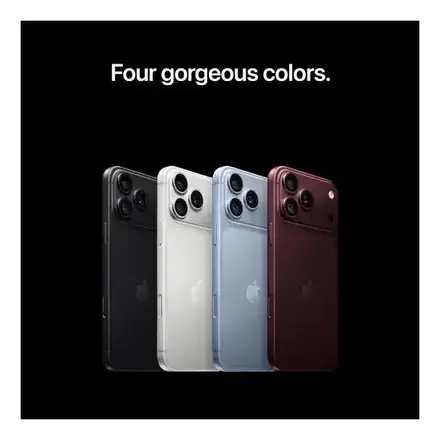
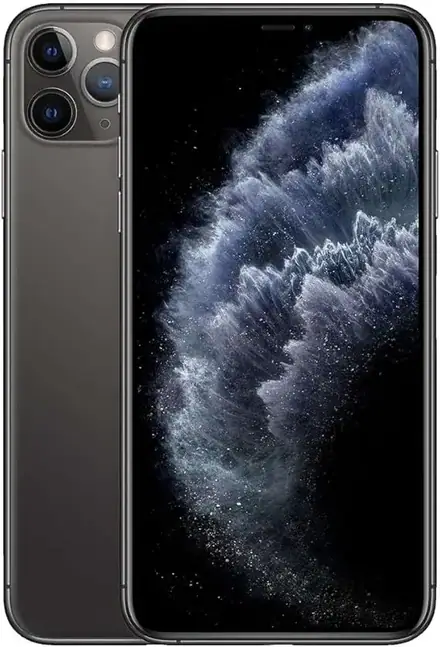
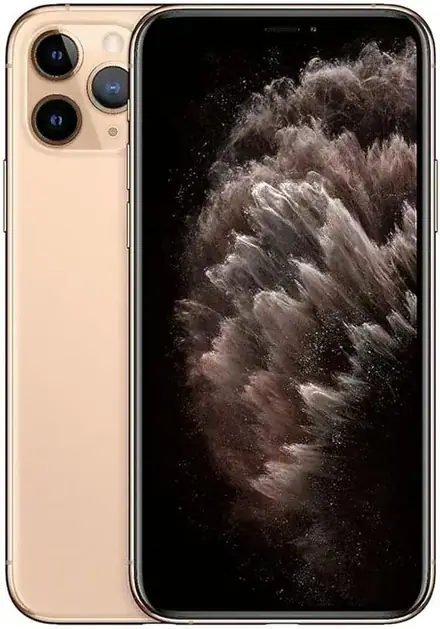
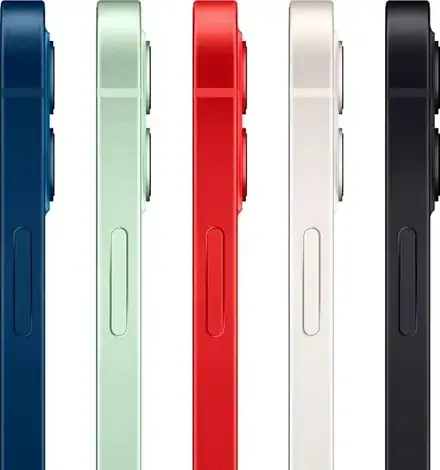
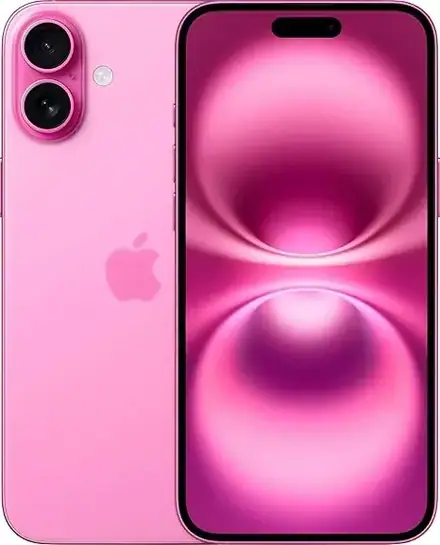
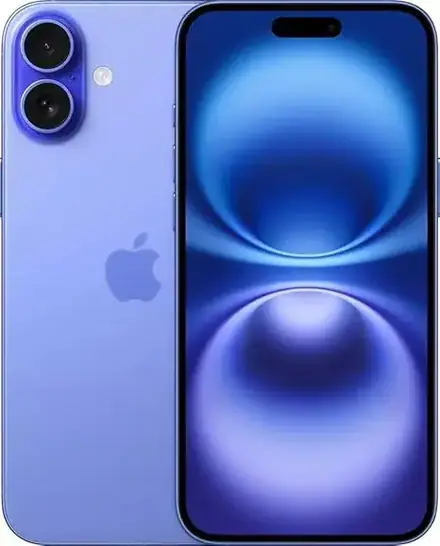
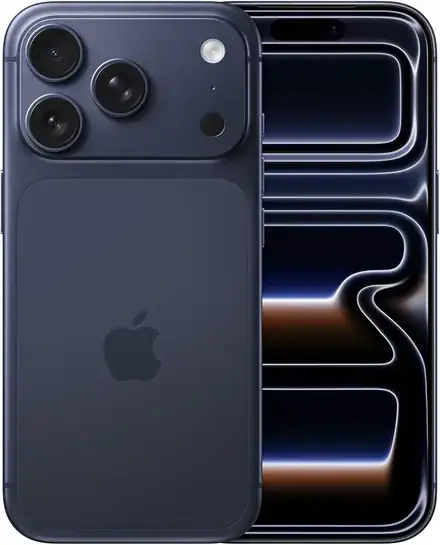
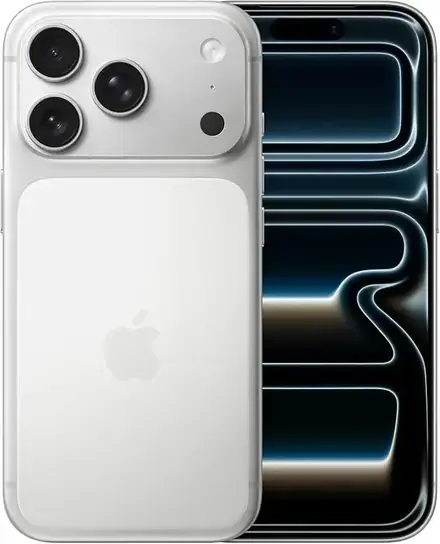
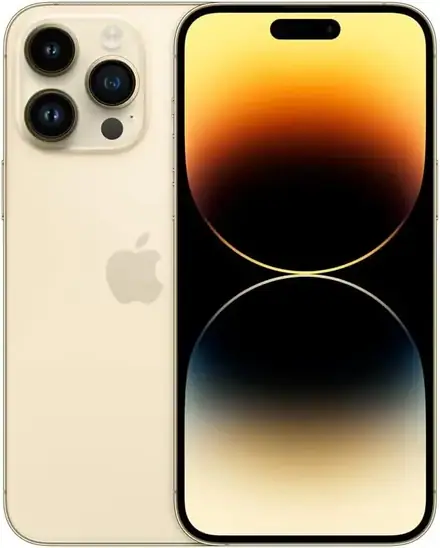
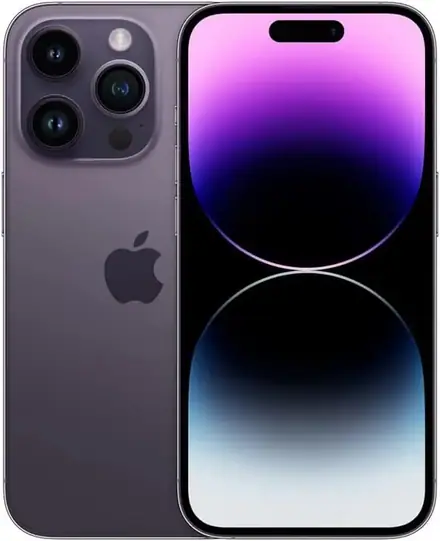
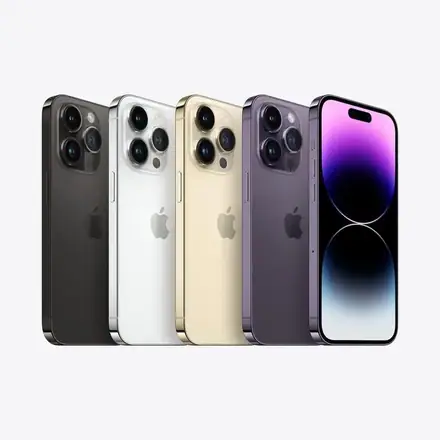
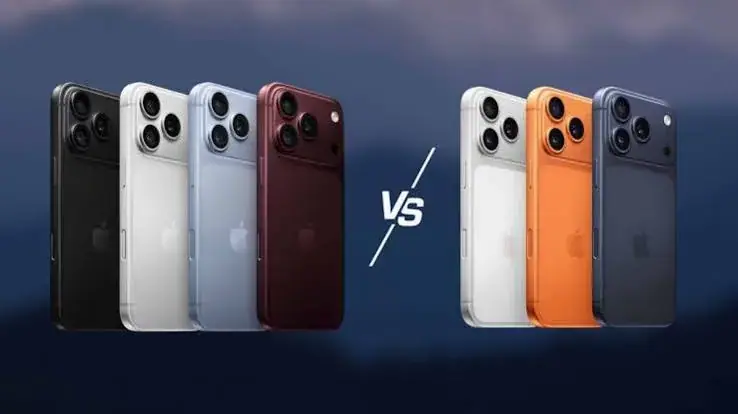
Apple lists the iPhone 18 Pro Max in Black, Silver, Glacier and Burgundy. Not every colour is available in every storage size at every moment, so confirm availability with us before you fall in love with one. Our supplier list for the Max includes Black, Glacier, Silver and Burgundy across different storage sizes.
Black. The safe, serious choice. It hides fingerprints well, matches every case, and looks smart in a meeting, at church or at a wedding. It also tends to be the easiest colour to resell later.
Silver. A bright, clean metallic finish that looks modern and crisp. It looks best with a clear case that shows the colour off. Silver shows less wear in a way that black sometimes does, and it suits people who prefer a light, fresh look.
Glacier. A cool, pale blue-grey that looks icy and modern. It is quieter than a loud colour but more distinctive than black or silver, and it changes a little in different light. It is a good choice if you want something that stands out gently.
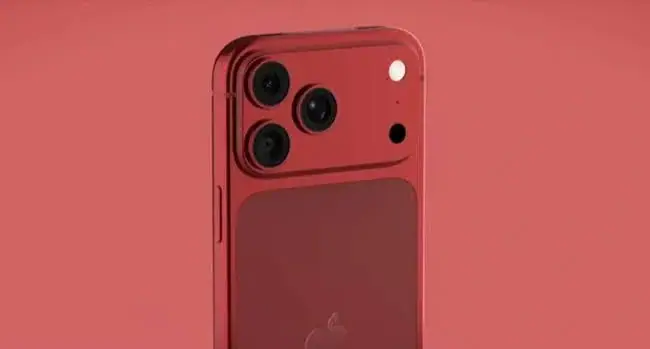
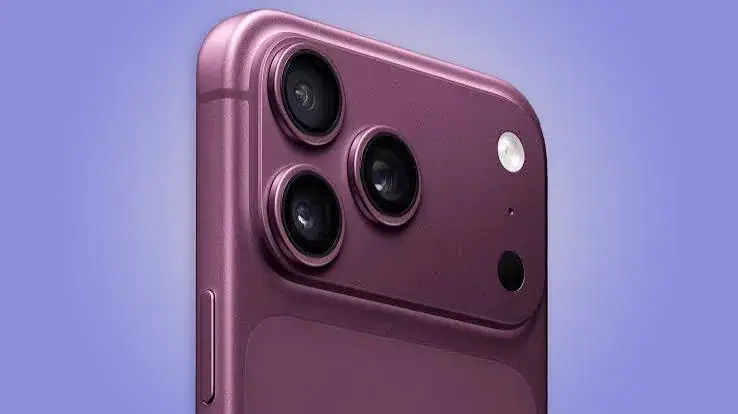
Burgundy. A deep, rich red with a purple undertone. It looks warm, elegant and a little luxurious, and it is the choice of people who want their phone to look different from the crowd. In Kenya's sunny weather it looks particularly good outdoors.
Practical colour advice: if you plan to use a coloured or patterned case all the time, colour matters less. If you plan to use a clear case, pick the colour you will enjoy seeing every day. Do not pick a colour only because it is cheaper or available sooner without asking us whether the same storage size is available in your first choice.
Step 4: eSIM only or physical SIM? The decision most Kenyans miss
This is the single most important decision for Kenyan buyers, and it is the one most guides skip.
Apple sells iPhones in several market versions. Some versions of the iPhone 18 Pro Max, notably those made for certain markets, have no physical SIM tray at all and rely on eSIM only. Other versions have one physical nano-SIM tray plus an eSIM, and Apple lists dual eSIM support as well. Both versions are genuine iPhone 18 Pro Max phones, and they look almost identical from the front. The difference is whether you can slide your existing SIM card into the phone.
We list the two versions separately, with their own pages and their own prices, so there is no confusion. You can see them here:
- Physical SIM versions: /guides/iphone-18-pro-max-esim-vs-physical-sim-kenya-which-to-buy
- Our full explanation of how eSIM works on Kenyan networks is in the same guide.
Choose the physical SIM version if
- You want to move your current SIM from your old phone and carry on, with no steps at all.
- Your M-Pesa line is on a physical SIM and you want it to stay that way.
- You often swap SIMs between devices, for example into a router or a second phone.
- You are not sure whether your network or shop will issue you an eSIM quickly.
- You want the simplest and most flexible option.
Choose the eSIM-only version if
- You are comfortable with eSIM and have checked that your network issues eSIMs for your line.
- You want a phone with no SIM tray, which Apple says helps with water resistance and internal space.
- You travel and like adding local eSIM data plans when you arrive.
- You do not need to put a physical SIM into the phone, ever.
Here is the key warning. An eSIM-only phone cannot take a physical SIM later. If you buy it and then find that your network cannot issue an eSIM for your line quickly, you could be stuck without your number on the new phone. eSIM support in Kenya varies by network and by plan, so check with your network before you commit. We do not name a network in our product pages because the situation changes, and we do not want to give you out-of-date advice.
When you buy from us, we open the SIM tray with you at the counter, or show it on video if you order for delivery, so you can see exactly which version you are getting. Nothing is left to guesswork. If you are unsure, buy the physical SIM version. It is the lower-risk option for most Kenyans.
Step 5: Sealed, unsealed and warranty markings
Supplier lists in the phone trade carry short markings that most buyers never see. Two matter here: "sealed" and "2-year warranty".
What "sealed" means
A sealed unit is a brand new phone in its original factory-sealed box. An unsealed unit may still be new, but the box has been opened, for example for stock checks or display. Sealed is the cleanest option and the one we recommend. We tell you plainly whether the box in front of you is factory-sealed, and we never present an unsealed unit as sealed.
What "2-year warranty" means
Some units on supplier lists are marked as carrying a two-year warranty. That is better than the standard one-year cover that Apple phones usually carry in many markets, and it is a real advantage for a phone you intend to keep. Warranty terms depend on the market version of the phone and on who stocks it, so we confirm the exact warranty terms in writing for the specific unit before you pay. We list warranty variants as separate pages because they can differ in price, so please read the page for the exact version you want.
What the warranty does not cover
Almost no warranty covers accidental damage, water damage or damage from using a poor charger. A warranty protects you against manufacturing faults, not against drops. If you want protection against drops, buy a good case and a screen protector from day one, and ask us about any protection plan available.
Step 6: Check that the model works fully in Kenya
Apple's iPhones are designed for particular markets, and the model number tells you which market. Most features work in Kenya regardless, but a few depend on region and software version. Apple Intelligence and the new Siri are examples: features arrive through software updates and depend on language, region and software version. Satellite features also depend on country and carrier.
Before you pay, ask us to confirm the model number and the market version. We tell you what we can and cannot promise. We would rather say "this feature depends on software and region" than promise something that is not available in Kenya.
Step 7: Check the phone before you pay
Popular phones are copied, and genuine phones are sometimes sold with problems that a buyer cannot see from the outside. Spend ten minutes on these checks, either at our counter in Nairobi or on video if you order for delivery.
- Check the IMEI. Dial *#06# or open Settings, General, About. The IMEI shown must match the one printed on the box and on the SIM tray.
- Check the serial number. Enter it on Apple's coverage page and make sure the model, colour and storage match what you are buying, and that the activation status makes sense for a new phone.
- Check for Activation Lock. The phone must not be tied to someone else's Apple Account. If you see a lock screen asking for another person's sign-in, do not buy.
- Check the seal. For a sealed unit, the seals should be intact and the printing clean.
- Check the SIM tray. Confirm the phone has the SIM arrangement you ordered.
- Check the display and cameras. Look for dead pixels, odd colour tints, a loose button or a camera that will not focus.
- Check the box contents. Apple lists the phone and a USB-C charge cable. No power adapter is listed, so budget for a charger.
If a seller discourages any of these checks, treat that as a red flag. Our guide on spotting fake and problem iPhones in Kenya goes deeper: /guides/how-to-spot-a-fake-or-locked-iphone-in-kenya
Step 8: Plan the accessories you need on day one
The phone is not the whole purchase. Plan for these at the same time, so that you are not borrowing a charger on the first evening.
- A case. The phone is large, heavy and expensive. A good case prevents the commonest and costliest accident.
- A screen protector. Ceramic Shield 2 is strong, but a protector is cheap insurance.
- A fast USB-C charger. None is listed in the box. Apple says the phone can reach about 50% in around 15 minutes with a 60 W capable adapter that supports Adjustable Voltage Supply, so choose a charger that supports that standard.
- A good USB-C cable. If you want USB 3 speeds up to 10 Gb/s, you need a cable rated for it.
- A MagSafe or Qi2 charger. Wireless charging up to 25 W is supported and convenient on a desk or bedside.
- A power bank. Useful when travelling or during power cuts.
- AirPods or other earbuds. The iPhone has no headphone jack.
We stock many of these. Ask our team for options that suit your budget, or browse the accessories we sell at /.
Step 9: Moving from your old phone
If you are coming from another iPhone, Apple's Quick Start makes the move easy. Put the two phones next to each other and follow the prompts, and apps, photos and settings can be transferred over Wi-Fi or by cable. If you are coming from an Android phone, Apple's Move to iOS app helps with contacts, messages, photos and calendars. WhatsApp chats and some app data need their own transfer steps, so plan an hour, keep both phones charged and do not wipe the old phone until you have checked that everything arrived.
Tell us what phone you are coming from and we will explain the safest way across, including what to do about your SIM size, your M-Pesa line and your WhatsApp history. If you bring the old phone to our shop, we can help you set the new one up at the counter.
Step 10: Choose where to buy
A phone this valuable deserves a seller you can find again. Here is what to look for.
- A physical address. Not just a social media page. Our shop is at New Alnoor Exhibition, Shop 7, Second Floor, Taveta Road, at the Taveta and Taveta Road junction in Nairobi CBD.
- Honest descriptions. The seller should tell you what is sealed, what is not, and what the warranty actually is.
- A receipt. You need one for warranty claims and for resale.
- Time for checks. A seller who rushes you is hiding something.
- Reasonable payment options. We accept M-Pesa, and shop collection is free.
- Clear delivery. We deliver same day in Nairobi for orders placed before 3pm, and by courier within one to three business days elsewhere in Kenya.
- After-sales help. We're on 0740 922 861.
Be careful with prices far below the market, with sellers who refuse to show the phone's IMEI, and with anyone who asks you to pay before you have seen the exact unit. A very low price on a premium iPhone usually has a reason, and the reason is rarely good news for you.
A word on payment and instalments
Many customers ask about paying in parts. Terms depend on the phone and on your arrangement, so ask our team on 0740 922 861 for the current details. We would rather you ask than assume.
Common mistakes buyers make
Buying on price alone. The cheapest listing is often the one with the missing warranty, the wrong SIM version or an unsealed box. Compare the exact version, not just the headline.
Ignoring the SIM version. An eSIM-only phone is perfectly fine if you have planned for it, and a headache if you have not.
Buying too little storage. People who choose the smallest size to save money often regret it within a year. Storage is the one thing you cannot add.
Buying too much storage. People who choose 1TB "just in case" and never use half of it have spent money that a case, charger and earbuds would have used better.
Forgetting the charger. No power adapter is listed in the box.
Skipping the checks. Ten minutes of checking protects you from the one bad purchase in your phone-buying life.
Skipping the receipt. Without one, a warranty claim becomes difficult.
Thinking about resale value from day one
An iPhone 18 Pro Max is one of the few consumer products that keeps a meaningful share of its value after a couple of years, and the choices you make today decide how much. Buyers on the second-hand market look for the same things you are looking for now: a clean IMEI, no Activation Lock, a known storage size, a recognised colour, a working battery, and proof of purchase. Keep your receipt, keep the box, and keep the cable that came with the phone. A phone sold with its original box and a receipt from a known shop is far easier to sell than one without.
Storage affects resale too. A 512GB phone is usually easier to sell than a 256GB phone, because the next buyer has the same worries about space that you do. Black and Silver are the colours that most buyers ask about first, while Glacier and Burgundy appeal to buyers who want something different, so resale demand for them can be narrower. None of this should override the colour you love, but it is worth knowing if you are a person who changes phones every two or three years.
Finally, look after the battery. Avoid leaving the phone in a hot car, avoid charging it under a pillow, and use a good charger and cable. Battery health is one of the first things a careful second-hand buyer checks, and a phone that has been treated kindly will show it.
Which version suits which type of buyer
It can help to see the decisions pulled together. The student or young professional who wants one excellent phone for four years usually does well with the 512GB physical SIM version, because it needs no changes to their existing line and has room to grow. The content creator who films every day and edits on the phone usually does well with 1TB, and benefits from the USB 3 speeds when moving files to a computer. The frequent traveller who likes adding a local data plan abroad often enjoys an eSIM-capable phone, and the physical SIM version still gives them eSIM for travel while keeping their home SIM in the tray. The business owner who wants the phone to last and who values paperwork often prefers a unit with the longer warranty, which we list as its own page.
The buyer who is most at risk of a mistake is the person who chooses an eSIM-only phone because it was a little cheaper, without checking that their network can issue an eSIM for their line. If that is you, speak to your network first, or choose the physical SIM version. A saving that leaves you without your number for a week is not a saving.
Frequently asked questions
Is the iPhone 18 Pro Max available in Kenya? Yes. Mega Store Kenya lists it in several storage sizes and colours, in both eSIM-only and physical SIM versions. Availability changes, so call or message us to confirm the exact version you want.
Which storage size should I buy? Most people should choose 512GB. Choose 256GB if you shoot little video and manage your space, and 1TB or more if video is central to how you use the phone.
Can I use my Safaricom, Airtel or Telkom SIM? On the physical SIM version, yes, in the nano-SIM tray. On the eSIM-only version, you need an eSIM from your network, and support varies by network and plan, so check before you buy.
Does it come with a charger? Apple lists the phone and a USB-C charge cable. No power adapter is listed.
Is the phone waterproof? It is rated IP68 for up to six metres for up to 30 minutes, as Apple lists. That protects against rain and splashes, but water damage is generally not covered by a warranty.
What is the difference between sealed and unsealed? A sealed unit is in its original factory-sealed box. We tell you plainly which you are getting.
What does the two-year warranty cover? Manufacturing faults, under terms that depend on the market version. We confirm the terms in writing for the specific unit before you pay.
Do you deliver outside Nairobi? Yes, by courier within one to three business days. Within Nairobi, orders placed before 3pm are delivered the same day.
Can I pay by M-Pesa? Yes. We accept M-Pesa, and shop collection is free.
Is it worth choosing the Max over the iPhone 18 Pro? If you want the biggest screen and the longest battery life, yes. If you want a more compact phone with the same chip and camera system, look at the iPhone 18 Pro.
How to order from Mega Store Kenya
- Decide your storage, colour and SIM version using the steps above.
- Call Sales on 0740 922 861 or write to [email protected] to confirm availability, the market version and the warranty for the exact unit.
- Visit us at New Alnoor Exhibition, Shop 7, Second Floor, Taveta Road, Nairobi CBD, open Monday to Friday 9am to 7pm and Sunday 11am to 4pm, closed on Saturday, or ask for delivery.
- Check the IMEI, serial number, seal and SIM tray with us, in person or on video.
- Pay by M-Pesa or another arrangement agreed with our team.
- Collect free from the shop, or receive same-day delivery in Nairobi for orders before 3pm, or courier delivery in one to three business days elsewhere.
For questions after purchase, We're on 0740 922 861.
Related guides and product pages
- iPhone 18 Pro Max eSIM vs physical SIM in Kenya: /guides/iphone-18-pro-max-esim-vs-physical-sim-kenya-which-to-buy
- iPhone 18 Pro Max features explained: /guides/iphone-18-pro-max-features-explained-a20-pro-camera-battery-usb3
- iPhone 18 Pro Max vs iPhone 18 Pro vs iPhone 17 Pro Max: /guides/iphone-18-pro-max-vs-iphone-18-pro-vs-iphone-17-pro-max-kenya
- How to spot a fake or locked iPhone in Kenya: /guides/how-to-spot-a-fake-or-locked-iphone-in-kenya
- Shop all iPhones at Mega Store Kenya: /
Final word
The iPhone 18 Pro Max is a superb phone, and the way to enjoy it for years is to buy the right version from a seller you can trust. Choose the size by your video habits, the colour by what you will enjoy seeing, the SIM version by your network and your habits, and the warranty by how long you plan to keep the phone. Then check the phone before you pay.
If you want a second opinion, we are happy to give one. Come to our shop on Taveta Road, call 0740 922 861, or write to [email protected], and we will help you choose the version that fits you, even if it is not the most expensive one.