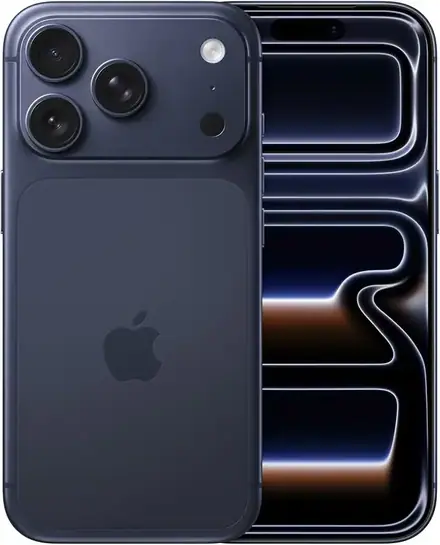
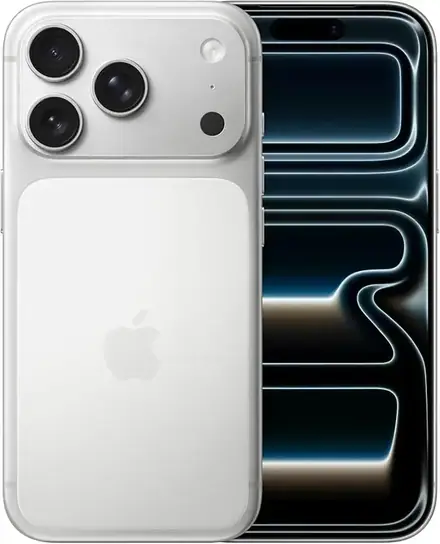
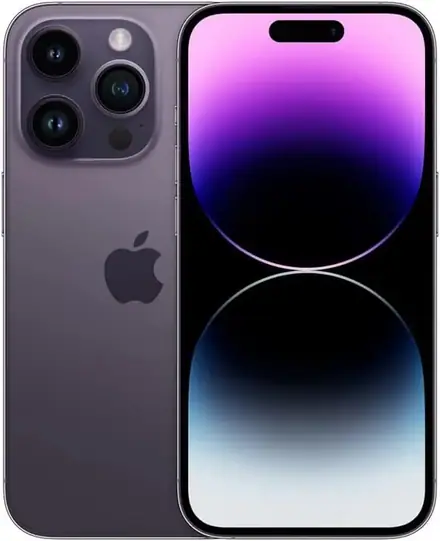
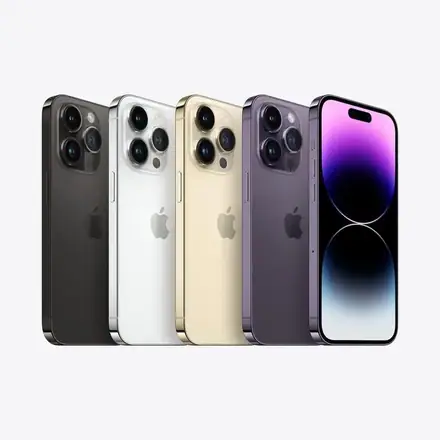
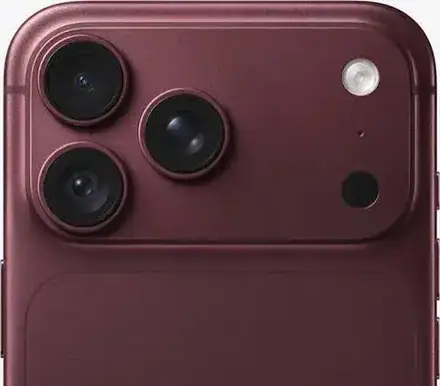
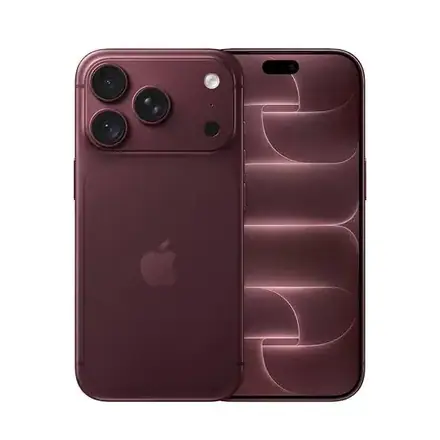
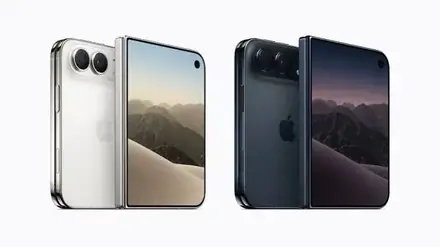
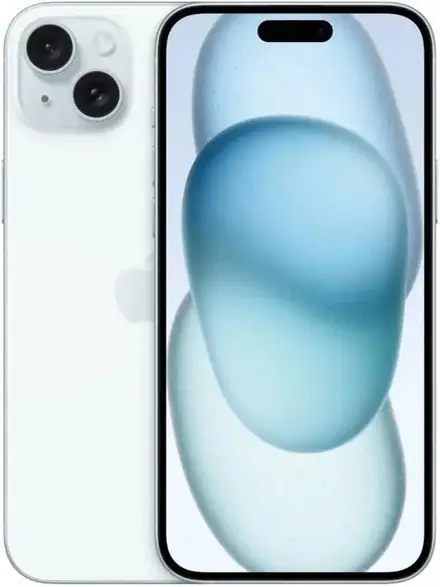
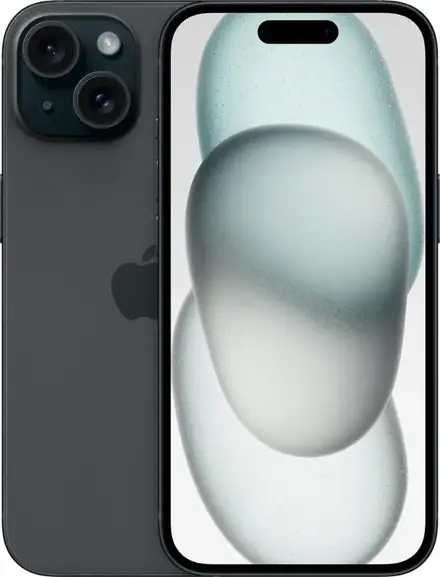
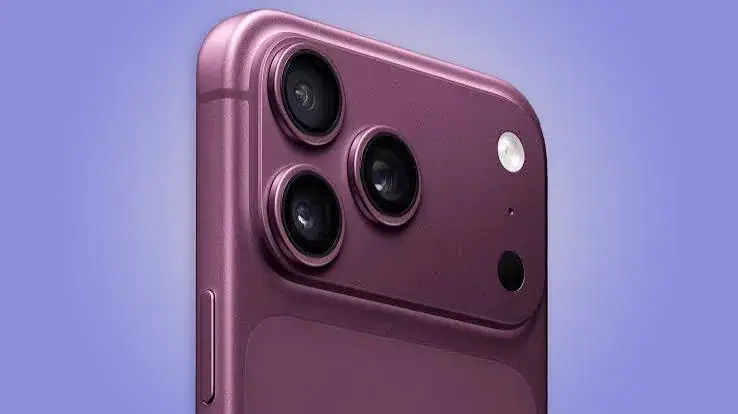
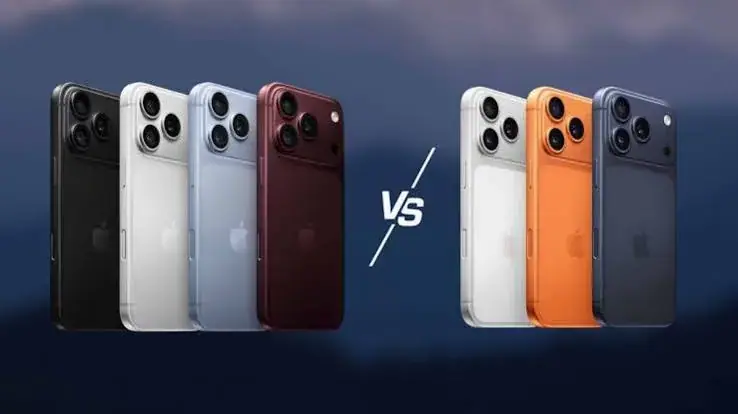
iPhone 18 Pro Max eSIM vs Physical SIM in Kenya: Which Version Should You Buy?
eSIM-only or physical SIM iPhone 18 Pro Max? A clear Kenyan guide to the difference, who each version suits, how to check your network supports eSIM, how to switch your number, travel use, risks, and…
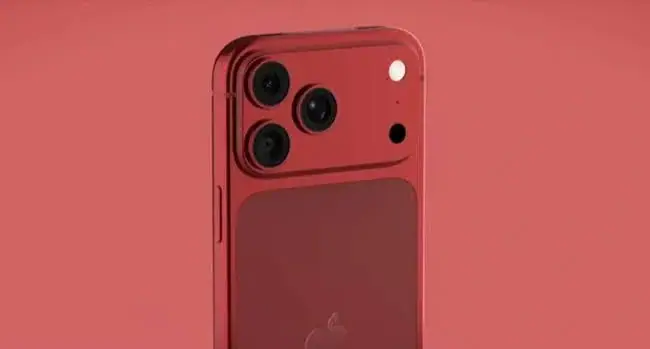
From the Mega Store Kenya team: This guide sums up what we explain to customers choosing phones at our Nairobi CBD shop. Prices and stock change quickly, so WhatsApp 0740 922 861 to confirm the exact version and price before you pay.
When you search for an iPhone 18 Pro Max in Kenya, you will soon notice something odd. Two listings with the same name, storage and colour can carry different prices, and one of them says "eSIM only" while the other does not. Many buyers assume this is a small detail. It is not. It decides whether you can take the SIM card out of your old phone and put it into your new one, or whether you must ask your network for an electronic SIM and set it up on the day.
This guide explains the difference clearly, in the context of Kenyan networks, Kenyan habits and Kenyan shops. It is written for people searching for "iPhone 18 Pro Max eSIM Kenya", "iPhone 18 Pro Max physical SIM", "eSIM only iPhone Kenya", "does the iPhone 18 Pro Max take a SIM card" and "iPhone 18 Pro Max dual SIM". By the end, you will know which version suits you, what to check with your network, what to ask the seller, and how to avoid the one mistake that causes real trouble.
Mega Store Kenya lists the two versions as separate products with their own prices, because they are not the same phone from a SIM point of view. Our shop is at New Alnoor Exhibition, Shop 7, Second Floor, Taveta Road (at the Taveta and Taveta Road junction) in Nairobi CBD. Sales is on 0740 922 861.
What an eSIM is, in plain words
A traditional SIM is a small plastic card that you slide into a tray. It carries your phone number and identifies you to the network. An eSIM does the same job, but it is built into the phone as a chip, and your network sends your number to it electronically. There is no card to lose, cut or swap. Instead, your network gives you a code or a request, you scan or accept it, and your line appears on the phone.
Apple has supported eSIM for several years, and its recent iPhones can hold more than one eSIM at a time. For the iPhone 18 Pro family, Apple lists one nano-SIM plus one eSIM, and also support for two eSIMs at the same time. Some market versions of the phone, however, have no physical SIM tray at all. Those are the eSIM-only phones.
The two versions of the iPhone 18 Pro Max
The physical SIM version (nano-SIM plus eSIM)
This version has a SIM tray on the side. You can slide in a standard nano-SIM, and you can also add an eSIM, so two lines can be active together. For most Kenyans, this means the phone behaves the way every phone has behaved for twenty years: take the SIM out of the old phone, put it in the new one, and carry on. You can still add an eSIM for a second line or for travel.
On our supplier's list, versions without the "E-Sim" marking are the ones we treat as the physical SIM, dual-SIM version. We always open the tray with you at the counter, or show it on video if you order for delivery, to confirm.
The eSIM-only version
This version has no SIM tray. It is sealed, with the space inside used for other parts. You can only use eSIMs, and Apple lists support for two active eSIMs. You cannot add a physical SIM later. The phone itself is a genuine iPhone 18 Pro Max, identical in screen, chip, cameras and battery, and it is often sold at a different price from the physical SIM version.
Our supplier marks these as "E-Sim" versions, and we list them with "eSIM Only" in the product name so that nobody is confused.
What changes in daily life
Switching from your old phone
With a physical SIM, the switch takes seconds. With an eSIM, the switch depends on your network. Some networks can transfer your line to the new phone using a code, a QR code, a shop visit or an app. Others require you to visit a shop with your ID. The time it takes varies from minutes to a day, and during the swap your old phone may lose its line. If you rely on your number for M-Pesa, banking alerts, work calls and two-factor codes, you want that swap to be calm and planned, not rushed in a parking lot.
Losing or breaking the phone
With a physical SIM, you can pull the card out of a broken phone and use it in any other phone. With an eSIM, the line lives on the phone, so if the phone is stolen or dies, you must go to your network and ask for the line to be reissued. This is not hard, but it takes longer, and it must be done with proof of identity. Many people find that a physical SIM is simpler in an emergency.
Using two lines
Many Kenyans carry two lines, for example a personal and a work number, or a voice line and a data line. A physical SIM version with an eSIM supports two lines easily. An eSIM-only version supports two eSIM lines, but both lines must be available as eSIMs from your networks. If one of your networks does not issue eSIMs, you cannot use that line on the phone.
Security
An eSIM cannot be pulled out of a stolen phone, which makes it harder for a thief to take your line and move it to another handset. That is a real advantage. A physical SIM can be removed in seconds, so a thief can disable your phone's line quickly, although Find My and Activation Lock still make the phone itself much less useful to them.
Travel
For travellers, eSIM is a joy. You can buy a local data plan online before you land, install it on the phone, and connect when you arrive, without hunting for a shop. If you travel abroad often, any version that supports eSIM serves you well. The physical SIM version also supports eSIM, so you can keep your Kenyan nano-SIM in the tray for your home number and add a travel eSIM at the same time. That combination is the most flexible setup of all.
Water and durability
Both versions are rated IP68 for up to six metres for up to 30 minutes, as Apple lists, so the SIM arrangement should not change how you think about rain, spills and splashes. As always, water damage is generally not covered by a warranty, so a case and sensible habits matter more than the SIM version.
The question that matters most: does your network issue eSIMs?
An eSIM-only phone is only as useful as your network's willingness to give you an eSIM. In Kenya, support for eSIM has been growing, but it depends on the network, on your type of account and sometimes on the shop you visit. It also changes over time. We deliberately do not name a network in our product pages, because information we print today could be out of date in a month, and we do not want to mislead you.
Before you buy an eSIM-only iPhone, do these things.
- Ask your network directly. Call the customer line or visit a shop, and ask: "Can you issue an eSIM for my line on an iPhone 18 Pro Max, and how long does it take?"
- Ask about your type of line. Prepaid, postpaid, business and shared lines may be treated differently. Ask about yours specifically.
- Ask about your M-Pesa and mobile banking. Your mobile money and banking apps depend on your number and sometimes on a SIM-based service. Ask the network and your bank if anything changes when the line moves from a physical SIM to an eSIM.
- Ask about cost and time. Some networks charge for a replacement or conversion, and the time can vary. Get the answer before you commit.
- Ask about backup. Find out what you would need to do if the phone is lost, so you know the process in advance.
If you cannot get a clear answer, choose the physical SIM version. It costs you nothing in capability and removes the main risk.
Who should choose the physical SIM version
- People who want the simplest and fastest switch from their old phone.
- People whose network does not yet issue eSIMs for their type of line.
- People who rely on M-Pesa and want no disruption.
- People who swap SIMs between phones, routers and other devices.
- People who are not comfortable with online set-up steps.
- People who want a second line in the form of an eSIM, in addition to a physical SIM.
- People who want the safest, lowest-risk path.
Who should choose the eSIM-only version
- People who have checked with their network and confirmed an eSIM can be issued quickly.
- People who are comfortable with set-up steps and have time to do them.
- People who travel and like adding local data plans.
- People who want the extra security of a line that cannot be pulled out of the phone.
- People who are buying a second phone for data or for a specific use and do not need a physical SIM.
- People who found a version that matches their storage and colour at a better price and have confirmed the network side.
Why we list the two versions separately
The two versions come to us as separate lines from our supplier, and they can differ in availability and in price. We therefore give each its own page, with its own reference price, so you can compare exactly the version you want and nothing is blended together. If you have checked that your network supports eSIM and you are happy with the set-up, the eSIM-only version is a perfectly sound choice. If you have not, do not let a difference in the reference price push you into a phone that does not suit your line. A day without your number costs more than any difference between two listings.
How to switch your number to an eSIM
The exact steps depend on your network, but the general pattern is as follows.
- Back up your old phone. Make sure contacts, photos and messages are safe.
- Contact your network. Ask for an eSIM for the iPhone 18 Pro Max. Bring your ID if they ask for it.
- Receive the eSIM details. This is usually a QR code, an activation code or an in-app request.
- Install it on the iPhone. Go to Settings, then Mobile Service or Cellular, and add the eSIM by scanning the code or following the network's instructions.
- Wait for activation. This can be quick, but plan for some delay.
- Test calls, messages, mobile data and M-Pesa. Do not wipe the old phone until you have confirmed that the new one works.
- Check your banking apps. Some ask you to re-verify on a new device.
If anything goes wrong, you still have the old phone and the old line. That is why we advise doing the switch when you are not in a hurry, and why we are happy to help you at the shop with the phone in hand.
Four real-life scenarios
Scenario one: the Nairobi office worker. Wanjiru has used the same Safaricom number for eight years. It receives her bank alerts, her M-Pesa messages and her work calls. She wants an iPhone 18 Pro Max in 512GB. She has never set up an eSIM and has no time to visit a network shop on a weekday. For her, the physical SIM version is the obvious answer. She moves her SIM across at the counter, tests a call, and walks out with the phone working. If she later wants a second line, she can add an eSIM.
Scenario two: the frequent traveller. Otieno flies to destinations across Africa and Europe several times a year and hates hunting for a SIM shop at arrival. He wants to buy a local data plan online before he lands. Either version can do this, but the physical SIM version lets him keep his Kenyan nano-SIM in the tray for his home number while the travel plan sits on the eSIM. That is the most flexible arrangement. If he buys the eSIM-only version, he must hold his Kenyan line and his travel plan as two eSIMs, which works only if his home network issues an eSIM.
Scenario three: the second phone. Achieng already has a daily phone and wants an iPhone 18 Pro Max mainly for photography and content creation, connected through a data line she already has as an eSIM. She has checked with her network and knows the set-up. For her, the eSIM-only version is fine, and she can use the pages' separate listing to compare options.
Scenario four: the family hand-me-down. Kamau plans to give his current iPhone to his daughter and move to a new Max. He wants to move his SIM in minutes and the daughter's line onto the old phone. The physical SIM version keeps everything simple, because SIM cards can be moved without calling anyone.
SIM swap fraud and why eSIM changes the picture
SIM swap fraud happens when a criminal persuades a network or an agent to move your number to a SIM they control, and then uses your number to receive bank codes and reset passwords. It is a risk for any phone number, physical or electronic. An eSIM does not make you immune, because the weak point is the process of re-issuing a line, not the card itself. What it does remove is the simplest theft method, where a thief takes your SIM out of a stolen phone.
Whichever version you choose, protect your line. Set a PIN on your SIM or line if your network offers one, use app-based or biometric sign-in for your banking apps where you can, and treat sudden loss of signal on your phone as a warning to call your network from another phone. Never share the activation code or QR code for an eSIM with anyone, because that code can be used to install your line elsewhere. If you receive an unexpected message asking you to scan a code or approve a SIM request, do not respond until you have called your network on its official number.
Troubleshooting: what to do if something goes wrong
The eSIM will not activate. Check you have a data connection through Wi-Fi, because the phone often needs to download the profile. Make sure you scanned the correct code, since each code normally works once. Restart the phone and try again. If it still fails, contact your network for a new code.
The line shows no service after the switch. Wait a few minutes, restart, and check that the line is turned on in Settings. Make sure the old phone is not still holding the line. Contact your network if the line stays down.
A banking app asks you to verify again. This is normal after changing phones. Follow the app's own steps, and contact your bank if the app does not accept the new device.
WhatsApp asks for a code. WhatsApp sends a code to your number when you move to a new phone. You need the line working to receive it, so activate the line first and set WhatsApp up afterwards. Use WhatsApp's own backup and restore steps to bring your chats across.
You are not sure which version you have. Look in Settings, General, About, and check the lines listed. A physical tray on the side of the phone confirms the physical SIM version. If you are unsure, ask us, and we will help you check.
What we do at the counter
When you collect your phone from our shop on Taveta Road, we take about ten minutes to do the following with you. We confirm the model number, the storage and the colour against your order. We check the IMEI on the box against the phone. We open the SIM tray, or show you where it would be, to confirm the SIM version. If you have chosen the physical SIM version, we help you move your SIM, test a call and confirm mobile data. We make sure the phone is not locked to another Apple Account, and we show you where to find Find My and the settings for each line. Then we give you a receipt, and you leave knowing exactly what you bought.
If you order for delivery, we do the same checks on video before you pay, and we deliver the phone the same day in Nairobi if you order before 3pm, or by courier within one to three business days elsewhere in Kenya.
Common worries, answered
"Can I put an eSIM on a physical SIM phone?" Yes. The physical SIM version supports an eSIM in addition to the nano-SIM, so you can use both.
"Can I put a physical SIM in an eSIM-only phone?" No. There is no tray, and no way to add one later.
"Will my number change?" No. Moving your number to an eSIM keeps the same number. The network simply provides it electronically.
"Will M-Pesa still work?" M-Pesa depends on your line. Ask your network to confirm that M-Pesa works on an eSIM for your account before you switch.
"What if I lose my eSIM-only phone?" Report it to your network, ask for the line to be re-issued, and use Find My to locate or lock the phone. A physical SIM could be moved to another phone at once, so an eSIM-only owner needs a little more patience.
"Which one holds its value better?" Resale depends on the buyer. Buyers who want to keep a physical SIM may prefer that version, while travellers and eSIM users may not mind. In a market where many buyers still use physical SIMs, the physical SIM version can be easier to resell, though the difference varies.
"Can I have two numbers on one phone?" Yes, on either version. The physical SIM version can have a nano-SIM plus an eSIM, and Apple lists dual eSIM support for the iPhone 18 Pro family as well.
How we protect you from a wrong-version mistake
The risk with any phone sold by market version is receiving the wrong one. At Mega Store Kenya we do these things.
- Separate pages and names. The eSIM-only version has "eSIM Only" in the name, and the physical SIM version is labelled as such.
- Tray check. We open the SIM tray with you at the counter, or on video, so you can see the version with your own eyes.
- Model number confirmation. We confirm the model number and market version before you pay.
- IMEI and serial checks. We match the IMEI on the box to the phone and look up the serial number on Apple's coverage page with you.
- Plain answers. If we do not know something about a unit, we say we will confirm per unit instead of guessing.
For more on checking a phone, read our guide at /guides/how-to-spot-a-fake-or-locked-iphone-in-kenya.
What about the other iPhones?
The same question applies to other recent iPhones. Some of the iPhone 17 Pro Max listings, the iPhone 17 Air and the iPhone Duo are eSIM only, and other models are available with a physical SIM tray. The rule is the same: check the version, check your network, and choose the physical SIM version if you have any doubt. We list each version on its own page.
A word on dual SIM and dual eSIM
Dual SIM is useful in Kenya, where many people keep a personal line and a work line, or one network for calls and another for data. With a physical SIM plus eSIM, you can keep your main line in the tray and add a second line as an eSIM. With two eSIMs, which Apple lists as supported on the iPhone 18 Pro family, you can run two eSIM lines at the same time. This can be a good setup for people who travel, but it requires both networks to support eSIM. If only one of your lines can be an eSIM, you want the physical SIM version so that the other can remain a physical card.
Questions to ask any seller
Whoever you buy from, ask these questions. If a seller cannot answer them, be careful.
- Is this the eSIM-only version or the physical SIM version?
- Can you open the SIM tray, or show me that there is no tray?
- What is the model number and the market version?
- Is the box sealed, and what warranty is attached to this unit?
- Can I check the IMEI and the serial number before I pay?
- Do you give a receipt?
We welcome every one of those questions.
Business owners, shops and teams
Small businesses in Kenya often buy several iPhones at once for owners, managers or sales staff, and the SIM question becomes a management question. If your staff use company lines that sit on physical SIMs, the physical SIM version lets you move a line from one person to another in seconds when someone leaves or when a phone is repaired. That flexibility is worth a great deal when a phone must be in use the same day. If your lines are managed through a corporate account with your network, ask the account manager whether eSIM provisioning is available for business lines before you commit to an eSIM-only fleet.
For a business owner who wants a separate work number on a personal phone, the physical SIM version with an eSIM is neat. The personal number stays in the tray, the work number is added as an eSIM, and calls and messages can be separated by line. You can even choose which line is used for outgoing calls and messages, and which handles mobile data.
Repairs, resale and the next owner
Think about the phone's life beyond your own use. When the phone goes in for repair, a physical SIM can simply be removed and kept safe, so your line is never in the repair shop's hands. With an eSIM-only phone, your line stays on the device, so before you hand it over you should remove the eSIM, or at least note that you can restore it afterwards, and back up the phone. When you sell the phone, erase it fully and remove any eSIM profiles so your line does not remain on a device you no longer own. A buyer will also want to know the version, so keep the box and the receipt that state it.
On resale, buyers in Kenya still tend to ask first whether the phone takes a normal SIM. A physical SIM version answers that question at once, and it usually finds a buyer more easily. An eSIM-only phone appeals to a narrower group, such as travellers and people who have already moved to eSIM. This is a general observation, not a promise about any particular price, and it is one more reason to choose the physical SIM version if you expect to sell within two or three years.
Our recommendation, in one paragraph
For most people in Kenya today, the physical SIM version of the iPhone 18 Pro Max is the safer and more flexible choice. It lets you move your number in seconds, keeps your options open for a second line, and removes any dependence on your network's eSIM process. The eSIM-only version is excellent for the prepared buyer: someone who has spoken to their network, understands the set-up, and values the features that come with a phone that has no tray. If you fall into that group, you will be very happy with it. If you are in any doubt, ask us first. We would much rather spend ten minutes helping you choose the right version than see you come back with the wrong one.
Frequently asked questions
What does "eSIM only" mean on an iPhone 18 Pro Max? The phone has no physical SIM tray. It uses only eSIM, which is a built-in chip that your network programs with your number.
Is the eSIM-only version a different phone? It is the same phone in screen, chip, cameras and battery, but with a different SIM arrangement.
Does the physical SIM version support eSIM too? Yes. Apple lists one nano-SIM plus one eSIM for the iPhone 18 Pro family, with support for two eSIMs at once.
Do Kenyan networks support eSIM? Support depends on the network, your type of line and sometimes the shop. We recommend asking your network before you buy an eSIM-only phone.
Is the eSIM-only version cheaper? On our supplier's list it is often priced lower for the same storage and colour. The product pages show each price on the reference side.
Can I switch from eSIM-only to a physical SIM later? No. The tray does not exist.
What if I am not sure which one to buy? Choose the physical SIM version. It is the lower-risk choice for most Kenyans.
Can you help me set up an eSIM? We can guide you through the steps with the phone in hand. The network itself issues the eSIM, so you need to deal with them for activation.
Do you deliver outside Nairobi? Yes, by courier within one to three business days. Within Nairobi, orders placed before 3pm are delivered the same day.
How do I pay? We accept M-Pesa. Shop collection is free.
How to order
Tell us the storage, colour and SIM version you want. Call Sales on 0740 922 861, or write to [email protected]. We confirm availability, the SIM arrangement, the market version and the warranty, and we check the phone with you before you pay. Visit us at New Alnoor Exhibition, Shop 7, Second Floor, Taveta Road, Nairobi CBD, open Monday to Friday 9am to 7pm and Sunday 11am to 4pm, closed Saturday. We're on 0740 922 861 for help after purchase.
Related guides
- iPhone 18 Pro Max buying guide: /guides/iphone-18-pro-max-buying-guide-kenya-storage-colour-sim-warranty
- iPhone 18 Pro Max features explained: /guides/iphone-18-pro-max-features-explained-a20-pro-camera-battery-usb3
- iPhone 18 Pro Max vs iPhone 18 Pro vs iPhone 17 Pro Max: /guides/iphone-18-pro-max-vs-iphone-18-pro-vs-iphone-17-pro-max-kenya
- How to spot a fake or locked iPhone in Kenya: /guides/how-to-spot-a-fake-or-locked-iphone-in-kenya
- Shop all iPhones: /
The short version
If you want the easiest life, buy the physical SIM version of the iPhone 18 Pro Max. If you have checked with your network, you are comfortable with set-up, and the eSIM-only version suits your plans or budget, it is a perfectly good phone. The mistake to avoid is buying an eSIM-only phone first and asking your network afterwards. Ask first, buy second, and we will check the tray with you before you pay.