
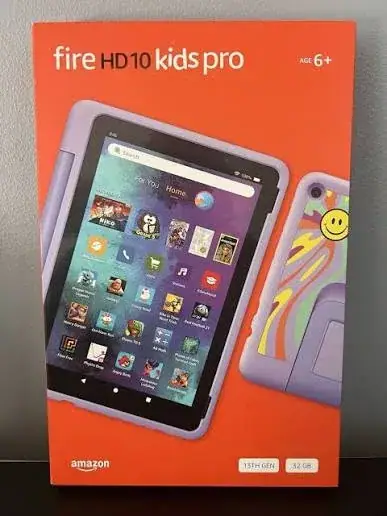
Amazon Fire 10 Kids Pro Edition Tablet
Be the first to review
KSh 22,300
Available now — order before 3:00pm for same-day Nairobi delivery.
This listing is for the Amazon Fire 10 Kids Pro Edition Tablet, sold brand new, in its sealed retail box by Mega Store Kenya in Nairobi CBD.
Send it as a gift
Hand-wrapped, with a card in your words and an optional video-message QR. Prices hidden, delivered when you say.
Same-day delivery in NairobiFlat KSh 300 delivery anywhere in Kenya. Free collection from our Taveta Road shop.
Pay on deliveryM-Pesa or cash when the item reaches you — check it first.
Genuine, sealed — 12-month brand warrantyAsk us on WhatsApp for the exact warranty on this unit.
Product details
This listing is for the Amazon Fire 10 Kids Pro Edition Tablet, sold brand new, in its sealed retail box by Mega Store Kenya in Nairobi CBD. You can pay on delivery with M-Pesa; we deliver the same day within Nairobi and by courier across Kenya. Not sure it's the right one? Message 0740 922 861 on WhatsApp and we'll compare it with similar tablets we have in stock.
Amazon Fire 10 Kids Pro Edition Tablet in Kenya
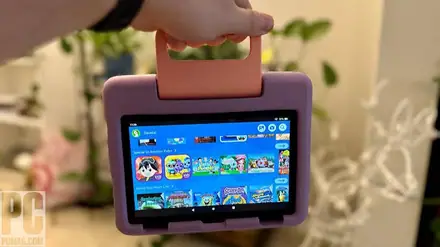
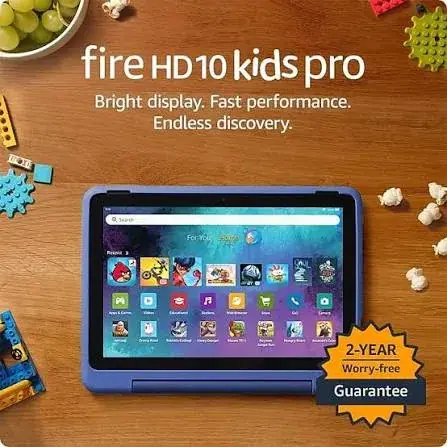
A 10.1-inch Amazon tablet for children ages 6 to 12, in a protective kid-proof case, with parental controls and Kids content built in.
The Amazon Fire 10 Kids Pro Edition Tablet is Amazon's tablet made for children, built around a 10.1-inch screen that is a big, sharp screen for videos, drawing and learning. It comes wrapped in a tough, child-friendly case, and it is designed so that parents stay in charge of what a child can open, watch, read and play. Below you will find what is in the box, what the tablet does well, where it is limited, how Fire OS and the Amazon Appstore differ from what you may be used to, how parental controls work, how it behaves with Kenyan power and internet, how to set it up, and what to check before you pay. We write only what the published specifications and our own checks support, and where something must be confirmed for the exact unit in front of you, we say so.
Key specs at a glance
| Feature | Detail |
|---|---|
| Product | Amazon Fire 10 Kids Pro Edition Tablet |
| Generation | 13th generation, 2023 |
| Recommended ages | 6 to 12 |
| Display | 10.1-inch, 1920 x 1200 pixels |
| Processor | Octa-core (two cores at 2.05 GHz and six at 2.0 GHz) |
| RAM | 3GB |
| Storage | 32GB |
| Memory card | microSD slot, expandable up to 1TB |
| Rear and front cameras | 5MP rear and 5MP front |
| Battery life | up to 13 hours of mixed use, as published |
| Weight | about 658 g as published |
| Software | Fire OS 8 or newer, based on Android |
| Apps | Amazon Appstore (not Google Play) |
| Kids features | Kids profile, Parent Dashboard, curated Kids Plus content, time limits and content filters |
| Case | Kid-proof case, confirmed per unit |
| Condition | Brand new |
| Stock and market version | Confirmed per unit |
| Warranty | Confirmed per unit |
| Available from | Mega Store Kenya, Nairobi CBD |
The specifications on this page come from the published product specifications for the family. Amazon does not publish every detail, such as battery capacity in mAh, brightness or the exact Wi-Fi standard, so we do not quote them. Amazon sells these tablets in several market versions, and some services, subscriptions and guarantees depend on the region, so please ask our team to confirm the exact model, market version, storage size, case and warranty before you pay.
What's in the box
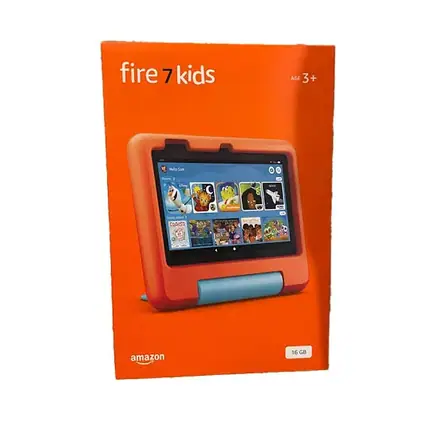
A Fire Kids Edition tablet is sold as a bundle, and the published listings for the family describe the following.
- The tablet itself, supplied in a kid-proof case.
- A power adapter and a charging cable. The plug on the adapter depends on the market the unit was made for, so we check it with you.
- A bundled Amazon Kids Plus subscription (one year, as Amazon describes it for the family) and a two-year worry-free guarantee. These offers depend on the region and the market version, and they may not be redeemable on every account in Kenya, so we confirm exactly what your unit includes before you pay.
We never describe anything as included unless we have seen it in the box.
What this tablet is
The Fire 10 Kids Pro is a children's version of Amazon's Fire tablet. Under the case, it is a standard Fire tablet with a 10.1-inch screen, a Octa-core processor and 3GB of RAM. What turns it into a children's product is the software and the protection: a child profile that limits what can be opened, a Parent Dashboard that lets adults set rules, a subscription of Kids content and a case designed to survive drops, spills and enthusiastic play.
The Pro edition is aimed at older children, ages 6 to 12, with a more grown-up experience: Amazon describes access to a curated digital store for e-books and apps in which parents approve purchases, along with the same Kids Plus content and the same kid-proof protection as the younger edition.
Some are parents who want a safe first tablet that they can control. Some are grandparents or relatives who want a durable gift. Others are schools, churches and organisations looking for devices that children can use without risk of misuse. All three are well served by this tablet, as long as they understand that it is a Fire tablet and not an Android tablet with Google Play.
Fire OS and the Amazon Appstore: the most important thing to understand
Fire tablets do not run the usual version of Android that you may know from Samsung or Tecno phones. They run Fire OS, Amazon's own version of Android. The difference matters.
- Apps come from the Amazon Appstore. Fire tablets use Amazon's app store, not Google Play. Many popular children's apps are there, but not every app is, and some well-known apps are missing.
- Google services are not built in. Google apps such as Gmail, Google Maps and YouTube are not pre-installed. Some can be used through a web browser, but the experience differs.
- Your Amazon account matters. The tablet is set up with an Amazon account, and the region of that account affects which content, apps and subscriptions you see.
- Alexa and Amazon services are built in, which is good for Amazon Kids content, books and videos available in your region.
For a child's tablet, many families find this a feature rather than a flaw: the closed, curated environment makes it easier to keep children inside safe content. But if your child needs a specific app for school or a specific streaming service, check that it is available on the Amazon Appstore before you buy. Ask us, and we will tell you what we know.
Kids Edition features
A child profile that stays in its lane
The tablet opens into a child profile designed for ages 6 to 12. The home screen is simple, with big icons for books, videos, games and apps that you have approved. Children cannot wander into settings, the browser or the store unless you allow it.
Parent Dashboard
Parents use a Parent Dashboard, on the tablet or through the Amazon app or website, to set up and manage what a child can do. Typical controls include:
- Daily time limits. Set how long a child can use the tablet, with different limits for weekdays and weekends.
- Bedtime. Lock the tablet during hours you choose.
- Learn first. Require a child to read or do educational activities before playing games or watching video.
- Content filters. Choose the age range for content and block what does not suit your child.
- App and content approvals. Decide which apps, books and videos appear on the child's profile.
- Web browsing. Turn the browser on or off, and apply filters.
- Activity reports. See what a child has used, so that you can talk about it.
The exact controls and names depend on the software version, so we show you how they work when you buy.
Kids Plus content
The bundled Amazon Kids Plus subscription, where available, gives access to a library of age-appropriate books, videos, games and educational apps. The size and make-up of the library depends on your region and account, and some content may not be available in Kenya. We explain what you can expect and help you set it up, and we are honest about gaps.
Kid-proof case and guarantee
The tablet is supplied in a protective case designed for rough handling. Amazon's two-year worry-free guarantee, as described for the family, offers replacement if the tablet breaks within the period under Amazon's terms. The details of the guarantee, how to claim it and whether it can be claimed from Kenya depend on the market version of the unit. We do not promise it, and we confirm what your unit includes in writing before you pay.
Display
The Fire 10 Kids Pro has a 10.1-inch display with 1920 x 1200 pixels. This is a full HD class screen, noticeably sharper than the smaller tablets in the range, with plenty of room for videos, drawing and reading. Text and pictures look crisp, and the size makes it comfortable for two children to watch together.
Like every Fire tablet, the screen is an LCD, so blacks are not as deep as on an OLED phone, and it can be harder to read in direct sunlight. Keep it out of strong sun, and a screen protector, if the case does not already protect the screen, is sensible protection.
Performance
The tablet uses a Octa-core (two cores at 2.05 GHz and six at 2.0 GHz) processor with 3GB of RAM. This is the strongest setup in the Fire Kids range, with more processor cores and 3GB of RAM. It handles videos, drawing, reading and many games smoothly, and it copes better with several apps open than the smaller tablets in the range.
The tablet is not a replacement for a laptop or a gaming tablet. It is a good learning, reading and entertainment device for children, and it is designed for that.
Battery life
Amazon publishes a battery life of up to 13 hours of mixed use for this tablet. In real life, battery life depends on screen brightness, video streaming, games and Wi-Fi use. Playing video at full brightness drains the battery faster than reading a book at a lower setting. Amazon does not publish the battery capacity in mAh, so we do not quote one.
At up to 13 hours, the battery will usually cover a full day of use and a long journey, but we still recommend charging it every night.
Teach your child to plug in the tablet at night, ideally in a common area and not in the bedroom. A tablet that is charged at a regular time is a tablet that is ready when needed.
Storage and microSD
The tablet has 32GB of built-in storage. Part of that is used by the system, so the space you can use is lower. Children's apps, books and downloaded videos can fill storage quickly, particularly videos saved for offline viewing.
The tablet has a microSD slot that accepts cards up to 1TB. A memory card is the simplest way to add space, and it is useful for storing downloaded videos and photos. Choose a reputable brand, and ask us for a card that suits the tablet.
Cameras
The tablet has 5MP rear and 5MP front cameras. These are better than the cameras on the smaller tablets in the range, and they handle school photos, simple videos and video calls well, though they are not a substitute for a phone camera. Camera and video calling can be turned off or restricted in the Parent Dashboard. Talk to your child about when and with whom they may use the camera.
Connectivity and internet in Kenya
The tablet connects through Wi-Fi. It does not have a SIM slot, so it needs a Wi-Fi network for online content, app downloads and video streaming. You can use home Wi-Fi, or a mobile hotspot from a phone. Amazon does not specify the exact Wi-Fi standard in the sources we read, so we do not quote one. Bluetooth is available for headphones and accessories on the Fire family, and we confirm it on your unit.
Some practical points for Kenyan households:
- Data bundles. Streaming video and downloading apps use data. Use Wi-Fi with a generous allowance, and download content for offline viewing where possible.
- Hotspot use. If you share your phone's data, set a limit so that a child cannot use up the whole bundle.
- Weak signal. Place the router in a central place, and keep the tablet within range.
- Offline content. Many books and videos can be downloaded when you have a good connection, and then used without internet.
Power and the charger
The tablet is supplied with a power adapter and a cable, and the plug depends on the market. Kenyan sockets use the British three-pin style, so a plug made for another market may need an adapter. We check this with you before you pay, and we can supply a suitable plug adapter. Use the supplied charger or a quality replacement, and avoid low-quality, unmarked chargers, which can damage batteries.
Power can surge when it returns after an outage, so plug the charger into a surge-protected extension. Charge the tablet on a hard, flat surface, and not under a pillow or on a bed.
Setting up the Fire 10 Kids Pro
Setting up takes about twenty minutes.
- Charge the tablet for a short time before you start.
- Switch it on and choose your language and Wi-Fi network.
- Sign in with, or create, an Amazon account. The account's region affects the content you see. We can guide you through it.
- Set up a child profile. Enter your child's name, age and, if you wish, a picture.
- Open the Parent Dashboard and set the time limits, bedtime, content filters and approved apps.
- Choose content. Add books, videos and apps you approve.
- Set a parent password that your child does not know.
- Download some content for offline use before a trip.
- Show your child the basics, including how to ask for help.
If you buy from us, we can help with these steps at the shop, or by phone and video for delivery orders.
Screen time and healthy use
A children's tablet is a tool, not a babysitter. A few habits help.
- Set clear daily limits and stick to them, using the Parent Dashboard.
- Use bedtime locks so that the tablet is not used late at night.
- Choose active, creative and learning content over passive viewing where you can.
- Sit with young children and talk about what they see.
- Balance screen time with outdoor play, reading and family time.
- Keep the tablet in a shared space so that you can see how it is used.
- Hold the tablet at a comfortable distance and take breaks to rest the eyes.
- Lead by example. Children copy the habits of the adults around them.
Learning with the tablet
Used well, a Fire Kids tablet can support learning. Young children can enjoy picture books, early reading, counting games and drawing apps. Older children can read chapter books, practise maths, learn languages, explore science and use creative tools. Download books and educational apps before school holidays, and use the Learn First setting to put reading ahead of games. Check which learning apps are available in the Amazon Appstore for your child's needs, and ask their teacher for recommendations.
Who should buy the Fire 10 Kids Pro
- Parents who want a safe first tablet with strong parental controls.
- Families who want a durable tablet that survives drops and spills.
- Gift buyers looking for a child-friendly present.
- Households with several children, where each child gets a profile.
- Schools and community groups that want children's tablets with managed content.
- Parents of older children (ages 6 to 12) who want more independence with approval controls for purchases.
Who should look elsewhere
- Children who need Google apps, such as school platforms that are only on Google Play.
- Teenagers, who may prefer a standard tablet or a phone.
- Buyers who want a high-performance gaming or drawing tablet.
- Buyers who need a SIM slot. This tablet is Wi-Fi only.
- Families that cannot reliably get Wi-Fi. Offline use is possible, but limited.
Accessories worth buying
- A microSD card for extra storage.
- A screen protector, if the case does not already cover the screen.
- Kids headphones with volume limiting, to protect young ears.
- A surge-protected extension.
- A plug adapter, if your unit's plug does not match your sockets.
- A stylus, if your child likes to draw.
- A stand, for watching videos.
Ask our team for options that suit your child and your budget.
Buying a Fire Kids tablet safely in Kenya
Before you pay, we recommend the following checks, which we do with you at the counter, or on video for delivery.
- Check the box and seals. A new unit should arrive sealed, with clean printing.
- Check the model. It should say Fire Kids Edition (or Kids Pro Edition) and match the size and storage you ordered.
- Check the contents. Tablet, case, charger and cable, and any paperwork.
- Check the plug. It should suit your sockets, or we supply an adapter.
- Power on the tablet and check the screen and touch response.
- Check that it is not registered to another person's account. A new unit should be unregistered.
- Check the offers. We confirm what the Kids Plus subscription and the guarantee mean for your unit.
- Get a receipt and a written warranty. Warranty terms depend on the market version, so we confirm them in writing.
If a seller will not let you check, walk away.
Warranty and stock
Warranty terms depend on the market version and on who stocks the unit, so we confirm the terms in writing for the specific tablet before you pay. A warranty covers manufacturing faults. Broken screens, liquid damage and misuse are generally not covered by a standard warranty, which is why the case matters. Customer Relations on 0740 922 861 helps with warranty questions after purchase, so keep your receipt and the box.
Strengths and limits
What we like:
- Strong parental controls and a simple child profile.
- Protective kid-proof case.
- 10.1-inch 1920 x 1200 display, 3GB RAM and up to 13 hours of battery life.
- microSD slot up to 1TB.
- Bundled Kids Plus content and guarantee offers, where available.
- Easy to set up and use.
What to keep in mind:
- Fire OS and the Amazon Appstore, with no Google Play.
- Wi-Fi only, with no SIM slot.
- Content and subscription offers depend on region.
- Not a gaming or professional tablet.
- The plug may need an adapter.
Frequently asked questions
What is the Fire 10 Kids Pro? A 10.1-inch Amazon tablet for children ages 6 to 12, supplied in a kid-proof case with parental controls and Kids content.
What age is it for? Ages 6 to 12, as Amazon describes it.
Does it have Google Play? No. It uses the Amazon Appstore.
Can I use YouTube? Google apps are not built in. Some services can be used in a browser, if you allow it.
Does it have a SIM slot? No. It is Wi-Fi only.
How much storage does it have? 32gb, plus a microSD slot up to 1TB.
How long does the battery last? Up to 13 hours, as published.
Can I set time limits? Yes, with the Parent Dashboard.
Does it include a subscription and a guarantee? Amazon describes one year of Kids Plus and a two-year worry-free guarantee for the family. We confirm what your unit includes.
Can I pay by M-Pesa? Yes. We accept M-Pesa, and shop collection is free.
Do you deliver outside Nairobi? Yes, by courier within one to three business days. In Nairobi, orders placed before 3pm are delivered the same day.
Can I see it before buying? Yes. Visit our shop on Taveta Road, and we will show you the tablet.
How to order
Call Sales on 0740 922 861 or write to [email protected] to confirm availability, the storage, the market version, the case and the warranty for the exact unit. Visit us at New Alnoor Exhibition, Shop 7, Second Floor, Taveta Road (at the Taveta and Taveta Road junction), Nairobi CBD, open Monday to Friday 9am to 7pm and Sunday 11am to 4pm, closed Saturday. We accept M-Pesa. Shop collection is free, delivery in Nairobi is same day for orders placed before 3pm, and courier delivery elsewhere in Kenya takes one to three business days. For help after purchase, Customer Relations is on 0740 922 861.
Related pages
- Shop tablets, gadgets and accessories at Mega Store Kenya: /
Final word
The Fire 10 Kids Pro is a sensible first tablet for a child: strong in the places that matter to parents, with controls, a tough case and curated content, and modest in the places that matter less, such as raw speed. It runs Fire OS and not Google Play, it needs Wi-Fi, and some offers depend on your region. If those limits suit your family, it is a durable, friendly tablet that grows with a child. Call us on 0740 922 861 or visit the shop on Taveta Road, and we will check the unit, the plug and the setup before you pay.
Delivery & returns
Nairobi: same-day delivery for orders confirmed before 3:00pm on a working day. Rest of Kenya: courier to your door or nearest agent, typically 1–3 business days. You can also collect for free from our shop at New Alnoor Exhibition, Shop 7, Second Floor, Taveta Road, Nairobi CBD.
Faulty or not as described? Tell us within 7 days for a replacement or full refund. Changed your mind? Sealed, unused items can come back within 14 days. See our returns & warranty policy.
Write a review
You may also like


Helpful buying guides
 Tablets
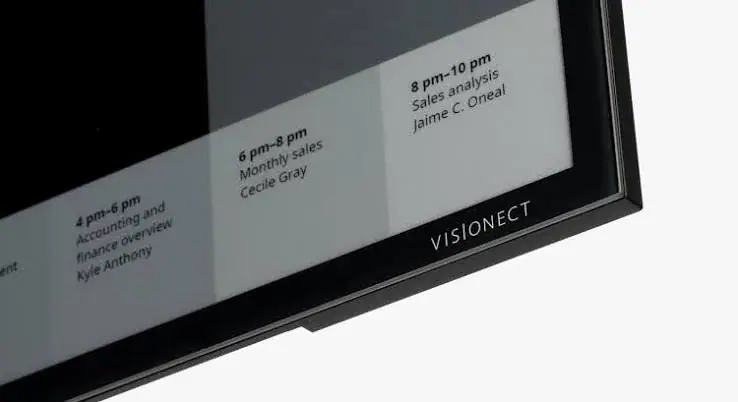
E-Ink Technology Explained: How E-Paper Screens Work, and Whether One Suits You in Kenya
Hold a phone in bright Nairobi sunshine and you tilt it, shade it with your hand and raise the brightness to the maximum. Hold a Kindle-style e-reader in the same sunshine and it looks like a printed…
4 min read
 Tablets
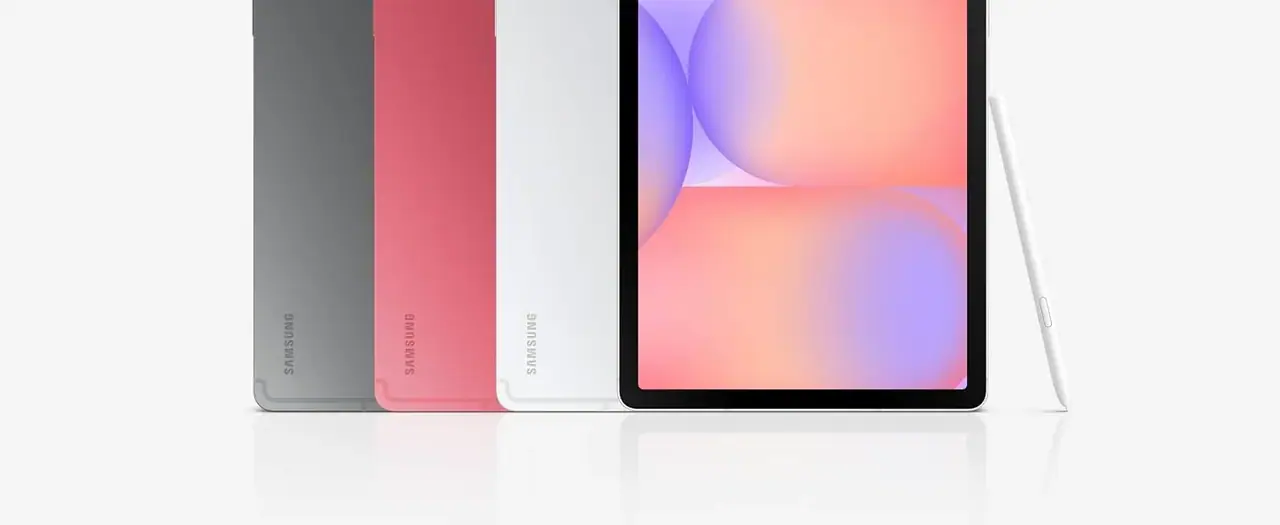
Why the Samsung Galaxy Tab S10 Is a Great Deal to Buy in Nairobi
Comparing every Galaxy Tab S10 model sold in Kenya — Tab S10 Lite and Tab S10 FE. Specs, prices, and why this lineup is genuinely worth buying in Nairobi.
4 min read
 Tablets
Where to Buy a Genuine Samsung Galaxy Tab S10 in Nairobi
Buying a Galaxy Tab S10 in Nairobi? Here's how to avoid counterfeit and grey-market units, the full lineup compared, and why Mega Store Kenya is the safest place to buy.
4 min read