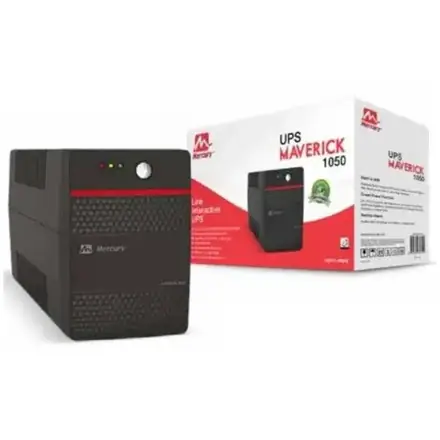
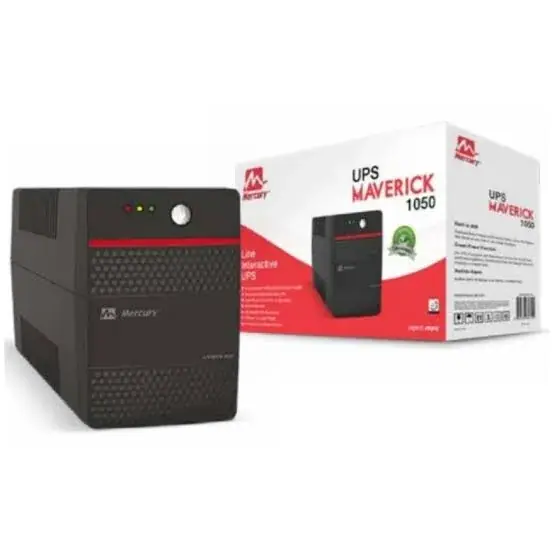
Mercury Maverick 1050VA UPS with AVR and Universal Sockets
Be the first to review
KSh 14,500
Available now — order before 3:00pm for same-day Nairobi delivery.
Buy the genuine Mercury Maverick 1050VA 630W UPS with AVR and two universal sockets in Kenya from Mega Store Kenya. Mercury 1050VA UPS price in Kenya, UPS for POS, shop and…
Send it as a gift
Hand-wrapped, with a card in your words and an optional video-message QR. Prices hidden, delivered when you say.
Same-day delivery in NairobiCountrywide courier in 1–3 business days. Free collection from our Taveta Road shop.
Pay on deliveryM-Pesa or cash when the item reaches you — check it first.
Genuine, sealed — 12-month brand warrantyAsk us on WhatsApp for the exact warranty on this unit.
Product details
Genuine Mercury | Brand New | 1050VA / 630W UPS | Automatic Voltage Regulation | Two Universal Sockets | Suited to POS and High-End Desktops
Searching for the Mercury 1050VA UPS price in Kenya, a UPS for a shop or point-of-sale system in Nairobi, or a step up from an 850VA for a high-end desktop? The Mercury Maverick 1050 is a brand-new, genuine 1050VA UPS, listed by Kenyan retailers at 630 watts, with automatic voltage regulation (AVR), two universal sockets and a 12-month warranty. It's a popular size for retail counters and busy desks, where a computer, a monitor, a receipt printer and a card machine all need to stay on through short cuts. It's available from Mega Store Kenya with delivery across Kenya. Buyers also search for it as a Mercury Maverick 1050, a Mercury 1050VA UPS, a UPS for a POS system, a UPS for a shop, a UPS for a high-end desktop, a 1KVA UPS in Nairobi, or a UPS for a retail counter.
This guide is written to help you use a UPS properly. We explain what the Maverick 1050 does well, how to work out the power budget for a point-of-sale counter, where listings disagree and you should check, and when you need a bigger one. If you'd like to talk it through, message us on WhatsApp.
The short verdict
The Mercury Maverick 1050 is a mid-size, budget-friendly UPS for small commercial and home-office use. Kenyan retailers list 1050VA and 630 watts, with AVR, a simulated sine wave output and two universal sockets. It sits between the 850VA and the 1550VA in Mercury's range, and it's big enough for a desktop with two monitors, or a shop counter with a computer, receipt printer, barcode scanner and router. It's a "save and shut down" and "ride through short cuts" UPS, not a blackout generator, and it isn't made for laser printers or heavy appliances. A second Ghanaian listing gives a different real power figure (730 watts), so we confirm the exact figure before you pay.
A note on listing differences
We want to be clear about what's confirmed and what isn't.
Consistent across listings
- 1050VA capacity, with AVR.
- Offline design with AVR, per Kenyan retailers.
- Two universal sockets.
- A 12-month warranty on Kenyan listings.
Listings differ on
- Real power. Kenyan listings give 630 watts, and a Ghanaian listing gives 730 watts for a similar model.
- The battery. The listings we found don't clearly state the battery size or number.
- Waveform details. We confirm these for your unit.
Why it matters: the real power rating decides what you can plug in, and the battery decides the runtime. We confirm both for the unit you order, in writing.
Who this UPS is for
It suits you if:
- You run a shop, kiosk or pharmacy with a point-of-sale (POS) computer, a receipt printer and a barcode scanner.
- You use a high-end desktop or a desktop with two monitors.
- You run a small CCTV system with several cameras.
- You want more headroom than an 850VA gives.
- You want a low price for the capacity.
Look elsewhere if:
- You want to run several computers. See the Mecer 2000VA or 3000VA in our range.
- You want hours of backup. Ask us about inverter and battery systems.
- You want to protect a laser printer, a fridge or a heater.
- You need a pure sine wave UPS for sensitive equipment.
Specifications in plain English
| Feature | Detail | What it means for you |
|---|---|---|
| Model | Mercury Maverick 1050 | Mercury's mid-size UPS |
| Capacity | 1050VA / 630 W per Kenyan listings (a Ghanaian listing shows 730 W) | The most real power it can supply |
| Type | Offline design with AVR | Corrects voltage swings and switches to battery on a cut |
| AVR | Automatic voltage regulation | Smooths low and high voltage |
| Output on battery | Simulated sine wave, as with other Maverick models | Fine for computers, POS and CCTV |
| Sockets | 2 universal sockets | Fits UK plugs and many others |
| Warranty | 12 months on Kenyan listings | Ask us about the battery |
| Battery | Not clearly listed. We confirm for your unit | Decides runtime |
These figures come from Kenyan and Ghanaian retailer listings. Ask us to confirm the real power, the battery and what's in the box for the unit you order.
Powering a shop counter: a worked example
A point-of-sale counter is one of the best uses for a UPS of this size, because a cut mid-sale can lose a transaction.
- List the equipment. A POS computer (about 60 to 120 watts), a monitor (20 to 30 watts), a thermal receipt printer (low average, with brief peaks), a barcode scanner (a few watts), a card machine (a few watts), a cash drawer (brief pulses) and a router (10 to 20 watts).
- Add the watts. A realistic total is about 150 to 250 watts.
- Check the UPS rating. 250 watts is well below 630 watts, so the UPS is comfortable, with room for a second monitor.
- Estimate the runtime. A UPS of this size typically gives roughly 10 to 20 minutes at 250 watts, which is time to finish the sale and shut down. This is an estimate, and the real time depends on the battery.
- Keep the lights and fans off the UPS. Put only the critical items on it.
- Plan the shutdown. Train staff to finish the sale, save and shut down when the alarm sounds.
- Protect the card machine and the router, because a dropped connection can fail a payment.
Tell us your POS equipment, and we'll add up the load and the runtime with you.
A guide to POS and retail loads
Typical power draws help you plan.
| Device | Typical power |
|---|---|
| POS desktop computer | 60 to 120 W |
| All-in-one POS terminal | 30 to 70 W |
| Monitor | 20 to 30 W |
| Thermal receipt printer | 5 to 15 W average, with peaks |
| Barcode scanner | 2 to 5 W |
| Card machine (docked) | 3 to 10 W |
| Router | 10 to 20 W |
| CCTV recorder and cameras | 30 to 80 W |
| Cash drawer | Brief pulses |
These are typical figures. Check your equipment's labels, and tell us the models. Never put a laser printer, a fridge or a kettle on the UPS.
How long will it really run?
Runtime depends on the load and the battery, and for the Maverick 1050 it's best to plan conservatively.
- A 100-watt load (a router, a recorder and a few cameras) might run for roughly 40 minutes to over an hour.
- A 250-watt load (a POS counter) might run for roughly 10 to 20 minutes.
- A load near the 630-watt limit gives only a minute or two.
- Batteries age, and runtime falls after a year or two.
- Test your setup: pull the plug with your real equipment on, and time it.
The lesson is simple: plug in only what you need to keep alive, and keep the load well below the maximum.
Sizing: how to work out what you need
- List what you'll plug in.
- Find each device's power in watts.
- Add the watts together.
- Keep the total below about 60 percent of the UPS's real power rating, which is about 380 watts here.
- Remember that VA is not watts.
- Add a margin for growth.
- Choose the next size up if you're close.
For a POS counter or a desktop with two monitors, the 1050VA is a comfortable fit.
What you can and can't plug in
Good to plug in
- A computer and one or two monitors.
- A receipt printer, a barcode scanner and a card machine.
- A router, modem and Wi-Fi access points.
- A CCTV recorder and cameras.
- A VoIP phone.
Don't plug in
- Laser printers, which draw a big surge when they warm up.
- Heaters, kettles, irons, microwaves and hair dryers.
- Fridges, freezers and air conditioners.
- Power tools and pumps.
Offline with AVR: what it means
Kenyan listings label this UPS "offline", and it's worth understanding.
- An offline (standby) UPS passes mains power straight to your equipment, and switches to the battery when the mains fails.
- With AVR, it also boosts low voltage and lowers high voltage, so it doesn't use the battery for small swings.
- Transfer time is typically a few milliseconds, which computers and POS equipment tolerate.
- Online UPS units supply power from the battery all the time, for the cleanest output, at a higher price. They suit servers.
For a computer, a POS counter or a recorder, an offline UPS with AVR is a sensible choice.
Setting up the UPS
- Choose a spot with good ventilation, off the floor and away from damp, direct sun and heat.
- Charge the battery for at least 8 hours before first use.
- Plug the UPS into a wall socket with a good earth.
- Plug your equipment into the UPS sockets.
- Test it: with equipment on, unplug the UPS from the wall for a few seconds, and check that equipment keeps running and the alarm beeps.
- Label the sockets so nobody overloads it.
- Train staff on what the alarm means, and what to do.
Looking after the battery
- Expect a life of about 2 to 4 years, depending on heat and use.
- Keep the UPS cool.
- Test it every few months.
- Replace the battery when runtime falls.
- Use a matching battery. Ask us about replacements.
An opening and closing routine for a shop with a UPS
A UPS works best with a simple routine, and a short one helps staff.
Opening
- Switch on the UPS first, then the computer, monitor and card machine.
- Check the UPS indicators for any alarm or fault.
- Check that the router and card machine are online.
- Run a test transaction, if your system allows it.
During the day
- If power cuts, the UPS alarm sounds. Finish the current sale.
- Save, and close the POS software.
- Shut down the computer cleanly if the cut lasts more than a few minutes.
- Keep the router and card machine on, if you want to take mobile money or card payments, and the UPS has capacity.
- When power returns, switch back on, and check the till totals.
Closing
- Close the till and back up the day's sales.
- Shut down the computer, then switch off the UPS if you're leaving for a long period.
- Don't leave the UPS in a closed, hot cupboard overnight.
- Cover or lock the equipment.
Protecting sales data
Power cuts can corrupt sales data, and a few habits protect it.
- Use POS software that saves each sale as it's completed.
- Back up daily to an external drive from our range, such as a SanDisk or WD portable drive, and to the cloud.
- Shut down properly when the UPS alarms, rather than letting it run flat.
- Use a USB cable and monitoring software, if the UPS supports it, for automatic shutdown.
- Keep paper copies of key figures during cuts.
- Test restoring a backup so you know it works.
A worked example: the cost of a failed sale
A UPS is cheap insurance, and a simple example shows why.
- Estimate your average sale and the number of customers who might be at the counter during a typical cut.
- Add the sales lost when the computer, the till or the card machine goes down.
- Add the cost of corrupted data, such as stock figures and receipts.
- Add repair risk. Surges and sudden cuts damage power supplies and drives.
- Compare with the UPS's price, a small fraction of a bad day's losses.
For a busy shop, a UPS often pays for itself the first time it saves a sale.
UPS, surge protector, inverter or generator
- A surge protector blocks voltage spikes only, with no battery.
- A UPS adds a battery and voltage regulation. It suits computers, routers and POS equipment.
- An inverter system uses a large battery to run equipment, and lights, for hours.
- A generator produces mains power from fuel.
- Solar systems combine panels, batteries and an inverter for long-term backup.
For short cuts and surges, a UPS is the right tool. For hours of backup, ask us about inverter and solar options, which many shops in Kenya combine with a UPS.
Common mistakes with UPS units
- Plugging in a printer or a heater, which overloads it.
- Expecting hours of backup from a small battery.
- Hiding it in a hot cupboard, which kills the battery.
- Ignoring the alarm and the battery's age.
- Using extension cords with too many devices.
- Never testing it.
- Skipping the earth.
Common problems and simple fixes
The UPS beeps constantly on mains power. It may be overloaded, or the battery is weak. Unplug some devices, and test again.
It switches to battery often. Mains voltage may be swinging beyond its range. Ask us about a different UPS.
It doesn't power on. Check the wall socket, the cord and the switch. The battery may need charging.
Backup time is very short. The battery has aged, or the load is too high.
The card machine goes offline in a cut. Check that the router and the card machine's base are on the UPS.
The UPS is hot or smells. Switch it off and unplug it. Ask us, and don't use it until it's checked.
If a problem continues, message us on WhatsApp.
Questions to ask before you buy any UPS
- What equipment will it protect, and how many watts does it draw?
- How long do I need it to run?
- Does it have AVR?
- What battery does it use, and how much do replacements cost?
- What kind of sockets does it have?
- What warranty is included, on the UPS and the battery? Get it in writing.
- Can I see it, and test it, before I pay?
We're glad to answer all of these on WhatsApp or in the shop before you pay.
Looking after the UPS for years
- Keep it cool, dry and ventilated.
- Test it every few months.
- Don't overload it.
- Replace the battery on time.
- Use an earthed socket.
- Keep the manual, box and receipt.
Warranty and after-sales: what to ask
A UPS has two parts that matter: the unit and the battery. Ask us what warranty covers the unit you order, how long it lasts, and whether the battery has a separate, shorter warranty. Kenyan listings show 12 months, and terms may differ. Keep your receipt, the serial number and the box. If a fault appears, message us on WhatsApp first, and we'll tell you the quickest way to get it sorted.
Choosing between 850VA, 1050VA and larger sizes
Because we stock several sizes, here is a plain guide.
- 650VA to 850VA: one desktop and a monitor, or a router chain.
- 1000VA to 1050VA (this size): a POS counter, a desktop with two monitors or a small CCTV system.
- 1550VA to 2000VA: several computers, or a small server and network gear.
- 3000VA and above: a server room, or a small office with many computers.
If you're between two sizes, choose the larger one. A UPS working at half load runs cooler, lasts longer and gives longer backup.
Why heat is a UPS's biggest enemy
Heat shortens battery life more than anything else, which matters in warm shops and offices.
- Every 10 degrees above room temperature roughly halves the life of a lead-acid battery.
- Don't stack equipment on top of the UPS, or cover its vents.
- Don't put it in a closed cupboard under the counter, a ceiling void or direct sun.
- Leave space around it for airflow.
- Clean dust from the vents with a dry cloth, with the UPS unplugged.
A cool, ventilated spot can add a year or more to a battery's life.
Mobile money and card payments during cuts
For many shops in Kenya, payments depend on the router, a phone or a card machine, and a UPS can keep them going.
- Put the router and the card machine's base on the UPS.
- Keep a phone charged, and a power bank handy for mobile money confirmations.
- If you use a till app, make sure it can work offline and sync later.
- Check your 4G or fibre line, because a UPS only keeps your equipment alive, and your provider's network may have its own cuts.
- Keep a paper record for emergencies.
Using a UPS in Kenya
Power quality. Voltage swings are common, and AVR is valuable.
Short, frequent cuts. A UPS bridges the brief outages that fail card payments and lose sales.
Heat. Don't put the UPS in a cupboard under the counter without airflow.
Earthing. Use a properly earthed socket.
Theft. Keep the UPS out of sight, and secure it where you can.
Warranty. Ask us for the warranty that applies to the unit you order, including the battery. Keep the receipt and box.
How it compares with other options in our range
| Mercury 1050 | Mercury 850 | Mecer 1000VA | Mecer 2000VA | |
|---|---|---|---|---|
| Capacity | 1050VA / about 630 W | 850VA / 510 W | 1000VA / about 600 W | 2000VA / about 1200 W |
| Type | Offline with AVR | Offline with AVR | Line interactive | Line interactive |
| Best for | POS and high-end desktop | Router and desktop | CCTV, small office | Several computers |
| Warranty | 12 months on Kenyan listings | 12 months on Kenyan listings | 12 months on Kenyan listings | Confirm |
Against the Mecer 1000VA: a close rival in size. We'll help you compare by price, battery and warranty.
Against the Mercury 850: the 1050 adds power for bigger loads.
Honest pros and cons
Pros
- AVR to correct voltage swings.
- A comfortable size for a POS counter or a desktop with two monitors.
- Universal sockets for UK and other plugs.
- A 12-month warranty on Kenyan listings.
- A low price for the capacity.
Cons
- Listings differ on real power and the battery isn't clearly listed.
- A simulated sine wave on battery.
- Short runtime at high loads.
- Not for printers or heavy appliances.
- Batteries wear out after a few years.
What to check when it arrives
- The box model matches Mercury Maverick 1050.
- The UPS, power cord and paperwork are in the box.
- The UPS powers on, and the battery charges.
- A pull-the-plug test works, and the alarm beeps.
- The sockets work with your plugs.
- You get a receipt with the serial number and warranty details in writing.
Frequently asked questions
What is the Mercury 1050VA UPS price in Kenya? We confirm the current price when you message us on WhatsApp, because supplier prices change. We tell you the price and what's in the box before you pay.
Where can I buy the Mercury 1050VA UPS in Nairobi? At Mega Store Kenya, New Alnoor Exhibition, Second Floor, Shop 7, Taveta Road, Nairobi CBD, or by delivery.
How many watts can it supply? 630 watts per Kenyan listings. We confirm the figure for the unit you order.
Can it run a POS counter? Yes, a computer, monitor, receipt printer, scanner, card machine and router.
Can I plug in a laser printer? No. Use a surge protector for printers.
Does it have AVR? Yes.
What kind of wave does it produce on battery? A simulated sine wave.
What warranty does it have? Kenyan listings show 12 months. Ask us about the battery.
Can you deliver it? Yes, same day in Nairobi and next day outside Nairobi.
Can I pay via M-Pesa? Yes.
Why buy from Mega Store Kenya
Genuine, brand-new Mercury UPS. We're at New Alnoor Exhibition, Second Floor, Shop 7, Taveta Road, Nairobi CBD, and you're welcome to talk to us about your equipment before you buy. Message us on WhatsApp with the devices you want to protect, and we'll tell you honestly whether the 1050VA is right or a different size would suit you better. We confirm what's in the box before you pay.
Order your Mercury Maverick 1050VA today
Available now at Mega Store Kenya. Message us on WhatsApp.
Delivery & returns
Nairobi: same-day delivery for orders confirmed before 3:00pm on a working day. Rest of Kenya: courier to your door or nearest agent, typically 1–3 business days. You can also collect for free from our shop at New Alnoor Exhibition, Shop 7, Second Floor, Taveta Road, Nairobi CBD.
Faulty or not as described? Tell us within 7 days for a replacement or full refund. Changed your mind? Sealed, unused items can come back within 14 days. See our returns & warranty policy.
Write a review
You may also like
Helpful buying guides
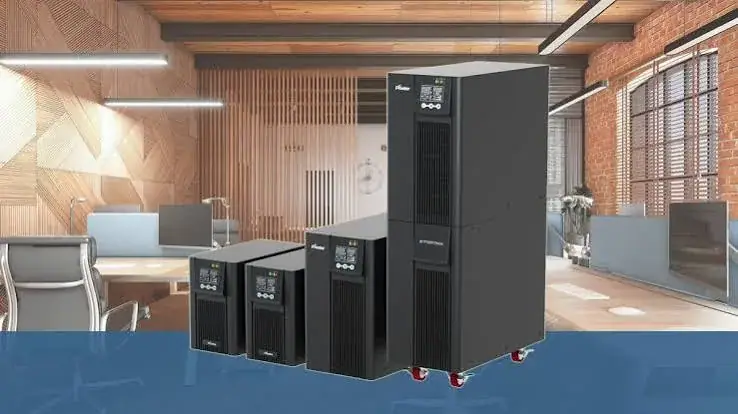
Line-Interactive vs Online UPS Explained: Which One Do You Need in Kenya?
Shop for a UPS in Nairobi and you will meet three words on the box: offline, line-interactive and online. Sellers throw them around as if everyone knows the difference, and the price gap between them…
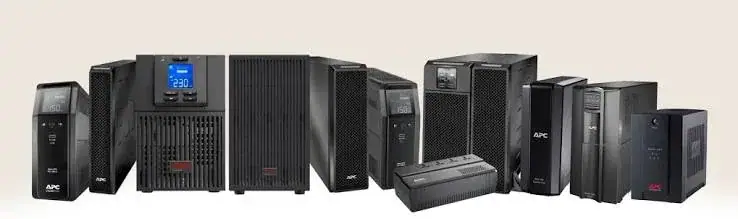
Pure Sine Wave vs Simulated Sine Wave UPS Explained for Kenya
Pure Sine Wave vs Simulated Sine Wave: What It Means for Your UPS
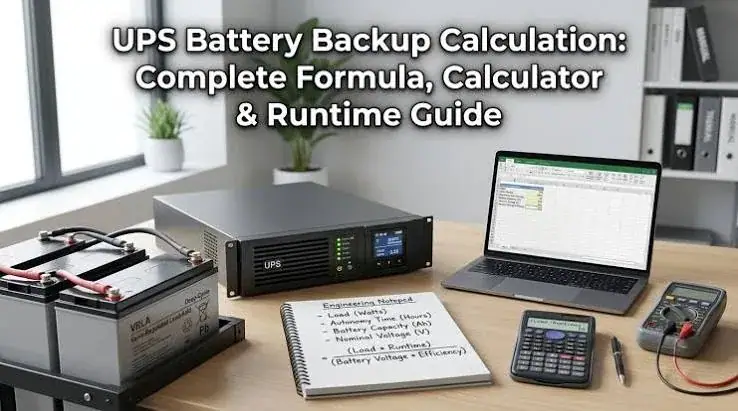
How Long Will a UPS Run? Runtime Calculation Guide for Kenya
How Long Will a UPS Run? A Practical Runtime Calculation Guide