How to Spot a Fake or Locked iPhone in Kenya: A Step-by-Step Buyer's Checklist
Buying an iPhone 18 Pro Max or any iPhone in Kenya? Learn how to check the IMEI and serial number, spot Activation Lock, fake and refurbished phones, wrong SIM versions and false warranty claims…
From the Mega Store Kenya team: Here is the Mega Store Kenya take, written for anyone weighing up their options before they buy. Want to see something in person? Visit New Alnoor Exhibition, Shop 7, Taveta Road, or WhatsApp 0740 922 861 and we'll tell you what's in stock today.
An iPhone is one of the most valuable things most people carry, and that is exactly why it is one of the most copied, faked, re-boxed and misdescribed products in the Kenyan market. A buyer can lose a large sum in a single afternoon: a copy that only looks like an iPhone, a genuine phone that is locked to someone else's Apple Account, a refurbished unit sold as new, an eSIM-only phone sold to someone who needs a physical SIM, or a "two-year warranty" that exists only in the seller's mouth.
The good news is that almost every one of these problems can be found in ten minutes with the phone in your hand. This guide gives you the checks in the order we do them at the counter at Mega Store Kenya. It is written for people searching for "how to check a genuine iPhone in Kenya", "fake iPhone Kenya", "iCloud locked iPhone Kenya", "check iPhone IMEI Kenya" and "buy iPhone 18 Pro Max safely in Nairobi", and it applies to every iPhone you will ever buy, new or second-hand.
If you would rather have us do the checks with you, visit our shop at New Alnoor Exhibition, Shop 7, Second Floor, Taveta Road (at the Taveta and Taveta Road junction), Nairobi CBD, or call Sales on 0740 922 861 and we will do them on video.
The six ways an iPhone purchase goes wrong
Before the checklist, it helps to know what you are protecting yourself from. In our experience, problems fall into six groups.
- A fake phone. A device that imitates an iPhone's look, sometimes very well, but runs a different system.
- A locked phone. A genuine iPhone still tied to a previous owner's Apple Account through Activation Lock, or marked lost or stolen.
- A re-boxed or refurbished phone sold as new. A genuine phone with a replaced screen, battery or housing, in a new-looking box.
- The wrong version. A phone from a market, SIM arrangement or storage size you did not order.
- A false warranty. A promise of cover that cannot be proved or honoured.
- A bad deal wrapped in a good story. A price far below the market, an urgent deadline, or a seller who will not let you check.
The checks below catch all six.
Check 1: Look at the seller before the phone
The first check costs nothing. Ask yourself where you are buying and who is selling.
- Is there a physical address you can visit? A shop with a counter, a floor and a signboard is easier to hold responsible than a profile with no address. Ours is New Alnoor Exhibition, Shop 7, Second Floor, Taveta Road, Nairobi CBD.
- Will they give a receipt? A real seller issues one without being asked twice.
- Will they let you check the phone before paying? If the answer is anything but a cheerful yes, walk away.
- Do they tell you plainly what is sealed, what is not, and what the warranty is? Honest sellers say "I will confirm per unit". Dishonest ones say "everything is perfect" without proof.
- Is the price believable? Premium iPhones do not appear at half the market price without a reason, and the reason is rarely good for the buyer.
Also be careful of sellers who ask you to pay a deposit through M-Pesa before you have seen the exact unit, or who suggest meeting somewhere other than their shop for a new phone. Pay when you have the phone in your hand and the checks are done.
Check 2: The box
Even if the box tells you nothing about the phone inside, it tells you a lot about the seller.
- Printing quality. Genuine boxes have crisp, even printing, clean edges and a snug fit. Fuzzy text, uneven colours or a loose lid are warning signs.
- Seal. On a sealed unit, the factory seals should be intact, with no signs of lifting, re-gluing or tape.
- Label. The label on the box shows the model, storage, colour and IMEI or serial number. These must match the phone, and they must match what you ordered.
- Contents. Apple lists the iPhone 18 Pro box as containing the phone and a USB-C charge cable. No power adapter is listed. A box that claims to include extras Apple does not list deserves a question.
Remember that an opened box does not always mean a bad phone. A unit can be opened for stock checks or display. The point is that the seller should say so plainly. We tell you whether a box is factory-sealed, and we never describe an unsealed unit as sealed.
Check 3: The IMEI
The IMEI is a unique number that identifies the phone. It is the single most useful check, and it takes seconds.
- On the phone, dial *#06#. The IMEI appears on the screen. You can also open Settings, General, About.
- Compare it to the IMEI printed on the box and on the SIM tray, if the model has one. All of them must match.
- Note that some models show two IMEI numbers because they support two lines. The box usually lists them. If you see two on the screen, match both.
A mismatch means the box does not belong to the phone, which usually means the phone has been swapped, repaired or re-boxed. It does not always mean a stolen phone, but it always means you need a satisfactory explanation, in writing, before you pay.
Also ask whether the IMEI has been blocked. Phones reported lost or stolen can be blocked on networks, which makes them unusable for calls. Ask the seller to check the IMEI status, and if you have any doubt, do not buy until you have an answer.
Check 4: The serial number and Apple's coverage page
Every iPhone has a serial number. You find it in Settings, General, About, and on the box label. Enter it on Apple's coverage check page, which is on Apple's website, and look at what it tells you.
- Model and colour. The result should match the phone in your hand and the box.
- Activation status. A brand-new phone usually shows as not yet activated, or newly activated if the seller has set it up. A phone that shows a long history of use is not new.
- Coverage. The page shows what coverage Apple records for that serial number. Warranty terms depend on the market version and on who stocks the phone, so compare what the page shows with what the seller promised, and ask about any difference.
If the page cannot find the serial number, or shows a model that does not match, stop. This is the check that exposes many fakes and many re-boxed phones.
Check 5: Activation Lock and the previous owner's account
Activation Lock is a protection Apple builds into iPhones. When Find My is turned on, the phone is tied to the owner's Apple Account. If the owner loses the phone, the lock stops a stranger from erasing and using it. It is excellent protection for the owner and a disaster for a buyer who ends up with a locked phone.
A locked phone will, after being set up, ask for the previous owner's Apple Account and password. You cannot get around that without the owner. A seller who says "I can unlock it for you later" is not telling you the truth you need to hear.
How to check:
- Power the phone on and start the set-up screens, or look at the lock screen.
- If the phone asks for an Apple Account that is not yours or the seller's, stop. That is Activation Lock.
- If the phone is already set up, open Settings and look at the name at the top. A name should not be there on a new phone, and on a used phone the seller should sign out and erase it in front of you.
- Ask the seller to go to Settings, General, Transfer or Reset, and choose Erase All Content and Settings. A phone that erases cleanly and returns to the welcome screen without asking for another person's sign-in is not locked.
Do not accept a promise that the seller will remove the account later. Do not accept a phone that is signed in to anyone's account. Do not accept a phone with a profile or remote-management lock you did not expect, which appears as a message about the phone being managed by an organisation.
Check 6: Is it really an iPhone?
Outright fakes still exist, and some are convincing at first glance. Look for the following.
- Software. A genuine iPhone runs iOS. The settings, the animations, the App Store and the way apps behave are distinctive. A fake often runs a disguised version of another system, with menus that are slightly wrong, an app store that is not Apple's, or settings that look a little off.
- Speed. Open several apps in a row. A genuine flagship feels smooth. A fake lags or crashes.
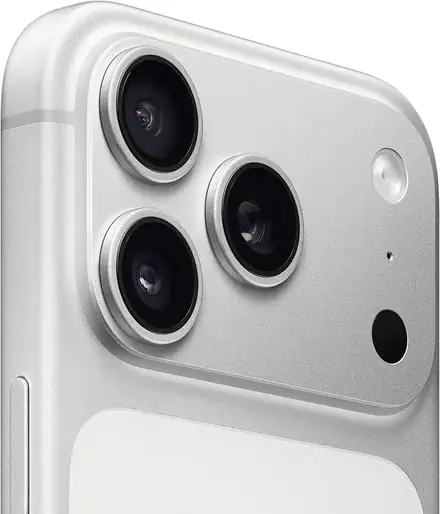
- Camera. Open the camera and try the zoom. A phone that claims to have a telephoto lens should show real optical zoom, not only a digital crop.
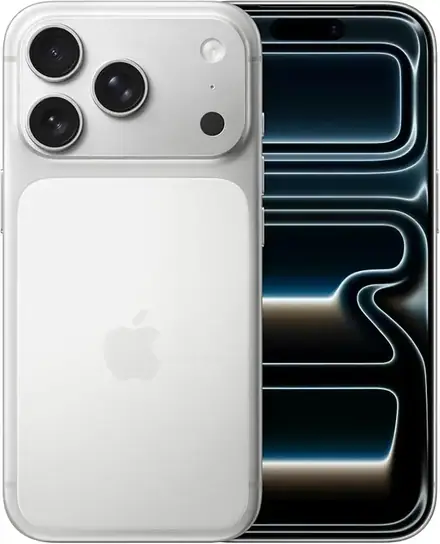
- Display. Look for strange colours, visible pixels or a different bezel from the real model. The iPhone 18 Pro Max has a 6.9-inch OLED, and the iPhone 18 Pro a 6.3-inch OLED, with the Dynamic Island at the top. A phone that claims to be one of them but has a different shape is not.
- Weight and feel. Apple lists the iPhone 18 Pro Max at 249 g and the iPhone 18 Pro at 211 g. A phone that feels far lighter or far heavier is suspicious.
- Ports and buttons. A modern iPhone has a USB-C port and a Camera Control button on the side of the Pro models. A phone with a different port or without these buttons is the wrong model.
- Sound and haptics. A genuine iPhone's speakers and vibration are crisp. Tinny audio and a rattling buzz are red flags.
If you are not confident judging the software, ask us to show you a known genuine unit next to the phone you are considering. At our shop we do this regularly.
Check 7: Is it new, refurbished or repaired?
Some phones are genuine but not new. A screen, battery or back glass may have been replaced, and the phone may have been re-boxed.
- Look for gaps and misalignment. Uneven gaps around the screen, a frame that does not sit flush or glue marks suggest a repair.
- Check the screws. The screws near the port should be intact and clean. Scratched or damaged screws suggest the phone has been opened.
- Look at the display. A replaced screen can show slightly different colours, weaker brightness or a touch response that is uneven.
- Check the battery information. In Settings, Battery, look at the battery health information if it is shown. A new phone should show full health. A used or repaired phone may show a lower figure or a message about a non-genuine part.
- Check the parts messages. Settings, General, About can show a notice if a part is not recognised as genuine.
- Check the activation date. The coverage page can show whether the phone has been activated already.
Refurbished phones are not wrong to sell, but they must be sold as refurbished, with a clear description of what has been replaced and a warranty that matches. A refurbished phone sold as new, at a new-phone price, is the problem.
Check 8: The SIM version and the model number
This is the check most guides leave out, and it is a common source of real trouble in Kenya.
Apple sells iPhones in several market versions. For the iPhone 18 Pro family, Apple lists one nano-SIM plus one eSIM, with support for two eSIMs at once, but some market versions have no physical SIM tray and are eSIM only. Both are genuine phones, but they are different products for a Kenyan buyer.
- Ask which version it is. Physical SIM plus eSIM, or eSIM only.
- Look at the tray. Ask the seller to open it, or to show you that there is none.
- Check the model number. In Settings, General, About, the model number tells you the market version. The seller should be able to tell you what that means.
- Check that it is what you ordered. Storage size and colour must match the box and the phone.
If you need a physical SIM, do not accept an eSIM-only phone because "it is the same phone". It is not the same for you. Our full explanation is at /guides/iphone-18-pro-max-esim-vs-physical-sim-kenya-which-to-buy.
Check 9: Features that depend on region and software
Some features depend on the language, the region and the software version. Apple describes Apple Intelligence and a new Siri for iOS 27 as arriving by software update and starting in English. Satellite features depend on country and carrier. These are not signs of a fake phone, but a seller who promises a specific feature in Kenya on a specific date is promising something that may not be in their control. Ask what the seller can confirm, and be wary of anyone who promises everything.
Check 10: The warranty, in writing
Warranty is where honest sellers and dishonest sellers separate most clearly.
- Ask what the warranty is. Who provides it, for how long, and what does it cover?
- Ask for it in writing. On the receipt or on a warranty note with the shop's name, the phone's IMEI and the date.
- Understand the limits. Warranties cover manufacturing faults. They generally do not cover accidental damage, water damage or damage from a poor charger. Apple notes that water resistance can decrease with normal wear.
- Understand the marking. Some phones are marked as having a two-year warranty on supplier lists, which is longer than the usual one-year cover many phones carry. Terms depend on the market version and on who stocks the unit, so ask for the exact terms for the specific phone.
- Keep the paperwork. The receipt, the box and the warranty note are your proof.
A seller who says "no problem, warranty is there" and refuses to write it down is not giving you a warranty.
The ten-minute counter checklist
Print this, or screenshot it, and take it with you.
- The seller has an address, issues a receipt and lets me check the phone.
- The box is clean, the seals are intact if sold as sealed, and the label matches.
- The IMEI on the phone (*#06#) matches the box and the tray.
- The serial number is recognised on Apple's coverage page, and the model and colour match.
- The phone is not tied to another person's Apple Account, and it erases and restarts cleanly.
- The software, speed, camera and display behave like a genuine iPhone.
- There are no signs of repair, and no parts messages in Settings.
- The SIM version matches what I ordered, and I have seen the tray.
- The model number and storage size match the order.
- The warranty is written down, with its terms and the shop's name.
- I know what is in the box, and I have planned for a charger, a case and a screen protector.
- I paid only after all of this, and I have a receipt.
Red-flag phrases to listen for
Experienced buyers learn to hear trouble in the words a seller chooses. These phrases do not prove anything on their own, but each one should make you slow down and ask a follow-up question.
- "It is just like new." Ask: is it new, or is it not? "Like new" is not a condition Apple recognises.
- "The box is not important." The box carries the IMEI and serial label. If it is missing, ask why, and check the numbers extra carefully.
- "I will send you the IMEI later." You need it now, on the phone, before you pay.
- "The lock is easy to remove." Activation Lock cannot be removed by a stranger. Anyone who says otherwise is selling you a story.
- "Do not worry about the warranty, I am here." A seller who is "here" today may not be here in six months. Get the warranty in writing.
- "This price is only for today." Pressure is a tool for stopping you from checking.
- "Pay first and I will hold it for you." Hold the phone first. Pay when you have checked it.
- "It is the same as the other one, just a different version." A different SIM arrangement, storage size or market version is a different product. Ask exactly what differs.
- "My brother brought it from abroad." Perhaps. But it still has to pass the IMEI, serial and lock checks, and you still need a receipt and a warranty you can use.
Buying from an individual instead of a shop
Sometimes a good phone is on offer from a private seller, a friend of a friend, or a classified listing. It is possible to buy safely this way, but the checks matter even more, because there is no shop to return to.
- Meet in a safe, public place with good light and a working power socket. A shop, a mall or a bank lobby is better than a street corner.
- Bring a friend, and bring a spare phone with a SIM and an internet connection. You will need to check the serial number, test a call and look at the lock status.
- Ask for the original receipt and box. A genuine seller usually has at least one of them.
- Do every check in this guide, in front of the seller. Do not skip the lock check because the seller seems friendly.
- Make the seller erase the phone in front of you. Settings, General, Transfer or Reset, Erase All Content and Settings. The seller should enter their own password. Afterwards, the phone should return to the welcome screen without asking for another account.
- Write a short bill of sale. It should give the seller's name and ID number, the phone's model, IMEI and serial number, the date and the agreed amount, and both of you should sign it. This protects you if the phone later turns out to be stolen.
- Pay only after the checks are complete, and preferably by a traceable method. A traceable payment is evidence of a genuine purchase.
If the seller refuses any of these steps, the deal is over, however good it looks.
Selling your own iPhone safely
The same lessons help you when you sell. Before you hand over your phone, sign out of your Apple Account, turn off Find My, and erase the phone fully. Remove any eSIM profile so that your line does not stay on a phone you no longer own. Take out your physical SIM. Back up your photos and chats first. Keep the box and receipt for the buyer, and write a bill of sale. A buyer who sees a clean, erased phone with its box and receipt will trust you, and you will protect yourself against any later dispute about where the phone came from.
A short glossary
IMEI. A unique number that identifies a phone to networks. You can see it with *#06#.
Serial number. A manufacturer's number for the phone, used to look up its model and coverage.
Activation Lock. A protection that ties a phone to its owner's Apple Account so a stranger cannot erase and reuse it.
Find My. The feature that lets an owner locate, lock or erase a lost phone.
eSIM. A SIM that is built into the phone and programmed by the network. An eSIM-only phone has no tray.
Sealed. In the original factory-sealed box. An unsealed unit may still be new but has been opened.
Refurbished. A used phone that has been repaired or restored and resold. It must be sold as refurbished.
Market version. The version of the phone made for a particular region. It affects the SIM arrangement and some features.
Parts and service history. A section in Settings that can show whether a part has been replaced or is not recognised as genuine.
Messages you can copy and send to any seller
If you are buying online, these short messages put the seller on the spot politely. Copy and adapt them.
- "Please confirm this is the physical SIM plus eSIM version, or the eSIM-only version, and send a short video showing the SIM tray."
- "Please send a photo of the box label and a video of dialling *#06# so I can match the IMEI."
- "Please confirm whether the box is factory-sealed, and the exact warranty terms in writing."
- "I will check the serial number on Apple's coverage page before paying. Is that fine?"
- "Please confirm the phone is not tied to any Apple Account and can be erased in front of me."
- "Can I pay on delivery after checking the phone?"
A good seller replies to all of these without fuss. A weak one disappears, changes the subject or gets angry. That reaction is itself useful information.
Buying online or by delivery
You can do most of these checks remotely, if the seller is willing. Ask for a video call. Ask the seller to show the sealed box, the label, the IMEI on the screen, the SIM tray and the serial number. Ask them to show the coverage page result on screen. Pay only when you have seen these things, or pay on delivery when you can check the phone in your hand.
At Mega Store Kenya, we do these checks on video for delivery orders, and we deliver the same day in Nairobi for orders placed before 3pm, and by courier within one to three business days elsewhere in Kenya. We accept M-Pesa. Shop collection is free.
What to do if you have already bought a problem phone
If you have already bought a phone and discover a problem, act quickly.
- Go back to the seller with the receipt and the phone. Explain the problem calmly and ask for a remedy.
- Do not sign in to your own Apple Account on a phone that is locked to someone else's. That does not unlock it and can complicate the situation.
- Report fraud. If you were sold a fake or a phone with false claims, you can report it to the police and to the relevant consumer authorities. Keep the receipt, messages and any call records.
- Do not pay anyone who promises to unlock an Activation Locked phone for a fee. Many of these offers are scams. Only the original owner can legitimately remove the lock.
- Block the line if the phone was stolen from you. Contact your network, and use Find My to lock the device.
Why buying from a known shop matters
A phone you can check, from a shop you can return to, with a receipt and a written warranty, is worth more than the same phone from a stranger at a lower price. A shop with a fixed address has something to lose, and we do. We would rather lose a sale than sell you a phone we are not sure about, and we say "we will confirm per unit" when we do not know something.
Frequently asked questions
How do I check the IMEI on an iPhone? Dial *#06# or open Settings, General, About. Compare it to the box and the SIM tray.
How can I tell if an iPhone is iCloud locked? Start set-up or look at the lock screen. If it asks for an Apple Account you do not know, it is Activation Lock. A phone that erases and returns to the welcome screen without such a prompt is not locked.
Can an iCloud locked iPhone be unlocked? Only by the original owner, who can remove the phone from their account. Be wary of anyone who offers to unlock it for a fee.
How do I check if my iPhone is genuine? Check the IMEI, the serial number on Apple's coverage page, the software, the camera behaviour, the weight and the build quality.
Is a sealed box always safe? A sealed box is a good sign, but it does not replace the other checks. Check the IMEI and the serial number even on a sealed unit.
What is the difference between sealed and unsealed? A sealed unit is in its original factory-sealed box. An unsealed unit may still be new but has been opened.
Does an iPhone 18 Pro Max always have a SIM tray? No. Some versions are eSIM only. Always ask and look.
Are phones with two-year warranties better? A longer warranty is a real advantage, if it is written down and honoured. Ask for the terms for the specific unit.
What if the seller will not let me check the phone? Walk away.
Can you check a phone I found elsewhere? Yes. Bring it to our shop and we will go through the checks with you.
How to contact us
Visit us at New Alnoor Exhibition, Shop 7, Second Floor, Taveta Road, Nairobi CBD, open Monday to Friday 9am to 7pm and Sunday 11am to 4pm, closed Saturday. Call Sales on 0740 922 861, call us on 0740 922 861, or write to [email protected].
Related guides
- iPhone 18 Pro Max buying guide: /guides/iphone-18-pro-max-buying-guide-kenya-storage-colour-sim-warranty
- iPhone 18 Pro Max eSIM vs physical SIM: /guides/iphone-18-pro-max-esim-vs-physical-sim-kenya-which-to-buy
- iPhone 18 Pro Max features explained: /guides/iphone-18-pro-max-features-explained-a20-pro-camera-battery-usb3
- iPhone 18 Pro Max vs iPhone 18 Pro vs iPhone 17 Pro Max: /guides/iphone-18-pro-max-vs-iphone-18-pro-vs-iphone-17-pro-max-kenya
- Shop all iPhones: /
Final word
Buying an iPhone safely is not about being an expert. It is about being unhurried, asking plain questions and refusing to pay until the answers are on the table. Check the seller, the box, the IMEI, the serial number, the lock status, the software, the SIM version and the warranty. Do it at a counter where you can see the phone, with a receipt in your hand. The ten minutes you spend will protect you for years, and if you want company while you do it, come to our shop on Taveta Road and we will go through every step with you.