
New Alnoor Exhibition, Shop 7
Second Floor, Taveta Road, Nairobi CBD
Available now — order before 3:00pm for same-day Nairobi delivery.
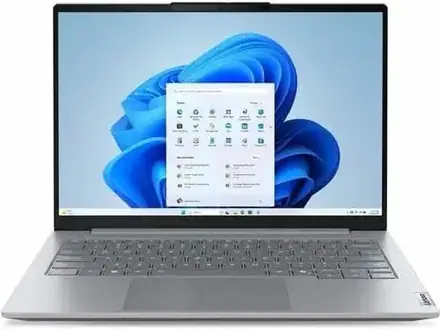
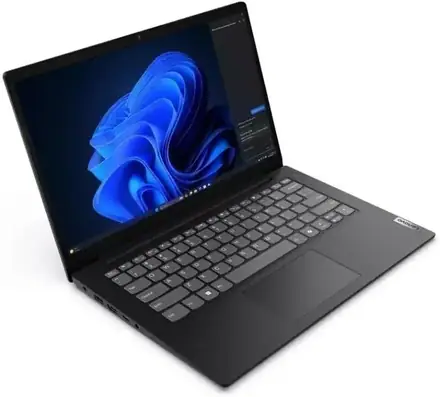
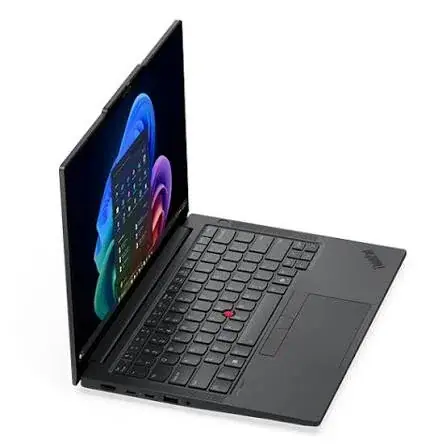
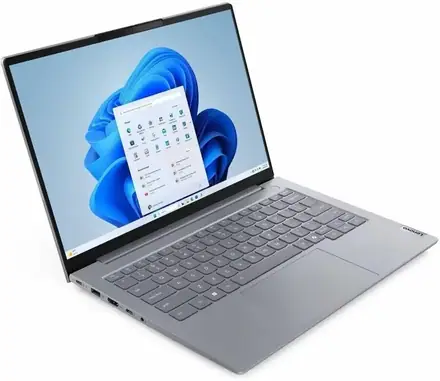
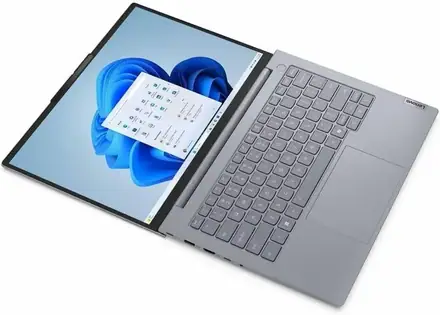
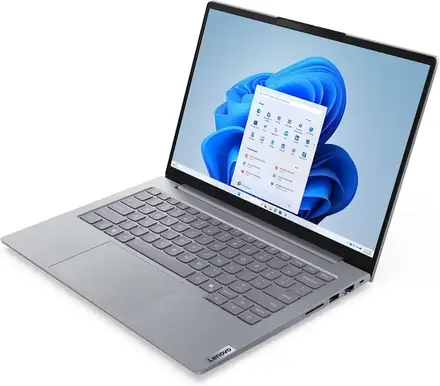
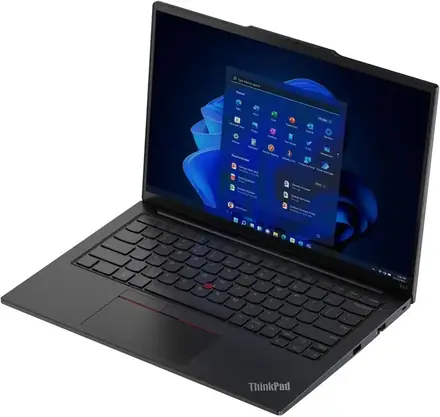
Buy the Lenovo ThinkPad E14 Gen 7 with Intel Core Ultra 7, 32GB RAM, 512GB SSD and a 14-inch 16:10 screen in Kenya from Mega Store Kenya. Lenovo ThinkPad E14 Gen 7 price in Kenya…
Bring it back within 12 months and we credit at least 50% of today's price (KSh 91,500), or 40% (KSh 73,000) within 18 months, towards any new device in the shop. Conditions: working, no cracked screen or water damage, iCloud/Google account removed, receipt from Mega Store Kenya. Store credit only, not cash.
Hand-wrapped, with a card in your words and an optional video-message QR. Prices hidden, delivered when you say.
Genuine Lenovo | Brand New | Model 21U2002WUE | 14-Inch 16:10 ThinkPad with Intel Core Ultra 7 and 32GB RAM
Searching for the Lenovo ThinkPad E14 Gen 7 price in Kenya, a ThinkPad with 32GB RAM in Nairobi, or a Core Ultra 7 business laptop with a great keyboard? The Lenovo ThinkPad E14 Gen 7 is a brand-new, genuine business laptop with an Intel Core Ultra 7 processor, a generous 32 GB of memory and a fast 512 GB SSD, available from Mega Store Kenya with delivery across Kenya. It's built for professionals who type a lot and run demanding work: developers, analysts, accountants, engineers, consultants and managers. Buyers also search for it as a ThinkPad E14 Core Ultra 7, a Lenovo ThinkPad with 32GB RAM and 512GB SSD, a ThinkPad for programmers, a Windows 11 Pro business laptop, or a laptop with a TrackPoint and a good keyboard.
This guide explains the laptop in plain language: what makes a ThinkPad different, what the Core Ultra 7 and 32 GB of memory give you, an important detail about the two processor versions sold under this name, and where the laptop is limited. If you'd like to talk it through, message us on WhatsApp.
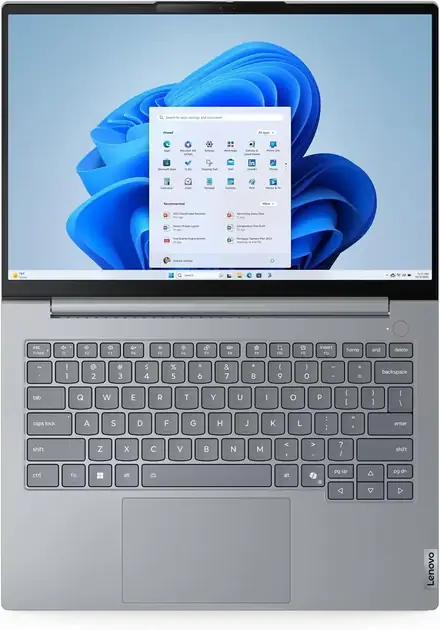
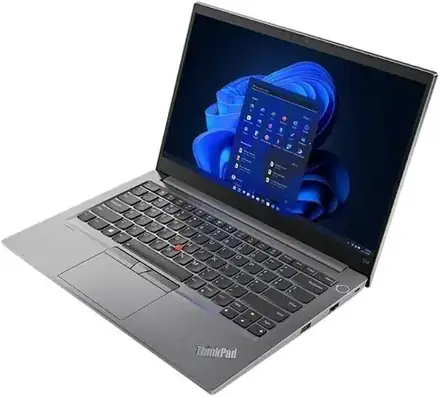
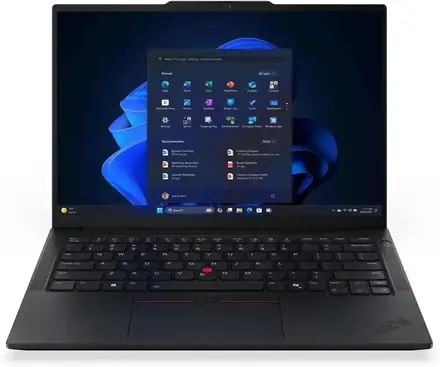
The ThinkPad E14 Gen 7 is Lenovo's entry into the ThinkPad family, and with 32 GB of memory and a Core Ultra 7, this configuration is anything but entry-level in performance. You get the ThinkPad keyboard that professionals prefer, the red TrackPoint nub, a 14-inch 16:10 screen, Wi-Fi and Windows 11 Pro, in a business-grade body. It's a laptop that suits people who work hard and don't want to think about their computer. The caveats are honest ones: the standard screen is basic, the E-series is plainer and less premium than the T and X ThinkPads, and the memory arrangement depends on the exact processor version, which you should confirm before you buy.
It suits you if:
Look elsewhere if:
| Feature | Detail | What it means for you |
|---|---|---|
| Model | 21U2002WUE, Lenovo ThinkPad E14 Gen 7 | Lenovo's 14-inch ThinkPad E-series |
| Processor | Intel Core Ultra 7. The 21U2 family is sold with the Core Ultra 7 258V (a Lunar Lake chip). The related 21SX family uses the Core Ultra 7 255H | A top-tier Core Ultra 7 |
| Graphics | Intel Arc graphics (built in) | Smooth video and light creative work |
| Memory | 32 GB | A very comfortable amount |
| Storage | 512 GB SSD | Fast, with room for work files |
| Display | 14-inch, 16:10. Options include 1920 x 1200 and a 2880 x 1800 (2.8K) 120 Hz panel | A taller screen with more working space |
| Keyboard | ThinkPad keyboard with TrackPoint | A typist's keyboard |
| Operating system | Windows 11 Pro | Business-grade Windows |
These figures come from Lenovo and retailer listings of the ThinkPad E14 Gen 7. Because several processor and screen versions share the name, ask us to confirm the exact configuration of the unit you order.
The ThinkPad E14 Gen 7 is sold with different Core Ultra 7 chips, and they behave differently. Knowing the difference helps you choose well.
Core Ultra 7 258V (Lunar Lake). This chip comes in the 21U2 part-number family, the same family as this model. According to Intel's published figures for this generation, it has 8 cores and a much stronger AI engine than earlier chips, strong enough for Microsoft's Copilot+ PC features. The memory sits on the processor package, so it's soldered and can't be upgraded later, which is why it's sold in fixed sizes such as 32 GB. It's very efficient, which helps battery life.
Core Ultra 7 255H (Arrow Lake H). This chip comes in the 21SX family. It has 16 cores and more raw power under heavy load, uses more energy, and generally uses standard memory modules. It doesn't have the Copilot+ AI engine.
What this means for you.
Ask us which processor the unit you order has, and we'll confirm it before you pay.
32 GB of memory is double the level most people consider comfortable, and it changes how a laptop feels over time.
For most office users, 16 GB is enough. 32 GB is for people who run heavy workloads or who want to keep the laptop for a long time without worrying.
Many professionals choose a ThinkPad for the keyboard.
Keyboard feel is personal. If you can, visit our shop and type on it before you buy.
The ThinkPad E14 Gen 7 has a 14-inch screen in the taller 16:10 shape. Common versions are a 1920 x 1200 panel and a sharper 2880 x 1800 (2.8K) panel at 120 Hz with good sRGB coverage, which a Notebookcheck article mentioned for a well-equipped version. The taller shape shows more rows of a spreadsheet and more of a document. A 120 Hz screen makes scrolling and cursor movement look smoother.
Screens vary a lot between configurations, so ask us to confirm the resolution, refresh rate and brightness of the unit you order. For colour-critical design or photo work, use an external monitor for final decisions. We stock Dell, HP and Lenovo monitors.
Both Core Ultra 7 versions are fast for office and professional work. The 258V is built for efficiency, so battery life is a highlight. The 255H uses more power for more performance. Real-world battery life depends on screen brightness, workload and settings. To stretch the battery:
Ask us for the exact battery size and weight of the unit you order.
ThinkPad E14 laptops offer USB-A, USB-C (some with Thunderbolt 4), HDMI and an audio jack, and some versions add an Ethernet port or card reader. Wi-Fi 6E or Wi-Fi 7 support depends on the version. Ports vary between units, so ask us to confirm which the unit has. An Anker USB-C hub from our range adds any that are missing.
ThinkPads are built for business, and the E-series inherits much of that approach.
Turn on BitLocker and a sign-in PIN, add a trusted antivirus such as one of our Kaspersky licences, and keep Windows updated.
Office work: documents, spreadsheets, presentations and email run instantly.
Development and IT work: compiling, virtual machines and containers run well, helped by 32 GB.
Data and analysis: large spreadsheets, databases and BI tools run smoothly.
Video calls: Teams, Zoom and Meet run comfortably.
Creative work: photo editing and light video editing run well on the Arc graphics.
Heavy 3D, gaming and large video projects: these need a dedicated graphics card.
ThinkPad isn't just a model name. It's one of the longest-running laptop brands in business, and its reputation shapes why many offices standardise on it.
The E-series is the more affordable end of the family. It keeps the keyboard and the business features, with a plainer body and fewer premium touches than the T, X and P ranges. For most users, that's the right trade.
This configuration, with 32 GB of memory, suits technical work, and a few additions turn it into a complete workstation.
Because this configuration has 32 GB, it helps to know when that's worth having.
16 GB is enough if: you work in Office, a browser, email and video calls, with moderate multitasking.
32 GB is worth it if:
If you're unsure, ask yourself whether you've ever seen your current laptop slow down because it ran out of memory. If yes, 32 GB solves that problem for good.
| Accessory | Why it helps |
|---|---|
| Padded laptop sleeve or bag | Protects against knocks and spills |
| Surge protector or UPS | Protects against Kenya's power surges and outages |
| Logitech wireless mouse | More comfortable than the touchpad for long sessions |
| Anker USB-C hub or dock | Adds HDMI, Ethernet and card readers |
| SanDisk portable SSD | Fast backups and project storage |
| Soundcore, JBL or Sony headset | Clearer calls |
| External monitor | A bigger workspace at your desk |
| Kaspersky antivirus | Extra protection for business data |
Message us on WhatsApp and we'll put together a bundle that fits your budget.
A few settings are worth switching on in the first week.
A laptop with several versions under one name deserves a few extra questions.
We're glad to answer all of these on WhatsApp or in the shop before you pay.
Power protection. Surges and outages can damage a charger and motherboard. A surge protector or voltage guard blocks spikes, and a UPS gives you time to save work and shut down safely. We stock APC, Mecer and Unomat UPS units.
Security in public. Don't leave a laptop visible in a car. Use a padded bag, set a strong sign-in PIN or fingerprint, and turn on Windows' Find My Device.
Heat and dust. Keep the vents clear and use the laptop on a hard surface.
Warranty. Ask us for the warranty that applies to the unit you order, and keep the receipt and box.
Region. Ask us to confirm the keyboard layout and Windows language.
| ThinkPad E14 Gen 7 (Ultra 7, 32GB) | ThinkBook 14 G8 (Ultra 9, 16GB) | HP ProBook 440 G11 (Ultra 7, 16GB) | ThinkPad X1 Carbon | |
|---|---|---|---|---|
| Class | ThinkPad business laptop | Performance business laptop | Business laptop | Premium ultralight |
| Memory | 32 GB | 16 GB, upgradeable | 16 GB | 16 GB or more |
| Keyboard and TrackPoint | Yes | No TrackPoint | No | Yes |
| Best for | Typists and heavy multitaskers | Performance and upgradeability | Everyday professional use | Executives and travellers |
Against the ThinkBook 14 G8 with the Core Ultra 9: the ThinkBook has a faster H-series chip and upgradeable memory. The ThinkPad has the keyboard, TrackPoint and 32 GB.
Against the HP ProBook 440 G11: the ProBook has 16 GB. The ThinkPad has double the memory and a typist's keyboard.
Against the ThinkPad X1 Carbon: the X1 Carbon is lighter, more premium and costs much more. The E14 gives you much of the ThinkPad experience for far less.
Pros
Cons
What is the Lenovo ThinkPad E14 Gen 7 price in Kenya? We confirm the current price when you message us on WhatsApp, because supplier prices change. We tell you the price and the exact configuration before you pay.
Where can I buy the ThinkPad E14 Gen 7 in Nairobi? At Mega Store Kenya, New Alnoor Exhibition, Second Floor, Shop 7, Taveta Road, Nairobi CBD, or by delivery.
Is 32GB of RAM too much? For basic office work, yes. For development, data work, virtual machines and long-term use, it's a comfortable investment.
Can I upgrade the memory? It depends on the processor version. Lunar Lake versions have soldered memory. Ask us about the unit you order.
Which Core Ultra 7 does it have? The 21U2 family is sold with the Core Ultra 7 258V. Ask us to confirm the unit you order.
Is it a Copilot+ PC? The Core Ultra 7 258V version has an AI engine strong enough for Copilot+ features. The 255H version does not. Ask us to confirm.
What is the TrackPoint? The red nub in the middle of the keyboard that moves the cursor. The laptop also has a normal touchpad.
Does it come with Windows 11 Pro? Listings show Windows 11 Pro. Ask us to confirm the unit you order.
Can it play games? No, it has integrated graphics. See the HP Victus or OMEN MAX.
What warranty does it have? Ask us for the warranty that applies to the unit you order.
Can you deliver it? Yes, same day in Nairobi and next day outside Nairobi.
Can I pay via M-Pesa? Yes.
Genuine, brand-new Lenovo laptop. We're at New Alnoor Exhibition, Second Floor, Shop 7, Taveta Road, Nairobi CBD, and you're welcome to look at the laptop and try the keyboard before you buy. Message us on WhatsApp with what you'll use it for, and we'll tell you honestly whether 32 GB is worth it for you or a 16 GB model would do. We confirm the exact configuration with you before you pay.
Available now at Mega Store Kenya. Message us on WhatsApp.
Nairobi: same-day delivery for orders confirmed before 3:00pm on a working day. Rest of Kenya: courier to your door or nearest agent, typically 1–3 business days. You can also collect for free from our shop at New Alnoor Exhibition, Shop 7, Second Floor, Taveta Road, Nairobi CBD.
Faulty or not as described? Tell us within 7 days for a replacement or full refund. Changed your mind? Sealed, unused items can come back within 14 days. See our returns & warranty policy.

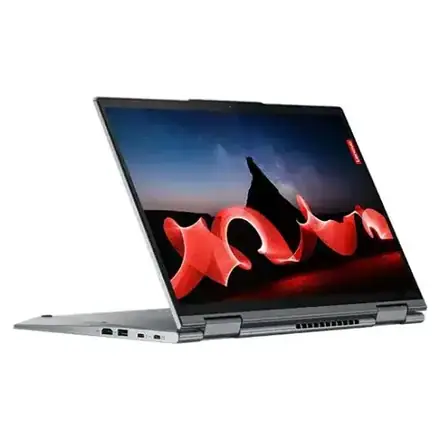
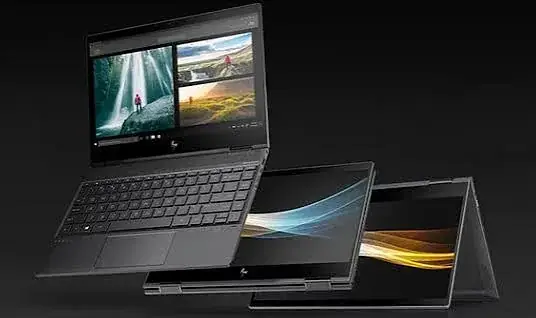
HP vs Dell vs Lenovo in Kenya: Which Brand Should You Buy in 2026?
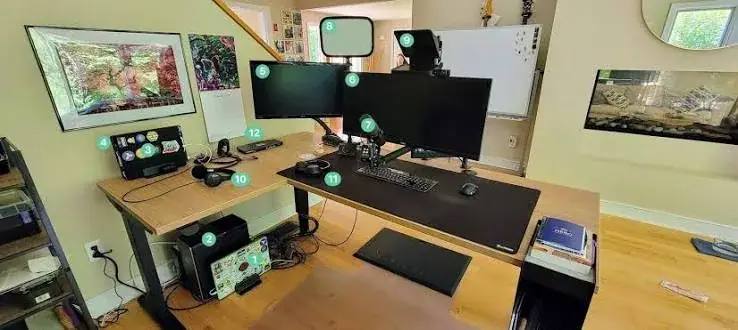
A complete home office setup guide for Kenya: choosing a laptop, monitor, keyboard, mouse, webcam, headset, USB-C hub, backup drive and UPS, plus ergonomics, lighting, internet and how to spot fake…

The best laptops for programmers and software developers in Kenya — RAM, keyboard, and multitasking needs explained, with real refurbished laptop deals from Mega Store Kenya, warranty included.