New Alnoor Exhibition, Shop 7
Second Floor, Taveta Road, Nairobi CBD
Available now — order before 3:00pm for same-day Nairobi delivery.
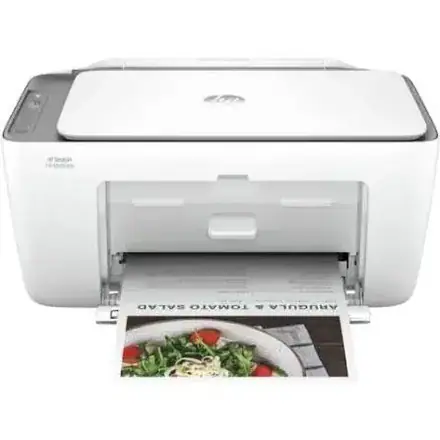
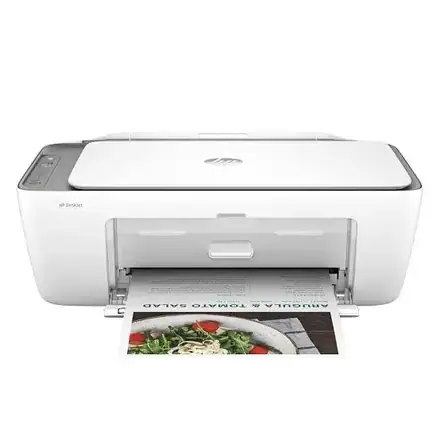
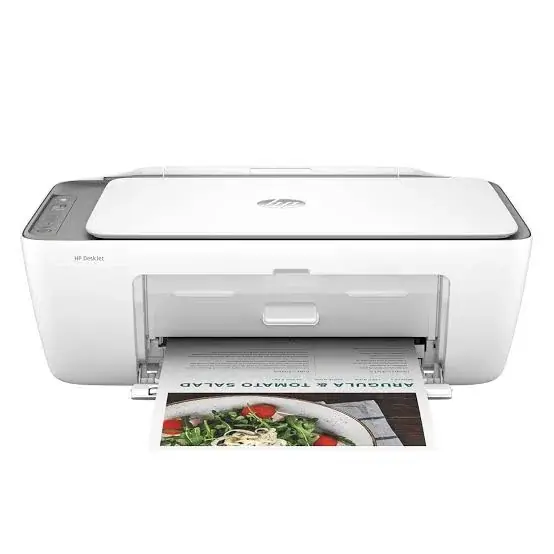
Buy the genuine HP DeskJet Ink Advantage 2875 colour all-in-one printer with Wi-Fi in Kenya from Mega Store Kenya. HP DeskJet 2875 price in Kenya, cheap home printer scanner…
Hand-wrapped, with a card in your words and an optional video-message QR. Prices hidden, delivered when you say.
Genuine HP | Brand New | A4 Colour Print, Copy and Scan | Wi-Fi and USB | Compact Starter Printer
Looking for the HP DeskJet 2875 price in Kenya, a cheap printer for home or school in Nairobi, or a compact Wi-Fi printer, scanner and copier? The HP DeskJet Ink Advantage 2875 is a brand-new, genuine A4 colour all-in-one inkjet that prints, copies and scans, and connects by Wi-Fi and USB. It's HP's entry-level family printer: small, simple and inexpensive to buy, with setup cartridges included. It's available from Mega Store Kenya with delivery across Kenya. Buyers also search for it as an HP DeskJet Ink Advantage 2875, an HP 2875 printer, a cheap Wi-Fi printer, a home printer scanner copier, a student printer, a small desk printer, or the cheapest colour all-in-one printer.
This guide is written to help you decide honestly. We explain what the 2875 does well, what it costs to run, and, importantly, who should buy a refillable ink tank printer instead. If you'd like to talk it through, message us on WhatsApp.
The HP DeskJet Ink Advantage 2875 is a very affordable way to own a printer, scanner and copier, and it's well suited to a person or household that prints only occasionally. Setup is simple through the HP Smart app, it's compact enough for a shelf, and it prints in colour. The honest catch is the running cost: it uses small replacement cartridges, and HP itself rates it for about 50 to 100 pages a month. Per page, cartridges cost far more than the refillable ink in an ink tank printer, so if you print more than a little, you'll spend more on ink than a more expensive tank printer would cost you. If you print a handful of pages a week, the 2875 is a fine, low-cost choice. If you print regularly, look at the Epson EcoTank L3250 or L3260 in our range.
It suits you if:
Look elsewhere if:
| Feature | Detail | What it means for you |
|---|---|---|
| Model | HP DeskJet Ink Advantage 2875 (60K47C) | HP's entry colour all-in-one |
| Functions | Print, copy and scan | Three jobs in one machine |
| Print technology | HP thermal inkjet, with two cartridges (black and tri-colour) | Simple cartridge printing |
| Print speed (ISO) | Up to 7.5 ppm black and 5.5 ppm colour | Slow but steady |
| Print speed (draft) | Up to 20 ppm black and 16 ppm colour | Faster in draft mode |
| First page out | About 13 seconds black and 16 seconds colour | Not instant |
| Print quality | Up to 1200 x 1200 dpi (black) and 4800 x 1200 optimised dpi (colour) | Good for text and everyday colour |
| Paper input | 60 sheets | A small tray |
| Duplex (double-sided) | Manual | You turn pages yourself |
| Connectivity | Wi-Fi (802.11 b/g/n, 2.4 GHz only) and Hi-Speed USB 2.0 | Wireless and wired |
| Monthly duty cycle | Up to 1,000 pages | The absolute maximum |
| Recommended monthly volume | 50 to 100 pages | The comfortable range |
| Cartridges | HP 653 black and tri-colour (setup cartridges included) | Small cartridges that run out quickly |
| Display | Icon LCD | Simple indicator screen |
These figures come from HP and retailer listings of the 2875. Setup cartridges in the box print fewer pages than standard ones, so keep a spare set. Ask us to confirm what's in the box for the unit you order.
This is the most important section on the page.
Cartridge printers cost little to buy and a lot to run. The HP 653 cartridges are small, and each page costs many times what it would on an ink tank printer. The setup cartridges that come with the printer print fewer pages than standard ones, so you may need to replace them sooner than you expect.
An example to try. Ask us for the price of an HP 653 black cartridge and its rated page yield, and divide. Do the same for a bottle of Epson ink and its rated yield. For a household printing 100 pages a month, the difference adds up within months. For one printing 10 pages a month, it hardly matters.
HP's own guidance. HP lists a recommended monthly volume of 50 to 100 pages for this printer. If you print above that regularly, you're outside the range it was designed for.
Our advice. If you print under about 100 pages a month, the 2875 is economical because the purchase price is low. If you print more, an Epson EcoTank costs more upfront, and costs less within months. We'll tell you honestly which suits you when you message us.
The app is the easiest way to run the printer.
On Apple devices, AirPrint also lets you print without the app, as long as the phone and printer are on the same Wi-Fi.
Numbers help you decide, so here are three typical cases. Ask us for current cartridge and bottle prices, and swap in the real figures.
The light user: 10 to 20 pages a month. A student or family that prints a few forms and assignments. The 2875's cartridge cost per page doesn't matter much at this volume, and its low purchase price is the saving. The 2875 is the right choice.
The moderate user: 50 to 100 pages a month. A household with school-age children. Cartridge costs add up, and the setup cartridges run out within a few months. The 2875 still works, and an ink tank printer would start to pay for itself within a year.
The regular user: 200 pages a month or more. A home business, a studio or a busy family. Cartridges become the main expense, and an Epson EcoTank saves a large amount per year. For this user, the 2875 is a false economy.
Our advice is to find your own number honestly. If you're unsure, count the pages you printed last month, and message us.
The 2875 is a popular student printer, and a few habits keep costs and stress down.
The 2875 scans and copies from a flatbed glass.
Because there's no document feeder, scanning many pages by hand takes time. If you do this often, an Epson L5290 or L6370 in our range has a feeder.
The printer shows offline. Restart the printer and your router, make sure both are on the same Wi-Fi network, and check that the printer is on the 2.4 GHz band.
Prints are faint or streaky. Run the printer's clean-the-print-head tool from the HP Smart app or the printer software, and check cartridge levels. Replace empty cartridges.
Colours look wrong. Replace or clean the colour cartridge, and make sure the paper type setting is correct.
Paper jams. Switch off, pull the paper out gently, and use good-quality, dry paper.
The printer won't recognise a cartridge. Remove it, check the contacts for dust, and refit it. Use genuine HP cartridges.
It prints slowly. The 2875 is slow by design, with an ISO speed of 7.5 ppm. Draft mode is faster.
The app can't find the printer. Check that your phone is on the same Wi-Fi network, and try USB for setup.
If a problem continues, message us on WhatsApp.
An entry printer serves well until your needs change. You may be ready for an upgrade if:
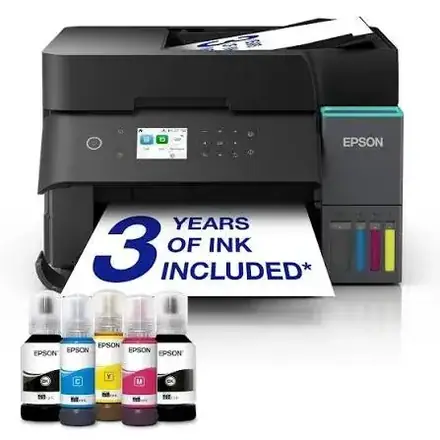
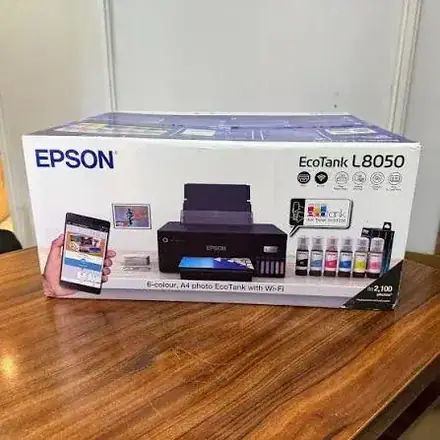
When that happens, the Epson EcoTank printers in our range cost more upfront and far less to run, and we're happy to help you move up.
We're glad to answer all of these on WhatsApp or in the shop before you pay.
A printer is a purchase worth protecting, so ask us what warranty covers the unit you order, how long it lasts and what it covers. Printers normally exclude consumables such as cartridges, and damage from non-genuine supplies or misuse. Keep your receipt, the serial number and the box. If a fault appears, message us on WhatsApp first, and we'll tell you the quickest way to get it sorted.
Many modern routers broadcast two Wi-Fi bands, and the 2875 can use only one.
If you aren't sure about your router's bands, we can help you check on WhatsApp.
Paper makes a visible difference on a small inkjet.
Entry printers ship with "setup" cartridges, and it helps to know what that means. They contain enough ink to get you started, and they typically print fewer pages than a standard retail cartridge. That's normal, and it's why we recommend keeping a spare set on hand. When a cartridge runs out, the printer or the HP Smart app will tell you. Don't wait until a deadline to find out. Buy the matching HP 653 cartridges, and store them sealed.
Power protection. Printers can be damaged by surges. Use a surge protector, and don't plug a printer into a UPS meant for computers.
Dust and heat. Keep the printer covered when idle, in a clean, shaded spot.
Paper storage. Keep paper flat and dry, because humidity makes paper curl and jam.
Wi-Fi. The 2875 connects on 2.4 GHz only. If your router offers separate 2.4 and 5 GHz networks, join the printer to the 2.4 GHz one.
Warranty. Ask us for the warranty that applies to the unit you order, and keep the receipt and box. A Kuwait retailer lists a one-year brand warranty, and Kenyan terms may differ.
| Accessory | Why it helps |
|---|---|
| Spare HP 653 cartridge set (black and tri-colour) | Keeps you printing when the setup cartridges run out |
| Surge protector | Protects against power spikes |
| USB cable (type A to B) | For a wired connection if needed |
| Quality A4 paper | Fewer jams, better results |
| Dust cover | Protects the printer when idle |
| HP DeskJet 2875 | HP DeskJet 2876 | HP DeskJet 2976 | Epson L3250 | |
|---|---|---|---|---|
| Type | Cartridge inkjet | Cartridge inkjet | Cartridge inkjet | Ink tank |
| Wi-Fi | 2.4 GHz | 2.4 GHz | Dual band | 2.4 GHz, plus Wi-Fi Direct |
| Cost per page | High | High | High | Very low |
| Recommended monthly pages | 50 to 100 | 50 to 100 | 50 to 100 | Hundreds to thousands |
| Best for | Occasional home use | Occasional home use | Occasional use on busy Wi-Fi | Regular printing |
Against the DeskJet 2876: it's the same printer in a different colour, as retailers list the same specifications. Choose by colour and availability.
Against the DeskJet 2976: it adds dual-band Wi-Fi.
Against the Epson L3250: the L3250 costs more to buy and far less to run. If you print regularly, it saves money within months.
Pros
Cons
What is the HP DeskJet 2875 price in Kenya? We confirm the current price when you message us on WhatsApp, because supplier prices change. We tell you the price and what's in the box before you pay.
Where can I buy the HP DeskJet 2875 in Nairobi? At Mega Store Kenya, New Alnoor Exhibition, Second Floor, Shop 7, Taveta Road, Nairobi CBD, or by delivery.
Does it have Wi-Fi? Yes, 2.4 GHz Wi-Fi, plus USB.
Does it print double-sided? Only manually.
Does it have a document feeder? No.
How many pages does a cartridge print? Small amounts. Ask us for the yield of the cartridge you need.
Is it good for students? For light use, yes. For heavy printing, an ink tank printer is cheaper to run.
Can I print photos? Basic photos, but cartridge photo printing is costly.
What warranty does it have? Ask us for the warranty that applies to the unit you order.
Can you deliver it? Yes, same day in Nairobi and next day outside Nairobi.
Can I pay via M-Pesa? Yes.
Genuine, brand-new HP printer. We're at New Alnoor Exhibition, Second Floor, Shop 7, Taveta Road, Nairobi CBD, and you're welcome to look at the printer before you buy. Message us on WhatsApp with how much you print, and we'll tell you honestly whether the 2875 is right or an ink tank printer would save you money. We confirm what's in the box before you pay.
Available now at Mega Store Kenya. Message us on WhatsApp.
Nairobi: same-day delivery for orders confirmed before 3:00pm on a working day. Rest of Kenya: courier to your door or nearest agent, typically 1–3 business days. You can also collect for free from our shop at New Alnoor Exhibition, Shop 7, Second Floor, Taveta Road, Nairobi CBD.
Faulty or not as described? Tell us within 7 days for a replacement or full refund. Changed your mind? Sealed, unused items can come back within 14 days. See our returns & warranty policy.