
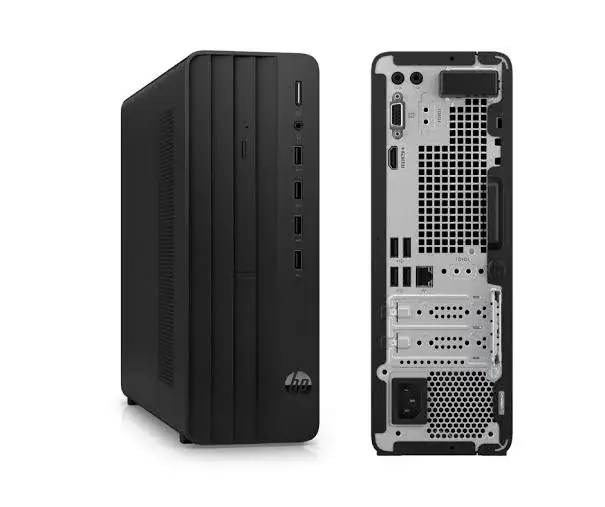
HP Pro Tower 290 G9 Desktop (Core i5, 8GB RAM, 512GB SSD, CPU Only)
Be the first to review
KSh 107,000
Available now — order before 3:00pm for same-day Nairobi delivery.
Buy the HP Pro Tower 290 G9 desktop with Intel Core i5, 8GB RAM and 512GB SSD in Kenya from Mega Store Kenya. HP 290 G9 price in Kenya, Core i5 office desktop Nairobi, desktop…
Upgrade PromiseTrade it in for a new device later — we guarantee the value. KSh 53,500within 12 monthsKSh 42,500within 18 months
Bring it back within 12 months and we credit at least 50% of today's price (KSh 53,500), or 40% (KSh 42,500) within 18 months, towards any new device in the shop. Conditions: working, no cracked screen or water damage, iCloud/Google account removed, receipt from Mega Store Kenya. Store credit only, not cash.
Send it as a gift
Hand-wrapped, with a card in your words and an optional video-message QR. Prices hidden, delivered when you say.
Same-day delivery in NairobiCountrywide courier in 1–3 business days. Free collection from our Taveta Road shop.
Pay on deliveryM-Pesa or cash when the item reaches you — check it first.
Genuine, sealed — 12-month brand warrantyAsk us on WhatsApp for the exact warranty on this unit.
Product details
Genuine HP | Brand New | Tower Desktop, System Unit Only | 13th or 14th Gen Intel Core i5 | Windows 11 Pro
Looking for the HP 290 G9 price in Kenya, a Core i5 desktop in Nairobi, or an affordable office desktop with VGA and serial ports? The HP Pro Tower 290 G9 is a brand-new, genuine business desktop built for everyday office work, with a 13th or 14th Gen Intel Core i5 processor, a fast 512 GB SSD and Windows 11 Pro, available from Mega Store Kenya with delivery across Kenya. This listing is the system unit only ("CPU only"), so you add a monitor, keyboard and mouse, which we can supply. Buyers also search for it as an HP Pro 290 G9, an HP office desktop, a Core i5 tower PC, a desktop for point-of-sale and shops, a cheap business desktop, or a CPU-only desktop for schools and offices.
This guide explains the desktop in plain language: what the Core i5 processor offers, why this model's older-style ports are a strength for many Kenyan businesses, how to upgrade its memory, and how to protect it from power problems. If you'd like to talk it through, message us on WhatsApp.
The short verdict
The HP Pro 290 G9 is the sensible, affordable business desktop. It isn't flashy, and it isn't trying to be. For the work most offices, shops, schools and clinics do, a Core i5 with a fast SSD is more than enough, and the tower is simple to upgrade and repair. Its notable strength is connectivity. Alongside modern USB and HDMI ports, retail listings show a VGA port and a serial port, so it works with older monitors, projectors, receipt printers, barcode scanners and other equipment that newer desktops have dropped. The honest points are that the listed memory is 8 GB (easy to upgrade on a desktop), the design is plain, and "CPU only" means you add a monitor, keyboard and mouse.
What "CPU only" means
"CPU only" means you receive the system unit: the box that holds the processor, memory, storage and ports. It doesn't include a monitor, keyboard, mouse, speakers or a UPS. You can reuse what you already own, or we can supply Dell, HP and Lenovo monitors, Logitech keyboards and mice, and APC, Mecer and Unomat UPS units. Some HP 290 G9 retail bundles include a basic HP wired keyboard and mouse, so ask us what's in the box of the unit you order.
Who this desktop is for
It suits you if:
- You run an office, shop, school, clinic or small business that needs dependable, affordable desktops.
- You use older equipment that needs VGA or serial connections, such as a receipt printer, a projector or a point-of-sale peripheral.
- You want a computer you can upgrade and repair easily.
- You want Windows 11 Pro for business security.
- You're building a computer lab or equipping several desks and want one standard model.
Look elsewhere if:
- You need a very powerful processor. The ThinkCentre neo 50t with the Core Ultra 7 in our range is stronger.
- You want an all-in-one design with the screen built in. See our all-in-one PCs.
- You need a graphics card for gaming or 3D work.
- You need to move your computer around. See our laptops.
Specifications in plain English
| Feature | Detail | What it means for you |
|---|---|---|
| Model | HP Pro Tower 290 G9 | HP's affordable business tower |
| Processor | Intel Core i5. Retail listings show the 13th Gen Core i5-13500: 14 cores (6 performance and 8 efficiency), 20 threads, up to 4.8 GHz | A strong office processor |
| Graphics | Intel UHD Graphics 770 (built in) | Fine for office work and video |
| Memory | 8 GB DDR4-3200, as listed, with two DIMM slots | Good for light use, and easy to upgrade |
| Storage | 512 GB SSD (retail listings often show 256 GB, so confirm) | Fast boots and loading |
| Ports | 4 USB 3.2 Gen 1, 4 USB 2.0, HDMI, VGA, serial and Gigabit Ethernet | A generous, flexible set |
| Operating system | Windows 11 Pro | Business-grade Windows |
| What's included | System unit only | Add your own monitor, keyboard and mouse, or buy from us |
These figures come from retailer listings of the HP Pro 290 G9. The processor may be a 13th or 14th Gen Core i5, so ask us to confirm the exact processor, memory and storage of the unit you order.
The processor: Intel Core i5 explained
The HP Pro 290 G9 is sold with 13th Gen Intel Core i5 processors, and retail listings show the Core i5-13500. A 14th Gen version may also exist.
14 cores and 20 threads. The Core i5-13500 combines 6 performance cores for demanding tasks with 8 efficiency cores for background work. That's enough to run an accounting package, a browser with many tabs, email and a video call together.
Up to 4.8 GHz. The processor boosts when a task needs speed, so documents open quickly and software responds promptly.
Built for sustained work. A desktop tower has room for proper cooling, so the processor can run at full speed all day, unlike thin laptops that slow down when hot.
Integrated graphics. The built-in Intel UHD Graphics 770 handle office work, high-resolution video and a couple of monitors. They aren't for gaming or heavy design.
No AI engine. This older-generation processor has no NPU, so it isn't a Copilot+ PC. For everyday office use, that makes no practical difference.
Memory: easy to upgrade on a desktop
The listed memory is 8 GB of DDR4-3200, with two DIMM slots. That's a good setup for upgrading.
- 8 GB is enough for browsing, Office, email, accounting packages and video calls.
- Upgrading is cheap and simple. Add a second 8 GB module for 16 GB, or replace both for 32 GB.
- Two slots mean dual channel. Matching modules run faster than a single one.
- Match the type. DDR4 desktop memory (DIMM) is what this PC uses. We'll make sure you buy the right modules, and we can fit them for you.
For a busy office, 16 GB is a comfortable standard, and the upgrade costs little compared with replacing a computer.
Storage
An SSD makes Windows start in seconds and opens files quickly. Retail listings for the HP 290 G9 often show a 256 GB SSD, while some units have 512 GB, so ask us to confirm the size of the unit you order. The tower has room for a second drive, so you can add a larger SSD or a hard drive for archives. A SanDisk portable SSD or a WD, Seagate or Toshiba portable hard drive from our range is a quick way to add backup storage.
Ports: where this desktop stands out
The HP Pro 290 G9 is generous with ports, and some of them are exactly what Kenyan businesses still need.
- VGA. Many older monitors, projectors and classroom displays use VGA. If you have them, you can connect them directly, and HDMI covers newer ones.
- Serial port. Some receipt printers, barcode systems, weighing scales and point-of-sale equipment use serial connections. Newer desktops often omit this port.
- USB 3.2 and USB 2.0. Four of each, enough for keyboards, mice, printers, scanners and flash drives.
- HDMI. For modern monitors and TVs.
- Gigabit Ethernet. A reliable wired network connection, which is better than Wi-Fi for desk work.
- Audio jacks. For speakers or a headset.
If you're setting up a shop or a school lab with a mix of old and new equipment, these ports can save you the cost of adapters.
Security and Windows 11 Pro
For an office, Windows 11 Pro is an advantage.
- BitLocker encrypts the drive, so stolen drives expose nothing.
- Domain join and management let an IT administrator manage the machine.
- Remote Desktop allows secure remote access when set up properly.
- A security chip (TPM) helps protect passwords and encryption keys.
HP preinstalls some trial software on this model, such as security trials. We recommend a proper antivirus licence, and our Kaspersky licences come in several user sizes.
Completing your setup: a simple shopping list
| Item | What to look for | Where from us |
|---|---|---|
| Monitor | 22 to 27 inches, Full HD, HDMI or VGA | Dell, HP and Lenovo monitors |
| Keyboard and mouse | Wired or wireless | Logitech |
| UPS | Sized to the PC and monitor | APC, Mecer and Unomat |
| Antivirus | One licence per PC | Kaspersky |
| Printer | Laser or ink tank | HP, Epson, Canon, Brother, Kyocera, Pantum |
| Backup drive | External SSD or hard drive | SanDisk, WD, Seagate, Toshiba |
Power protection: essential for a desktop in Kenya
A desktop has no battery, so a power cut stops it instantly, and unsaved work is lost. Over time, repeated cuts and surges can damage the power supply and storage.
- Use a UPS. It keeps the PC running for minutes after a cut, so you can save and shut down safely. We stock APC, Mecer and Unomat units and can size one for your PC and monitor.
- Use surge protection for printers and other equipment.
- Avoid plugging a desktop straight into the wall where voltage is unstable.
- Replace UPS batteries every few years.
- Test your UPS occasionally.
Everyday performance: what to expect
Office work: documents, spreadsheets, presentations and email run instantly.
Accounting and business software: local and cloud systems run well.
Browsing and video calls: many tabs and Teams, Zoom or Meet run comfortably.
Point-of-sale and shop use: reliable and quick, with the right ports for older peripherals.
Light design and data work: fine, especially after upgrading to 16 GB.
Gaming and heavy 3D: these need a dedicated graphics card.
Equipping a school lab or office
If you're buying many desktops, the 290 G9 is a sensible standard.
- One model for everyone simplifies support and spare parts.
- 16 GB per PC is a comfortable standard, added at purchase or later.
- Windows 11 Pro lets you manage and protect every machine.
- A UPS or surge protector at every desk.
- Standardised antivirus. Our Kaspersky licences come in several user sizes.
- Keyboards, mice and monitors in bulk from our range.
- A network printer shared across the office.
- A register of serial numbers, warranty dates and users.
Message us on WhatsApp if you're buying several, and we'll advise on configuration, delivery and set-up.
Setting up a point-of-sale or shop computer
Many buyers of this model run a shop or a small business counter, so here is a simple guide to a reliable setup.
- Choose the right peripherals. Receipt printers, barcode scanners and cash drawers connect by USB, serial or network. The 290 G9's serial and USB ports cover most of them, so check what your equipment needs before you buy.
- Use a UPS. A power cut in the middle of a sale can corrupt data and lose transactions. A UPS gives you time to finish and shut down safely.
- Install your POS software and keep it updated, ideally with an automatic cloud backup of sales data.
- Lock down the PC. Use a standard user account for cashiers, an administrator account for the owner only, and BitLocker on the drive.
- Back up daily. A copy on an external drive from our range and a cloud copy protect you from theft, fire and hardware failure.
- Keep it clean. Counters are dusty, so clean the vents more often and keep drinks away from the tower.
- Plan a spare. For a busy shop, an identical spare PC means a failure doesn't stop trading.
How to upgrade the HP 290 G9's memory
The 290 G9 is a good PC to upgrade, and the steps are simple.
- Find the current memory. In Windows, open Task Manager, then Performance, then Memory. It shows the type, speed and slots used.
- Buy matching DDR4 DIMMs. This PC uses desktop-size DDR4-3200 memory. Don't buy laptop (SO-DIMM) memory or DDR5.
- Choose the amount. One extra 8 GB module makes 16 GB, which suits most offices. Two 16 GB modules make 32 GB for heavier use.
- Prefer a matching pair. The two slots run in dual-channel mode when the modules match.
- Fit with care. Switch off, unplug, press the power button to drain residual power, open the side panel and press the module in until the clips click. We can do this for you.
- Check in Task Manager that the new total shows.
A memory upgrade costs a small fraction of a new PC, and it's the single biggest improvement you can make to an 8 GB desktop.
Choosing between a tower and a mini or all-in-one PC
Desktops come in several shapes, and the right one depends on your space and needs.
- Tower (like the 290 G9): the most upgradeable and repairable, with the best cooling. It takes more desk or floor space.
- Mini PC: very small and tidy, with limited upgrades. It suits tight desks.
- All-in-one: the screen and computer in one unit, with just one cable. It's neat, with limited upgrades, and if the screen fails, the whole unit is affected.
If you value upgrades and easy repairs, a tower is the practical choice. If you value tidiness and space, consider an all-in-one from our range.
Questions to ask before you buy
- What exactly is included? System unit only, or with a keyboard and mouse.
- Which exact processor, and which generation? 13th or 14th Gen.
- How much memory and storage does it have? Retail listings of this model often show 8 GB and 256 GB, so confirm.
- How many memory slots are free? This decides your upgrade path.
- Which ports does it have? Check VGA, serial and USB against your equipment.
- Which Windows edition is installed?
- What warranty is included, and who honours it? Get it in writing.
- Can I inspect it before I pay, and can you fit upgrades? We can do both.
We're glad to answer all of these on WhatsApp or in the shop before you pay.
Keeping a desktop running for years
A well-treated desktop can serve an office for a decade. A few habits make that realistic.
- Keep it cool and clean. Dust is the main enemy. Clean the vents every few months.
- Keep it protected. A UPS and surge protector for every PC.
- Keep it updated. Windows, drivers and the BIOS, but not in the middle of a busy day.
- Back it up. An SSD is fast, and any drive can fail.
- Upgrade rather than replace. More memory and a bigger SSD can add years of useful life.
- Use proper software. Avoid pirated programs, which often carry viruses.
Using a desktop in Kenya
Placement. Put the tower on a stable surface with space for air around it, away from direct sunlight, dust and moisture.
Dust. Clean the vents and fans occasionally, because dust shortens a desktop's life.
Security. For offices, consider a cable lock, a lockable room and BitLocker.
Warranty. Ask us for the warranty that applies to the unit you order. Some retailers list a one-year warranty on this model.
Region. Ask us to confirm the Windows language and what's in the box.
First-day setup checklist
- Check the box: system unit, power cable and paperwork.
- Connect the monitor, keyboard and mouse, and plug the PC into a UPS.
- Complete Windows 11 setup.
- Run Windows Update until it's finished.
- Update the BIOS and drivers using HP Support Assistant.
- Turn on BitLocker and set a sign-in PIN.
- Install your software and antivirus, and remove trial software you don't need.
- Set up backups.
- Check the memory in Task Manager so you know your upgrade options.
Looking after it
- Keep the tower off a dusty or damp floor.
- Clean the vents and fans gently, with the PC off and unplugged.
- Keep Windows, drivers and the BIOS updated.
- Don't block the vents.
- Restart weekly.
- Replace UPS batteries on schedule.
How it compares with other options in our range
| HP Pro 290 G9 Tower | ThinkCentre neo 50t Gen 6 | Dell Pro Tower QCT1250 | HP AIO 24" or 27" | |
|---|---|---|---|---|
| Type | Business tower | Business tower | Business tower | All-in-one |
| Processor | Core i5 (13th or 14th gen) | Core Ultra 7 265 | Core Ultra 5 | Core i5 or i7 (13th gen) |
| Memory as listed | 8 GB DDR4 | 8 GB DDR5 | 8 GB | Varies |
| Legacy ports (VGA, serial) | Yes | Some versions | Check | Limited |
| Screen included | No | No | No | Yes |
| Best for | Affordable office use, legacy equipment | Strongest office tower | Modern business use | Space-saving desks |
Against the ThinkCentre neo 50t and Dell Pro Tower: those use newer processors and DDR5 memory and cost more. The HP is the most affordable and has the best legacy connections.
Against all-in-one PCs: an all-in-one saves space and cabling. A tower gives you easier upgrades and repairs.
Honest pros and cons
Pros
- A capable 14-core Core i5 processor.
- DDR4 memory that is cheap and easy to upgrade.
- A fast SSD, with room for more drives.
- VGA, serial and plenty of USB ports.
- Windows 11 Pro with business security.
- An affordable price for a business desktop.
Cons
- System unit only: you need a monitor, keyboard and mouse.
- 8 GB of memory as listed, which most buyers will want to upgrade.
- An older platform, with no AI engine.
- Integrated graphics only.
- A plain design.
- Needs a UPS in Kenya.
What to check when it arrives
- The box model matches HP Pro Tower 290 G9.
- The processor is a Core i5, with the memory and storage you agreed (Settings, System, About).
- The PC powers on and displays correctly on your monitor.
- The ports on the front and back work.
- The power cable is included.
- You get a receipt with the serial number and warranty details in writing.
Frequently asked questions
What is the HP 290 G9 price in Kenya? We confirm the current price when you message us on WhatsApp, because supplier prices change. We tell you the price and the exact configuration before you pay.
Where can I buy the HP 290 G9 in Nairobi? At Mega Store Kenya, New Alnoor Exhibition, Second Floor, Shop 7, Taveta Road, Nairobi CBD, or by delivery.
Does it come with a monitor, keyboard and mouse? No. This is the system unit only. We can supply them.
Does it have a VGA port? Retail listings show a VGA port and a serial port. Ask us to confirm for the unit you order.
Is it a 13th or 14th Gen processor? Ask us to confirm the exact processor of the unit you order.
Can I upgrade the memory? Yes, a desktop's memory is easy to upgrade. We can fit it for you.
Does it come with Windows 11 Pro? Listings show Windows 11 Pro. Ask us to confirm.
What warranty does it have? Ask us for the warranty that applies to the unit you order.
Can you deliver it? Yes, same day in Nairobi and next day outside Nairobi.
Can I pay via M-Pesa? Yes.
Why buy from Mega Store Kenya
Genuine, brand-new HP desktop. We're at New Alnoor Exhibition, Second Floor, Shop 7, Taveta Road, Nairobi CBD, and you're welcome to look at the desktop before you buy. Message us on WhatsApp with what your office or shop does, and we'll tell you honestly what to buy, including the right monitor, UPS and memory. We confirm the exact configuration with you before you pay.
Order your HP Pro Tower 290 G9 today
Available now at Mega Store Kenya. Message us on WhatsApp.
Delivery & returns
Nairobi: same-day delivery for orders confirmed before 3:00pm on a working day. Rest of Kenya: courier to your door or nearest agent, typically 1–3 business days. You can also collect for free from our shop at New Alnoor Exhibition, Shop 7, Second Floor, Taveta Road, Nairobi CBD.
Faulty or not as described? Tell us within 7 days for a replacement or full refund. Changed your mind? Sealed, unused items can come back within 14 days. See our returns & warranty policy.
Write a review
You may also like
19%
Lenovo
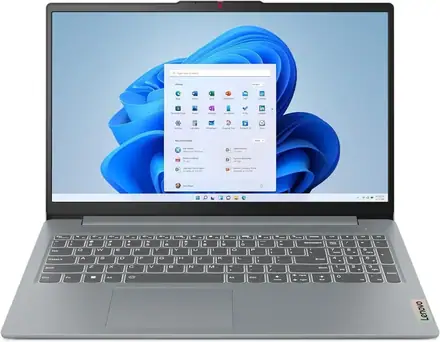
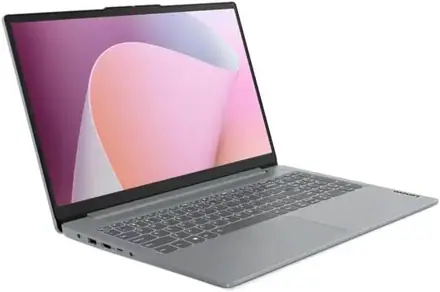
Lenovo IdeaPad Slim 3, Core i7, 16GB RAM, 512GB SSD, 15"
KSh 108,900
KSh 135,000
You save KSh 26,100
Order on WhatsApp
Refurbished
18%
Lenovo
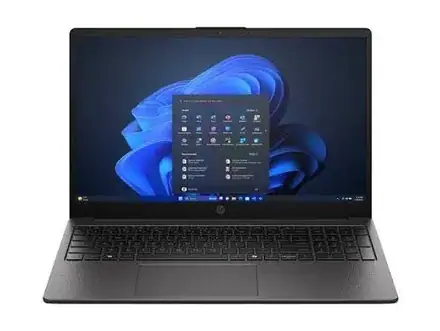
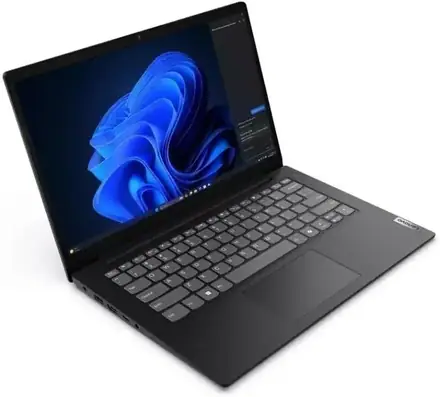
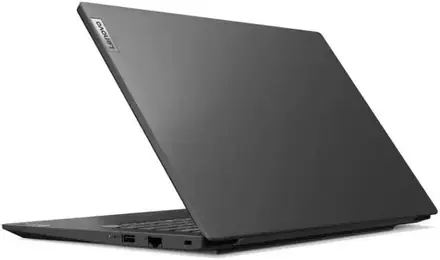
Lenovo V14 G5, 13th Gen Core i7, 16GB RAM, 512GB SSD
KSh 106,700
KSh 130,000
You save KSh 23,300
Order on WhatsApp
Refurbished
15%
HP
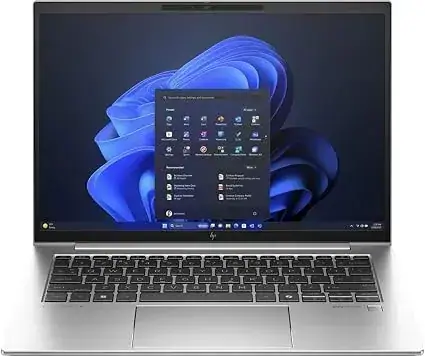
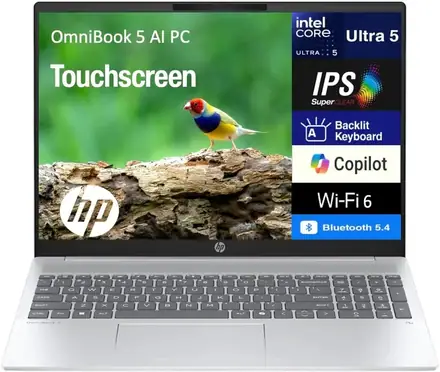
HP OmniBook 5 AI 16", Intel Core Ultra 5, 16GB RAM, 1TB SSD
KSh 110,000
KSh 130,000
You save KSh 20,000
Order on WhatsApp
Helpful buying guides
Dell Latitude vs HP ProBook in Kenya 2026: Which Fits Your Budget?
Dell Latitude vs HP ProBook compared for Kenyan buyers on a budget — genuine differences, prices, and real refurbished laptop deals from Mega Store Kenya, warranty included.
The EliteBook Legacy - How HP Built Its Business Reputation
The EliteBook Legacy: How HP Built Its Business Reputation
The Dragonfly Story - HP's Most Distinctive Laptop
The Dragonfly Story: HP's Most Distinctive Laptop