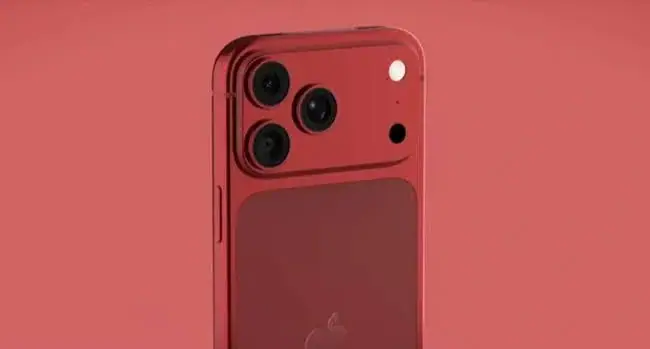
iPhone 18 Pro Max Camera Guide for Kenya: Photos, Video, Low Light and Zoom
How good is the iPhone 18 Pro Max camera? A practical Kenyan guide to the three 48MP cameras, variable aperture, 8x optical-quality zoom, 4K Dolby Vision, ProRes, Camera Control and tips for…
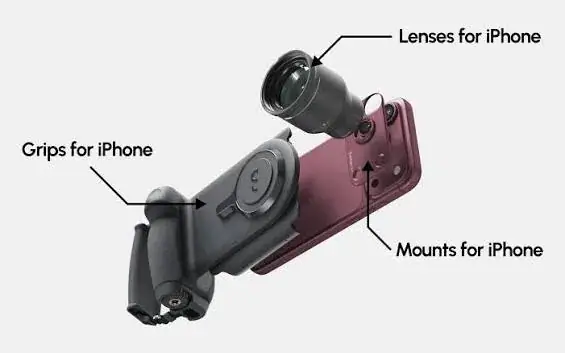
From the Mega Store Kenya team: We wrote it for shoppers in Kenya, and the picks we stock are listed at the end. Prices and stock change quickly, so WhatsApp 0740 922 861 to confirm the exact version and price before you pay.
People rarely buy an iPhone 18 Pro Max for the processor. They buy it for the camera. It is the part of the phone that captures a child's first steps, a wedding procession, a sunrise over the Mara, a product shot for an online shop and the video that makes a small business's page stand out. If the camera disappoints, nothing else about the phone can make up for it.
This guide explains the iPhone 18 Pro Max camera system in plain language, using Apple's published specifications, and shows how to get the best results in situations Kenyan photographers and families actually face: weddings and church events, low-light restaurants and matatu stages at dusk, safari and travel, product photos for Instagram and WhatsApp businesses, school events, football matches and video calls. It is written for people searching for "iPhone 18 Pro Max camera", "iPhone 18 Pro Max camera Kenya", "iPhone 18 Pro Max zoom", "iPhone 18 Pro Max video" and "best iPhone for photography".
Mega Store Kenya sells the iPhone 18 Pro Max from our shop at New Alnoor Exhibition, Shop 7, Second Floor, Taveta Road (at the Taveta and Taveta Road junction), Nairobi CBD. You are welcome to try the camera at the counter before you buy. Call Sales on 0740 922 861.
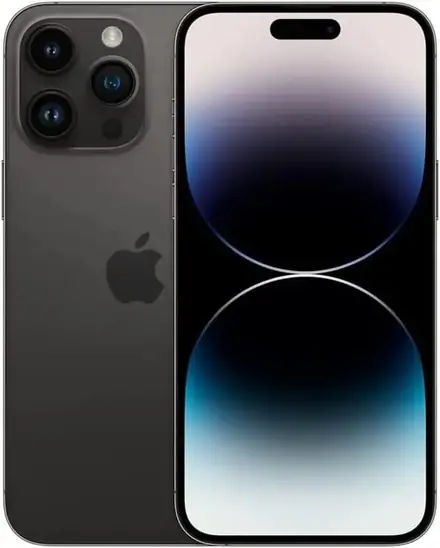
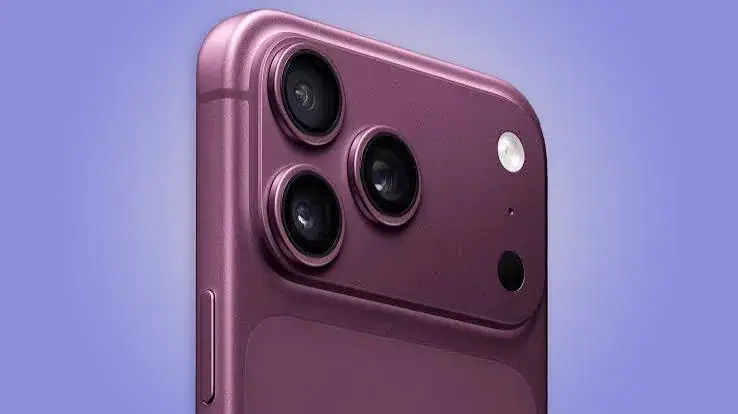
The camera system at a glance
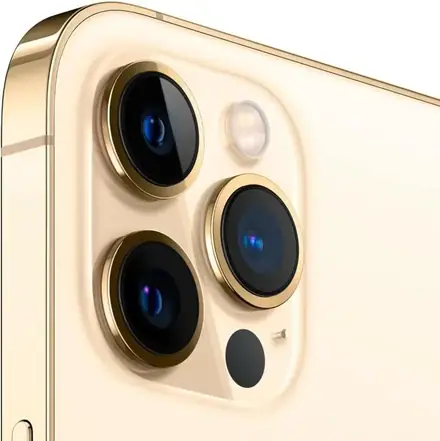
Apple lists the following for the iPhone 18 Pro Max.
| Camera | What Apple lists |
|---|---|
| Main | 48MP Fusion with a variable aperture from f/1.48 to f/4.0 |
| Ultra wide | 48MP Fusion, 120-degree field of view |
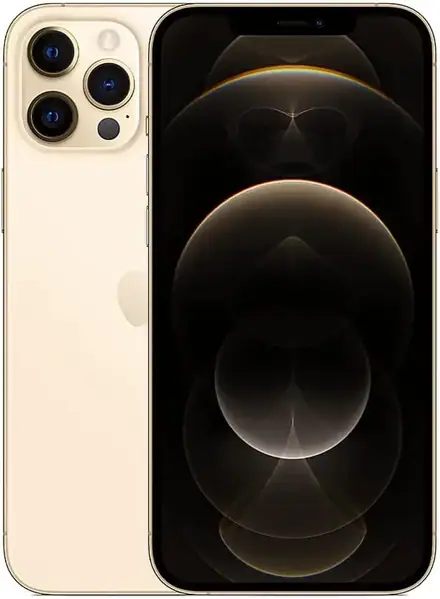
| Telephoto | 48MP Fusion, 4x optical zoom (100 mm) |
| Zoom range | 2x and 8x optical-quality options, 16x optical-quality range, digital zoom up to 40x |
| Front | 18MP Center Stage |
| Video | 4K Dolby Vision, 1080p slow motion up to 240 fps, ProRes and ProRes RAW support |
| Controls | Camera Control, customisable Action button |
The iPhone 18 Pro has the same rear camera system in a smaller body, and the iPhone 17 Pro Max has three 48MP Fusion cameras as well, but with a fixed-aperture main camera. We compare the three at /guides/iphone-18-pro-max-vs-iphone-18-pro-vs-iphone-17-pro-max-kenya.
What "48MP Fusion" means for you
A megapixel is a million pixels in the image. More pixels do not automatically mean a better picture, but they give the phone more information to work with. Apple's "Fusion" cameras combine detail from the high-resolution sensor with the phone's processing, so the same camera can produce a high-resolution image when there is plenty of light and a cleaner, brighter image by combining pixels when light is poor.
For you as a photographer, this means three things. Your photos hold more detail when you zoom or crop afterwards. You can enlarge prints, such as wedding photos for an album or posters for a shop, without them turning soft. And you get good results in many conditions without changing a single setting.
The main camera and its variable aperture
What aperture is
Aperture is the opening in the lens that lets in light. A wide opening, shown by a small f-number such as f/1.48, lets in a lot of light. A narrow opening, shown by a larger f-number such as f/4.0, lets in less. Photographers have always used aperture to control two things: how bright the picture is, and how much of the scene is in focus.
Why the variable aperture is a big deal
On most phones the aperture is fixed. The iPhone 18 Pro Max main camera, as Apple lists it, can vary between f/1.48 and f/4.0. In practice:
- Wide aperture, around f/1.48. Use it in dim places: a restaurant, a living room in the evening, a church hall, a street at dusk. More light reaches the sensor, so the picture is brighter and cleaner with less noise. It also gives a shallower depth of field, which means a sharp subject and a softly blurred background, ideal for portraits.
- Narrow aperture, up to f/4.0. Use it in bright light when you want more of the scene sharp from front to back: a landscape, a group of people at different distances, a building, a product with several parts, or a document you want entirely crisp.
The phone chooses well on its own in automatic mode, and in many situations you never need to think about it. But knowing that the control exists helps you understand why the pictures look the way they do, and helps you use portrait and depth tools with intent.
Everyday shooting with the main camera
The main camera is the one you will use most. It is the right choice for most family photos, food, street scenes, selfies taken with the rear camera and any picture where you are within a few metres of the subject. Keep the lens clean, since a fingerprint smudge is the most common reason for a hazy picture. Wipe it with a soft cloth before important shots.
The ultra wide camera
What it sees
The ultra wide camera captures a 120-degree field of view, much wider than the eye's comfortable focus. At 48MP, it holds detail across the frame instead of going soft at the edges, as lower-resolution ultra wide cameras often do.
When to use it
- Big rooms and venues. Wedding halls, church interiors, conference rooms, classrooms and open-plan offices.
- Group photos. When you cannot step back far enough, the ultra wide fits everyone in.
- Landscapes and cityscapes. The Nairobi skyline, the Rift Valley escarpment, a beach in Diani or Lamu, a wide view in the Mara.
- Architecture and interiors. Real-estate agents, interior designers and hotel owners can show whole rooms.
- Close-ups of small things. The ultra wide can focus close, which suits food, flowers and small products.
A tip
Keep faces away from the very edge of an ultra wide frame, where perspective can stretch them. Put people nearer the centre, and keep the phone level so buildings do not appear to lean.
The telephoto camera and the zoom range
4x optical and beyond
The telephoto camera gives 4x optical zoom, equal to a 100 mm lens. Apple lists 2x and 8x optical-quality options created from the sensor, plus a 16x optical-quality range. "Optical-quality" means the phone produces the image in a way that keeps quality close to that of a true optical lens at those steps. Digital zoom reaches 40x, though quality drops at the extremes.
Why a telephoto lens matters
A telephoto lens is the feature that most separates the Pro Max from a standard iPhone. It brings distant subjects closer without moving, and it compresses perspective in a flattering way.
- Portraits. A longer focal length flatters faces, with natural proportions and a pleasant blur behind. For portraits of people, the 2x and 4x settings are often better than the main camera.
- Weddings, graduations and church events. You can capture the bride at the altar, the graduate on the stage or the preacher at the pulpit from your seat.
- School and sports events. A child at the other end of a field, a player taking a corner, a runner at the finish.
- Travel and safari. An elephant at a respectful distance, a bird in a tree, a detail on a building across the road.
- Details. A sign on a distant shop, a pattern on a roof, a face in a crowd.
Getting the sharpest zoom
Hold the phone with both hands and rest your elbows against your body or a solid surface. Zooming magnifies shake as well as the subject. In poor light, zoomed shots need steadier hands, so use a small tripod or lean against a wall when you can. Treat the extreme digital end, towards 40x, as a way to read or identify something far away, not as the setting for a keepsake photo.
The front camera and Center Stage
The front camera is 18MP and uses Center Stage. In a video call or selfie video, Center Stage keeps you and the people near you in view as you move, and the frame can widen for group selfies without stretching your arm. For people who spend hours on video calls with clients, relatives abroad or classes, it keeps you framed without effort. For selfies, the high resolution captures detail in skin tone and hair, and the camera performs well in the soft light of an indoor space.
If you shoot a lot of selfie video, find a light source in front of you, such as a window, instead of behind you, so your face is evenly lit.
Low-light photography
Low light is where cameras are tested, and where the wide aperture of the main camera helps most. Some practical advice for situations you will meet in Kenya.
- Restaurants and bars. Use the main camera instead of the zoom lenses, which gather less light. Tap the face or the plate to set focus, and slide the brightness control down slightly if highlights glare.
- Evenings at home. Turn on a lamp, even a small one, and face the subject towards it. Even light helps more than any setting.
- Street scenes at dusk. Hold steady, brace against a wall, and let the phone take a moment to process. Moving subjects will blur in low light, so take a few shots.
- Concerts and events. Stage lighting changes quickly. Take several photos and keep the best. Avoid heavy digital zoom, which shows noise.
- Night modes. The phone uses its processing to brighten dim scenes. Keep still while it does so, and do not move the phone until the shot finishes.
- Flash. Use it only for close subjects. Beyond a few metres it adds little, and it can make faces look harsh.
Portraits
For portraits, choose the focal length by the effect you want. The main camera gives a natural, environmental portrait that includes some background. The 2x option, with the wide aperture, gives a tighter, classic portrait. The 4x telephoto gives a flattering, compressed look with a soft background.
Portrait mode adds depth effects that blur the background, and you can usually adjust the strength of the blur after the shot. Light matters more than any mode: soft, even light from a window or open shade flatters skin and avoids harsh shadows under the eyes. In strong midday sun, move the subject into shade or turn them so the sun is behind them and use fill light from the front.
Video
Quality and formats
Apple lists 4K video with Dolby Vision, 1080p slow motion at up to 240 frames per second, and support for ProRes and ProRes RAW. Dolby Vision records a wider range of brightness and colour, so highlights such as windows and skies keep their detail, and skin tones look natural. Slow motion at 240 frames per second makes everyday movement dramatic, from a splash to a dance step to a goal. ProRes is a high-quality professional format that holds up in editing and colour grading, though the files are very large.
Stabilisation and smooth shots
Hold the phone with both hands and move your whole body, not just your wrists, to keep pans smooth. Walk with bent knees and heel-to-toe steps to reduce bounce. For stable shots, use a small tripod or a gimbal designed for phones. For interviews and talking-head videos, put the phone at eye level, not looking up from below.
Audio
Good video needs good sound, and a phone microphone has limits. Move closer to the speaker, avoid windy spots and noisy fans, and consider a small clip-on microphone for interviews, sermons or product demos. A video with clear sound and ordinary picture beats a beautiful picture with unusable sound.
Storage for video
High-quality video fills storage quickly, and ProRes especially so. If you intend to shoot a lot of video, choose 512GB or more, and consider 1TB if video is part of your income or hobby. Our buying guide at /guides/iphone-18-pro-max-buying-guide-kenya-storage-colour-sim-warranty explains how to choose.
Moving files
The USB-C port supports USB 3 speeds up to 10 Gb/s with a suitable cable, which makes moving large video files to a laptop or an external drive practical. Use a cable rated for 10 Gb/s, not the basic charging cable, or the transfer will be slower.
Camera Control and the Action button
Camera Control is a touch-sensitive button on the side of the phone that opens the camera and adjusts settings with a press or a slide of the finger. It is quick to reach, and it is useful when a moment is short: a child smiling, a bird taking off, a celebration ending. You can customise what it adjusts, such as zoom or exposure, in the phone's settings.
The Action button can also be set to open the camera, which is handy if you prefer a single dedicated press. Spend a few minutes at the start deciding which shortcuts suit you. Fast access to the camera is often the difference between a photo and a missed moment.
Practical guides by situation
Weddings and church events
Arrive early and walk the venue to check the light. Use the ultra wide for the hall and the group portraits, the main camera for couples and details, and the 2x or 4x telephoto for the altar, the procession and candid shots from a distance. Take burst photos of key moments, such as the exchange of rings or the cutting of the cake. Charge the phone fully, carry a power bank, and make sure you have free storage, since a long event with video fills a phone surprisingly fast. If you are the official photographer, agree beforehand with the family what you will deliver.
Product photos for online sellers
Many Kenyan businesses sell on Instagram, TikTok, WhatsApp and Facebook, and the phone camera is their studio. Shoot near a large window with soft daylight, and avoid mixed light from lamps and sun together. Use a plain background, such as a white sheet or a sheet of card. Use the main camera for most products and the 2x for a flattering, less distorted look. Wipe the lens, tap to focus on the product, and take several angles, including a close-up of texture or detail. Keep colours true by avoiding heavy filters, since customers return products that look different from the photo.
Safari and travel
Bring a power bank, because a day in the park with video and zoom drains the battery. Use the telephoto for animals, always at a safe and legal distance, and keep the phone steady against a vehicle window frame or a bean bag. Switch off flash near animals. Use the ultra wide for landscapes and the camp, and shoot at sunrise and sunset, when the light is soft and golden. Back up your photos at night if you have a connection, or carry a small USB-C drive.
Food and restaurants
If you review food or run a small restaurant, shoot from above for flat dishes and from a low angle for burgers and stacked foods. Use window light. Use the main camera, and the 2x for a flattering close-up. Avoid flash, which flattens food and adds glare.
School events, sports and fast action
Use the telephoto to get closer, hold the phone steady, and take bursts of photos. For fast action, keep the subject centred, and shoot in good light, since movement and low light together are the hardest combination. Slow motion video at 240 frames per second can turn a quick moment into a memorable clip.
Video calls and online classes
Place the phone at eye level, with light from the front, and let Center Stage keep you in frame. Use headphones or earbuds for better sound. Close other apps to reduce lag, and check your connection before an important call.
Editing and sharing your photos
Taking the picture is half the job. A few minutes of editing turns a good photo into a great one, and the built-in tools in the Photos app are enough for most people. Crop to straighten the horizon and remove distractions at the edges. Adjust exposure and shadows gently to lift faces in a dim scene, and avoid pushing contrast so far that skin tones look orange or grey. For product photos, check that white backgrounds are truly white and that colours match the real item. If you are posting to Instagram, TikTok or WhatsApp Status, remember that each app compresses images and video, so upload the best quality your connection allows and keep the original on your phone.
When sharing many photos from an event, send a link to an iCloud or other shared album instead of hundreds of separate WhatsApp images, which are compressed and lose detail. If you are delivering photos to a client, give them the full-quality files by link or by USB-C drive, and keep a backup until they confirm they have received everything. Back up your best work in at least two places, because a phone can be lost, dropped or stolen, and photographs of important moments cannot be taken again.
Light: the skill that matters most in Kenya
Kenya offers some of the best natural light in the world, and also some of the harshest. Between about ten in the morning and three in the afternoon, the sun is high and hard, which creates deep shadows under eyes and noses and bleaches skies. If you can, shoot outdoors in the early morning or late afternoon, when the light is soft, warm and directional. If you must shoot at midday, find open shade, such as the side of a building or under a tree with even light, and place your subject there. Avoid dappled shade, where patches of sun and shadow fall across a face.
Indoors, use window light wherever you can. Turn the subject to face a window, or turn them side-on for a more dramatic look. Switch off mixed lighting, such as an overhead bulb and daylight together, which creates odd colour casts. For events at night, look for the best-lit spot in the room and photograph people there. At weddings, church halls and conferences, ask the organisers whether lights can be raised during key moments such as the cake cutting or the speeches.
Settings worth knowing about
You do not need to change many settings, but a few are worth a look when you first set the phone up. Turn on the grid in the camera settings, which helps you keep horizons level and compose with the rule of thirds. Choose the video format and frame rate that suits you: a standard setting for everyday clips, and the highest quality only when you need it, since larger files fill storage and take longer to edit and upload. Check the photo format setting if you want maximum flexibility for editing, understanding that such files are larger. Set Camera Control to the adjustment you use most. Finally, use the exposure slider by tapping the screen and sliding up or down, which gives you quick control over brightness in tricky light.
If you often photograph documents, receipts or whiteboards for work, the document scanning tools in the Notes and Files apps give clean, flattened results and can be shared as PDF files.
Photography etiquette and the law
A powerful camera in your pocket comes with responsibilities. Ask permission before photographing people closely, especially children, and respect places where photography is restricted, such as government buildings, military sites, some courts, airports and certain religious spaces. In national parks and reserves, follow the rules about distance from wildlife and about drones and flash. If you photograph customers, staff or events for a business page, tell people and get consent for commercial use. At weddings and funerals, ask the family what is appropriate before you raise your phone. Good manners protect your reputation, and in some cases the law protects people's privacy more than you might expect.
Planning your storage for a camera-heavy year
If the camera is the reason you are buying, plan storage like a photographer. A phone that is used for family photos, a few videos a month and WhatsApp media will be comfortable on 256GB with regular clean-ups. A phone used for frequent 4K video, a large photo library and games is happier on 512GB. A phone used for professional-format video, long events and heavy editing belongs at 1TB or more. Whichever you choose, set up regular backups, keep your Apple Account details safe, and move finished projects to a computer or drive, so the phone has room for the next job.
A simple practice plan for your first month
The best way to learn the camera is to use it deliberately. In the first week, shoot the same subject with each lens, such as a friend, a plant or a dish, and compare the results on the screen. In the second week, practise low light: photograph a room in the evening with the main camera, then again with a lamp added, and see how much the light matters. In the third week, shoot video of a simple scene, with steady hands, and watch it back with the sound on. In the fourth week, edit your best ten photos and share them. By then you will know the phone's strengths and your own habits, and you will be taking better pictures without thinking about settings.
Common mistakes and quick fixes
Dirty lens. Wipe it. This fixes more bad photos than any setting.
Wrong lens for the job. Use the telephoto for faces and distance, the main for general shooting, the ultra wide for space.
Too much digital zoom. Move closer, or stay within the optical-quality range.
Shaky hands. Brace your elbows, or use a tripod.
Backlit faces. Turn the subject so the light falls on them, or tap on the face to expose for it.
Overusing filters. Keep a natural look for products and portraits, and add style afterwards if you want it.
Running out of storage. Check your free space before an event, and back up regularly.
Forgetting a charger. None is listed in the box. Buy a good fast charger and a power bank. Our guide to battery and charging is at /guides/iphone-18-pro-max-battery-charging-guide-kenya-chargers-power-banks.
Accessories that improve the camera
- A case with a raised camera edge. It protects the lens from scratches when the phone is on a table.
- A lens cloth. Cheap, and the best photography accessory you can buy.
- A small tripod or phone grip. For steady video, group photos and long exposures.
- A gimbal. For smooth walking video if you shoot events or travel.
- A clip-on microphone. For interviews, sermons and product videos.
- A ring light or small LED light. For product photos, video calls and content creation.
- A fast USB-C data cable. For moving files at USB 3 speeds.
- A power bank. For long days of shooting.
Ask our team for options that fit your budget.
How it compares to other iPhones
The iPhone 18 Pro has the same rear camera system as the Max in a smaller body, so photographers who prefer a compact phone lose very little. The iPhone 17 Pro Max has three 48MP Fusion cameras, including a 4x telephoto, but its main camera has a fixed aperture, so the 18 series gives you more control and help in low light. Standard iPhones lack the telephoto lens, which is the feature that most changes what you can photograph. If photography is your main reason to buy, the Pro line is the right place to look, and our comparison guide helps you choose the size.
Buying the phone safely
Before you pay for any iPhone in Kenya, check the IMEI against the box, check the serial number on Apple's coverage page, confirm the phone is not locked to another Apple Account, and make sure the SIM version matches what you need. We explain each step in our guide at /guides/how-to-spot-a-fake-or-locked-iphone-in-kenya. At our shop we also let you test the camera at the counter, so you can see the results before you decide.
Frequently asked questions
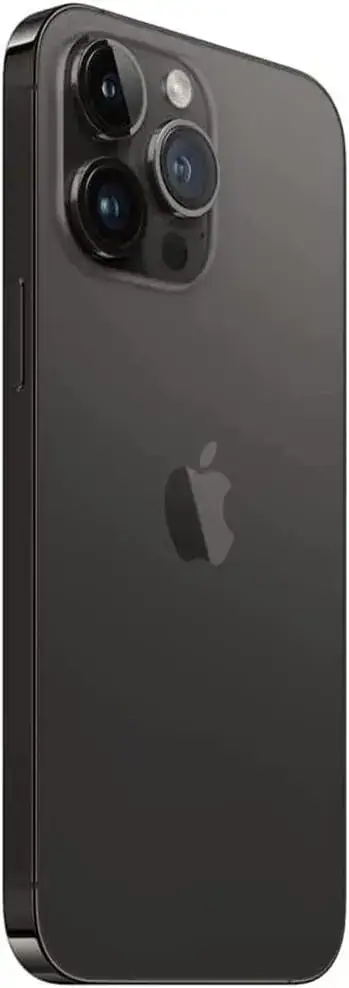
How many cameras does the iPhone 18 Pro Max have? Three on the back, all 48MP Fusion: main with variable aperture, ultra wide and 4x telephoto. The front camera is 18MP with Center Stage.
What is the zoom range? 4x optical on the telephoto, with 2x and 8x optical-quality options, a 16x optical-quality range and digital zoom up to 40x.
Is it good in low light? The main camera's wide aperture, which Apple lists down to f/1.48, helps in dim scenes. Steady hands and good lighting make a bigger difference than any setting.
Can it shoot professional video? Apple lists 4K Dolby Vision and support for ProRes and ProRes RAW, so yes, with enough storage and the right accessories.
How much storage do I need for video? If you shoot a lot, choose 512GB or 1TB. ProRes files are very large.
Is it better than the iPhone 18 Pro for photos? The rear camera system is the same. The Max has a larger screen and longer battery life, and the Pro is smaller and lighter.
Can I try the camera before buying? Yes. Visit our shop on Taveta Road in Nairobi CBD and test it at the counter.
Does it come with a charger? Apple lists the phone and a USB-C charge cable in the box. No power adapter is listed.
Do you deliver outside Nairobi? Yes, by courier within one to three business days. In Nairobi, orders placed before 3pm are delivered the same day.
How do I pay? We accept M-Pesa. Shop collection is free.
How to order
Call Sales on 0740 922 861 or write to [email protected] with the storage, colour and SIM version you want. We confirm availability, the market version and the warranty, and we check the phone with you before you pay. Visit us at New Alnoor Exhibition, Shop 7, Second Floor, Taveta Road, Nairobi CBD, Monday to Friday 9am to 7pm and Sunday 11am to 4pm, closed Saturday. For help after purchase, We're on 0740 922 861.
Related guides
- iPhone 18 Pro Max buying guide: /guides/iphone-18-pro-max-buying-guide-kenya-storage-colour-sim-warranty
- iPhone 18 Pro Max features explained: /guides/iphone-18-pro-max-features-explained-a20-pro-camera-battery-usb3
- iPhone 18 Pro Max vs iPhone 18 Pro vs iPhone 17 Pro Max: /guides/iphone-18-pro-max-vs-iphone-18-pro-vs-iphone-17-pro-max-kenya
- iPhone 18 Pro Max battery and charging guide: /guides/iphone-18-pro-max-battery-charging-guide-kenya-chargers-power-banks
- Shop all iPhones: /
Final word
The iPhone 18 Pro Max gives you a full camera bag in your pocket: a main camera with a variable aperture for everyday and low-light shooting, an ultra wide for big spaces, a 4x telephoto with a long optical-quality range for portraits and distance, a sharp front camera and professional video formats. The phone does a great deal for you automatically, and a little knowledge of light, steadiness and the right lens does the rest. Come to our shop, try it at the counter, and take the first photo of your own.