




New Alnoor Exhibition, Shop 7
Second Floor, Taveta Road, Nairobi CBD
Available now — order before 3:00pm for same-day Nairobi delivery.
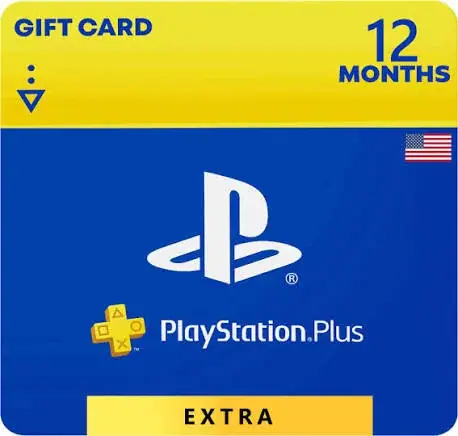
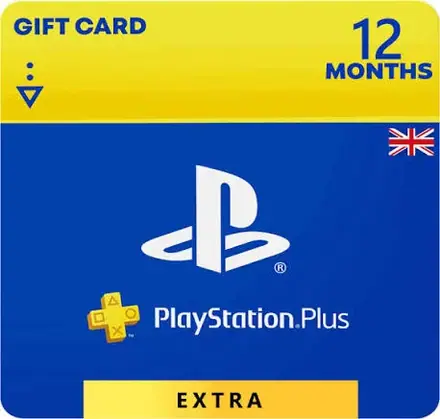
Buy the PlayStation Plus Extra 12 Months Membership, USA Region from Mega Store Kenya, as an official code, sent to you once payment is confirmed.
Hand-wrapped, with a card in your words and an optional video-message QR. Prices hidden, delivered when you say.
Buy the PlayStation Plus Extra 12 Months Membership, USA Region from Mega Store Kenya, as an official code, sent to you once payment is confirmed. Pay with M-Pesa; the code is shared on WhatsApp or at our shop counter on Taveta Road.
12 Months of PlayStation Plus Extra for your USA PlayStation Network account, with the middle PlayStation Plus tier, which adds a large Game Catalog to everything in Essential.
If you play on a PS5 or PS4 in Kenya and want online multiplayer, the monthly games and a large Game Catalog, this page is for you. Mega Store Kenya sells PlayStation Plus memberships for the South Africa, USA, UK and UAE regions from our shop in Nairobi CBD and online across Kenya. This listing is the PlayStation Plus Extra plan, for 12 months, for the USA region. PlayStation Plus is a subscription. While it is active, you get the features of your tier. When it ends, the features that depend on the membership, such as online multiplayer, stop until you renew. Below you will find what this plan includes, what this duration means for you, how the USA region works, how the three durations compare on this plan, how to order and what to check before you pay.
| Detail | Information |
|---|---|
| Product | PlayStation Plus Extra |
| Duration | 12 Months |
| Region | USA |
| Price | KSh 22,800 |
| Console | PS5 and PS4 (features such as cloud streaming have their own requirements) |
| Delivery | Digital. We confirm exactly how your membership reaches your account when you order |
| Payment | M-Pesa accepted |
| Shop collection of any paperwork | Free |
| Support | Sales 0740 922 861, Customer Relations 0740 922 861 |
| Available from | Mega Store Kenya, Nairobi CBD |
PlayStation Plus Extra is the middle PlayStation Plus tier, which adds a large Game Catalog to everything in Essential. Sony's PlayStation Plus page lists the following for this tier.
It does not include the Classics Catalog, Game Trials or cloud streaming. Those are part of the Premium tier.
Sony may change what is offered, and what is available can depend on your region, your console and your internet connection, so treat this page as a guide and the PlayStation Store as the final word on the latest details. If a feature is the main reason you are buying, ask us to confirm it before you pay.
This is the right tier if you like to try many games without buying each one, you play a lot, or you share a console with family members who all want something different to play. If you would otherwise buy several games a year, the Game Catalog can change the way you play.
If you only want online play and the monthly games, Essential costs less. If you want classic games, game trials and cloud streaming as well, look at the Premium plan.
This listing is twelve months of PlayStation Plus. A 12-month membership is the best fit for players who know they will keep playing. It usually gives the lowest cost per month, and it means a full year of online play, monthly games and every other feature of your tier without having to remember to renew. The trade-off is the larger upfront payment, and the fact that your plans may change during the year, so choose it when you are confident that PlayStation Plus is part of your gaming life.
Choose the 12-month membership if PlayStation Plus is already part of how you play, you want the lowest cost per month, you share a console with family and everyone benefits, or you simply do not want to think about renewals for a year.
Here are the three durations for this plan in the USA region.
Compared with paying monthly for a year (KSh 57,600), this 12-month membership saves KSh 34,800. Compared with four consecutive three-month memberships (KSh 33,600), it saves KSh 10,800. If you are confident you will keep playing for the whole year, this is usually the best-value way to hold this plan.
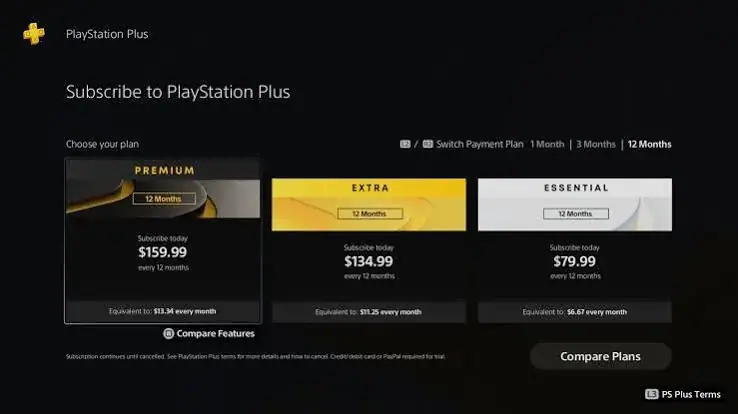
For comparison, here are the USA region prices for every PlayStation Plus plan and duration that we list.
| Plan | 1 Month | 3 Months | 12 Months |
|---|---|---|---|
| Essential | KSh 4,000 | KSh 6,400 | KSh 13,000 |
| Extra | KSh 4,800 | KSh 8,400 | KSh 22,800 |
| Premium (Deluxe) | KSh 4,800 | KSh 9,900 | KSh 26,200 |
Each combination of plan and duration has its own page on our site, so you can open the exact one you want.
The USA region is the best-known PlayStation Store in the world. A USA account follows the US PlayStation Store, which means US dollar pricing in that store, US promotions and the widest range of English-language content and offers. Many Kenyan players keep a USA account for exactly that reason.
A PlayStation Network account belongs to a region, and that region is set when the account is created. PlayStation Plus is bought for the store of the account's region, so a USA membership is meant for a USA account. If you hold an account in another region, choose the membership for that region instead, and we will list it on its own page. Before you pay, we confirm which region your account belongs to, so that the membership goes to the right account and you do not buy the wrong one.
A few things to keep in mind about regions:
If you are unsure which region your account is, check the country shown on your PlayStation Network profile or ask us. We would rather spend a minute confirming than see you buy the wrong membership.
Extra keeps everything in Essential and adds the Game Catalog, which is where the tier earns its place. Think of it as a library card for games: instead of paying for each title, you download from a large catalogue while your membership is active. For a family that shares a console, or for a player who enjoys trying genres they would never risk money on, that changes how much gaming you can fit into a year.
The sensible way to use Extra is to treat the catalogue as a way to try and finish games, not to hoard downloads. Games take a lot of storage and a lot of data, so choose a few at a time, play them, remove them and come back when you want them again. Because the catalogue changes over time, a game available today may leave later, so if there is a particular title you love, finish it while it is there.
Extra also lists Ubisoft+ Classics as part of the tier, according to Sony. If you want classics from older PlayStation generations, game trials or cloud streaming, those are part of the Premium plan, not Extra.
A year is a real commitment, so it deserves a little planning. Think about your gaming year: the big releases you are excited about, the sports seasons you follow, the friends who play online and whether anyone else in your home will use the console. If PlayStation Plus is part of your regular routine, a 12-month membership removes the monthly decision and usually lowers your cost per month.
Treat it as an investment in a habit. Claim the monthly games each month so you do not lose them, use cloud storage for your saves, and take advantage of the Store discounts that members see. Set a reminder a few weeks before the end date so that you can renew, change tier or shop around without a gap in online access. If your circumstances change, ask us and we will explain your options.
A USA PlayStation Network account is the most popular choice among Kenyan players who buy a lot of digital content, because the US store tends to have the broadest range of English-language offers. If your account is a USA account, this is the membership that belongs on it.
Keep your account tidy and secure. Use an email address you control, enable two-step verification, and never share your password or verification codes. Before you contact us, note your account's region and the email it uses so we can match your order quickly. Anything already on the account, such as games and wallet funds, stays with it when a membership is added or renewed.
Almost every online game on PlayStation, from football and shooters to racing and battle royale, needs PlayStation Plus for online multiplayer. Without an active membership, you can still play single-player games, but you cannot join online matches in games that require it. That is why PlayStation Plus is the first subscription most players buy, and why every tier, Essential, Extra and Premium, includes it.
For players in Kenya, a stable internet connection matters as much as the membership. Wired connections are steadier than Wi-Fi, so if you can connect your PS5 by cable, do so. A good connection reduces lag and drops during online matches.
Every tier includes monthly games, which are games you can claim and play while your membership stays active, and cloud storage for your saves. Cloud saves are valuable in a country where power cuts and hardware failures happen: if your console has a problem, your progress is backed up and can be downloaded to another console. Share Play lets a friend join or watch your game session remotely, which is a good way to play together even when you are in different places.
Ordering is simple.
Because every setup is slightly different, we explain the exact steps and anything we need from you when you order.
When your membership ends, the features that depend on it, such as online multiplayer and the Game Catalog, stop until you renew. Games you bought outright stay yours. Your saves in cloud storage and your account remain, subject to Sony's rules. You can renew with the same plan, switch to another duration, or move to another tier. Check the subscription settings on your account to see your end date and renewal options, and tell us if you want to change plan so we can advise you on the best next step.
Once your membership is active, spend ten minutes setting it up properly. On your PS5, open Settings and go to Users and Accounts, then Account, then Payment and Subscriptions, and then Subscriptions. There you can see your PlayStation Plus tier, its end date and the renewal setting. Open the PlayStation Plus section of the PlayStation Store to claim your monthly games, because claiming them is what adds them to your library. Check that automatic cloud saves are switched on, so that your progress is backed up without you thinking about it. If you play with friends, send friend requests and set up a party, so that match nights start smoothly.
If you are new to PlayStation, take your time exploring the Store. Look at the member discounts, add games you like to your wish list and download only what you will play soon, because large games fill storage quickly. If you have an external drive for extra storage, now is a good time to set it up.
On the first day, check that the membership shows as active in your console's subscription settings and note the end date. In the first week, claim the monthly games, try online play in a game you already own, and, if your tier has them, browse the catalogues and download one or two titles. Invite a friend to a Share Play session if you want to see how it works. If anything does not look right, such as a missing end date or a feature that does not appear, contact us straight away with your account's region and the details of your order, and we will help you sort it out.
Buying the wrong region. Always match the membership to your account's region. This is the commonest mistake, and the easiest to avoid by checking your profile before you order.
Buying the wrong tier. If you only want online play, Essential is enough. If you want a library, Extra is the one. If you want classics, trials and streaming, only Premium has them.
Ignoring the end date. Letting a membership lapse in the middle of an online season is annoying. Set a reminder a week before it ends.
Forgetting to claim the monthly games. They only join your library when you claim them, so claim them each month.
Sharing account details. Keep your password and verification codes private.
Skipping two-step verification. It is the best protection for an account that holds games and funds.
Expecting the membership to unlock everything. PlayStation Plus gives you access to features and catalogues, but new releases still need to be bought, and some games or features are limited by region or by Sony's own rules.
Whether this membership is good value depends on how you play. A player who spends most evenings online with friends gets the full benefit of online multiplayer every week. A player who enjoys trying many games gets more from the Game Catalog. A player who mostly plays single-player games and rarely goes online gets less from Essential and should think carefully about whether they need it at all. We would rather you buy the plan that fits than the most expensive one, and we are glad to talk it through on 0740 922 861 before you decide.
If you are comparing this listing with another plan, duration or region, remember that the right choice is the one you will actually use. A lower price on a plan you do not need is not a saving, and a slightly higher price on a plan that matches how you play is often the better deal. Tell us how many hours you play, who shares your console and which games you care about, and we will recommend the combination that fits.
What is PlayStation Plus Extra? It is the middle PlayStation Plus tier, which adds a large Game Catalog to everything in Essential, a subscription from Sony for PlayStation players.
What does this listing cover? 12 Months of PlayStation Plus Extra for the USA region, priced at KSh 22,800.
Do I need PlayStation Plus to play online? For most online multiplayer games on PlayStation, yes. Single-player games do not need it.
Does it work on PS5 and PS4? PlayStation Plus works on both. Some features, such as cloud streaming on Premium, have their own requirements.
Can I use a USA membership on an account from another region? The membership is meant for an account of the same region. Tell us your account's region and we will match it with the right listing.
What is the difference between Essential, Extra and Premium? Essential gives online multiplayer, monthly games, cloud storage, Share Play, discounts and exclusive content. Extra adds the Game Catalog and Ubisoft+ Classics. Premium adds the Classics Catalog, Game Trials, cloud streaming and the Sony Pictures Catalog.
Is the price on this page final? It is the price for this plan, duration and region at the time of writing. Call us to confirm before you pay.
Can I pay by M-Pesa? Yes. We accept M-Pesa.
How fast do I get my membership? It is digital. We explain the timing and the steps when you order.
What happens if my membership ends? Online multiplayer and other membership features stop until you renew. Games you bought stay yours.
Do you sell the other plans and regions? Yes. Each plan, duration and region has its own page, and we also sell PlayStation gift cards.
Call Sales on 0740 922 861 or write to [email protected] with the plan, duration and region you want. For questions after purchase, Customer Relations is on 0740 922 861. Visit us at New Alnoor Exhibition, Shop 7, Second Floor, Taveta Road, Nairobi CBD.
Nairobi: same-day delivery for orders confirmed before 3:00pm on a working day. Rest of Kenya: courier to your door or nearest agent, typically 1–3 business days. You can also collect for free from our shop at New Alnoor Exhibition, Shop 7, Second Floor, Taveta Road, Nairobi CBD.
Faulty or not as described? Tell us within 7 days for a replacement or full refund. Changed your mind? Sealed, unused items can come back within 14 days. See our returns & warranty policy.






 Controllers
Which PlayStation Plus region should a Kenyan player choose? This guide explains how PSN account regions work, what changes between the South Africa, USA, UK and UAE stores, how to check your…
 Controllers
Should you buy PlayStation Plus for one month, three months or 12 months? A Kenyan guide to choosing the right PS Plus duration for your habits, budget and games, with scenarios, renewal tips…
 Controllers
New to PS Plus? This beginner's guide explains what PlayStation Plus is, what online multiplayer, monthly games, cloud saves and Share Play mean, what the Essential, Extra and Premium plans add, how…