PS Plus Essential vs Extra vs Premium: Which PlayStation Plus Plan Should You Buy in Kenya?
Confused by PlayStation Plus Essential, Extra and Premium? This Kenyan guide compares the three tiers feature by feature, explains who each suits, covers regions and durations, and helps you choose…
From the Mega Store Kenya team: Here is the Mega Store Kenya take, written for anyone weighing up their options before they buy. Prices and stock change quickly, so WhatsApp 0740 922 861 to confirm the exact version and price before you pay.
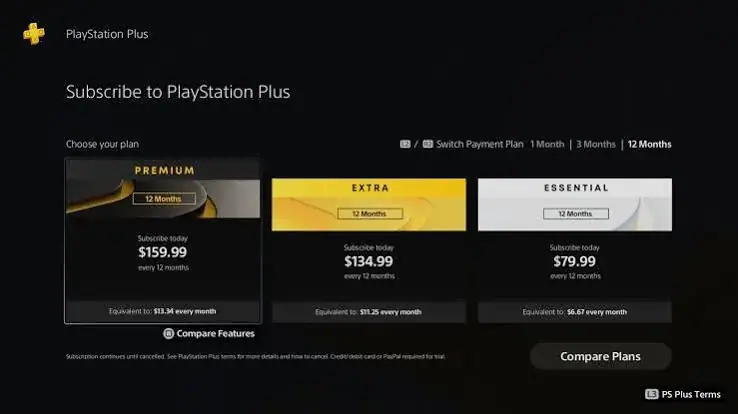
Open the PlayStation Store and you will find three PlayStation Plus plans with three similar names and very different lists of features. Essential, Extra and Premium all sound like "the good one", and a new buyer can spend a long time trying to decide whether the extra tier is worth the extra effort. If you play on a PS5 or PS4 in Nairobi, Mombasa, Kisumu, Nakuru, Eldoret or anywhere else in Kenya, the decision has extra layers: which region your PlayStation Network account belongs to, how long a membership you want, and how to buy from a seller you can trust.
This guide takes the question one step at a time. It is written for people searching for "PS Plus Essential vs Extra vs Premium", "which PS Plus should I buy in Kenya", "PlayStation Plus tiers explained", "is PS Plus Extra worth it" and "PS Plus Premium Kenya". It uses Sony's own published tier list, and where Sony does not publish a detail, such as the size of cloud storage, we say so instead of guessing.
Mega Store Kenya sells PlayStation Plus memberships for the South Africa, USA, UK and UAE regions, in one-month, three-month and 12-month durations, from our shop at New Alnoor Exhibition, Shop 7, Second Floor, Taveta Road (at the Taveta and Taveta Road junction), Nairobi CBD, and online across Kenya. Sales is on 0740 922 861.
The short answer
- Choose Essential if you want online multiplayer on your console, the monthly games, cloud saves and member offers, and you are happy to buy the other games you play.
- Choose Extra if you want all of that plus a large Game Catalog to download and play, so you can try many games without buying each one.
- Choose Premium if you want everything: the Game Catalog, the Classics Catalog, Game Trials, cloud streaming and the Sony Pictures Catalog on top of Extra.
The rest of this guide explains the thinking behind those three lines, so that you can choose with confidence.
What every PlayStation Plus plan includes
According to Sony's PlayStation Plus page, all three tiers include the following.
- Online multiplayer. This is the feature most players buy PlayStation Plus for. Most online games on PlayStation need an active membership to join online matches. Single-player games do not.
- Monthly games. Each month, Sony makes a selection of games available for members to claim. As long as your membership stays active, you can download and play the games you claimed. Sony notes that from January 2026, PS4 games will be added only intermittently.
- Cloud storage. Your game saves can be backed up to the cloud and downloaded to another console. Sony's page does not state a storage size, so we do not quote one.
- Share Play. A friend can join or watch your game session remotely.
- Exclusive discounts. Members see special offers in the PlayStation Store.
- Exclusive content. Members receive content offers from time to time.
Everything below builds on that base. If those six features are all you want, Essential is already the plan for you.
The three tiers side by side
| Feature | Essential | Extra | Premium |
|---|---|---|---|
| Online multiplayer | Yes | Yes | Yes |
| Monthly games | Yes | Yes | Yes |
| Cloud storage for saves | Yes | Yes | Yes |
| Share Play | Yes | Yes | Yes |
| Exclusive discounts and content | Yes | Yes | Yes |
| Game Catalog | No | Yes | Yes |
| Ubisoft+ Classics | No | Yes | Yes |
| Classics Catalog | No | No | Yes |
| Game Trials | No | No | Yes |
| Cloud streaming | No | No | Yes |
| Sony Pictures Catalog | No | No | Yes |
Sony adds notes to the table: the monthly games caveat for PS4 titles, and that cloud streaming excludes overseas territories and needs a minimum internet speed of 5 Mbps, or 15 Mbps for 1080p. Features and catalogues change over time, so always treat the PlayStation Store as the final word on the latest list. If a particular feature is the main reason for your purchase, ask us to confirm it before you pay.
PlayStation Plus Essential: the foundation
What it gives you
Essential is the foundation tier, and for many players it is all they will ever need. It unlocks online multiplayer, which opens the matches, lobbies and ranked modes that make modern games social. It gives you monthly games to claim, cloud storage for your saves, Share Play and the member offers in the Store.
Who Essential suits
- The online player. If you play football, shooters, racing or battle royale games online with friends, Essential gives you everything you need.
- The single-game player. If you buy two or three games a year and play them for hundreds of hours, a library is less important to you than online access.
- The budget-conscious player. Essential is the simplest way to unlock online play and receive the monthly games.
- The casual player. If you play on weekends and want the basics, it is a sensible, low-commitment choice.
- The parent buying for a child. Online play and cloud saves, without a large catalogue to manage.
What Essential does not do
It does not include the Game Catalog, the Classics Catalog, Game Trials or cloud streaming. If you find yourself wishing for a library to try, you will want to look at Extra.
PlayStation Plus Extra: the library
What it adds
Extra keeps everything in Essential and adds the Game Catalog, a library of games you can download and play while your membership stays active. Sony also lists Ubisoft+ Classics as part of the Extra and Premium tiers.
Why the Game Catalog changes how you play
Without a catalogue, every game you try costs you money. That makes people cautious, and they stick to a few safe choices. With a catalogue, trying a new genre costs you only time and some data. You might discover a story-driven game you would never have bought, or a co-op title that your whole family enjoys. For a household that shares a console, a catalogue means everyone finds something.
Who Extra suits
- The explorer. You enjoy trying different genres and finishing games quickly.
- The family console. Several people share one PS5, each with different tastes.
- The heavy player. You play many hours a week and run out of games to play.
- The player who finds games expensive. A catalogue spreads the cost across many titles.
- The returning player. You want to catch up on games from the past few years.
A practical caution
Games in the catalogue are large, and Kenyan data and storage are not unlimited. Download a few at a time, finish them, remove them and come back later. Catalogues change, so a game available today may leave later. If there is a title you love, finish it while it is there.
PlayStation Plus Premium: everything
What it adds
Premium keeps everything in Extra and adds four things listed on Sony's page: the Classics Catalog, Game Trials, cloud streaming and the Sony Pictures Catalog.
- The Classics Catalog offers classic games from PlayStation history. It is a treat for anyone who grew up with PlayStation, and a way to catch up for anyone who missed earlier generations.
- Game Trials let you try selected games before you decide to buy. That is useful when games are expensive and a mistake hurts.
- Cloud streaming streams select top-quality PS5 games to a PS5 console and PlayStation Portal. It needs a steady connection of at least 5 Mbps, and 15 Mbps for 1080p, and Sony excludes overseas territories.
- The Sony Pictures Catalog is listed by Sony as part of the Premium tier.
Who Premium suits
- The collector and nostalgic player. You want classic PlayStation games.
- The careful buyer. You like to try before you buy.
- The player short on storage. Cloud streaming reduces the need to download large games, if your connection is good enough.
- The player who wants it all. You would rather have every feature than think about what is missing.
Is Premium worth the extra?
Premium makes sense when you will use at least two of its extras. If you only care about online play and a library of current games, Extra covers that for less. If classics, trials or streaming excite you, Premium is the only tier that has them. Be honest about cloud streaming in particular: a reliable connection matters, and not every home or office in Kenya has one. Test your connection before you let streaming drive your decision.
How to choose: six questions
Ask yourself these six questions in order. The answers lead you to the right plan.
1. Do I want to play online with other people? If yes, you need at least Essential. If you only play single-player games, you may not need PlayStation Plus at all, although cloud saves and monthly games are still useful.
2. Do I want a library of games to try? If yes, you need Extra or Premium. If you are happy to buy the games you want, Essential is enough.
3. Do I want classic PlayStation games? If yes, you need Premium.
4. Would I use Game Trials? If you often hesitate before buying a game, trials are a real benefit, and they are part of Premium.
5. Is my internet good enough for cloud streaming? If you have a steady connection of at least 5 Mbps, and 15 Mbps for 1080p, streaming is possible. If not, do not pay for Premium because of streaming alone.
6. How many people use the console? More users usually means more value from a catalogue.
Common profiles and the plan we would suggest
The student who plays FIFA, shooters and battle royale with friends. Essential. Online play and the monthly games are what matter most.
The family with one PS5 and three different tastes. Extra. A catalogue gives everyone something to play without everyone buying different games.
The self-employed professional with limited time. Essential, or Extra if you love trying games in short sessions. Time, not money, is your limit.
The retro fan who loves PlayStation history. Premium. The Classics Catalog is the main attraction.
The gamer who hates wasting money on games they do not enjoy. Premium or Extra. Trials and a catalogue both protect you.
The player with a PS5 and a PlayStation Portal. Premium. Streaming to the Portal is listed as part of the tier.
The parent buying a first PS5 for a child. Essential to begin with. You can upgrade later if the child outgrows it.
The returning player who has not touched a PlayStation for years. Extra. A catalogue is the fastest way to see what you missed.
Playing in Kenya: the practical factors that decide value
The value of any PlayStation Plus tier depends on conditions that Sony's feature table cannot show. Three of them matter more in Kenya than in many other places.
Data and download size
Modern games are large, often tens of gigabytes and sometimes well over a hundred. A catalogue is only useful if you can download its games. If your home connection is a capped bundle, a handful of catalogue downloads can use a month's data in a weekend. If you have an uncapped fibre line, a catalogue is a pleasure. Be honest about your connection before you pay for a tier whose main attraction is downloading. A good habit is to schedule large downloads overnight, when many connections are quieter, and to download only the games you intend to play this week.
Storage on the console
A PS5 has finite internal storage, and large games fill it quickly. Catalogue players tend to install and remove games often, so a spare external drive or a habit of deleting finished games helps. Cloud saves are your safety net: when you delete a game, your save can stay in the cloud, ready for when you return. Cloud streaming on Premium reduces the need to install some games, but it depends on a steady connection.
Power and stability
Power cuts and surges are a fact of life in some areas. Plug your console into a surge-protected extension, and if power cuts are frequent, consider a small backup power source for your router so that online matches do not drop. A lost connection during a ranked match is frustrating, and a power surge can damage hardware. Cloud saves protect your progress if the worst happens.
Scenarios: what different Kenyan households choose
The Nairobi flatmates. Three friends share a PS5 in a rented flat. One plays football games online, one loves story-driven adventures and one plays racing games. Between them they would buy maybe five games a year. Extra gives all three a catalogue to explore, and the online play they all need. They split the cost of one membership instead of everybody buying separately.
The family in Kisumu. Two parents and three children share the console at weekends. The children want to try new games, but the parents do not want to buy a new title every week. Extra again, with the family choosing a handful of catalogue games each month and removing the ones they have finished.
The university student in Eldoret. Money is tight and time is limited. He plays online with classmates two evenings a week and does not need a library. Essential on a three-month membership, timed to the semester, covers it.
The content creator in Mombasa. She streams gameplay and tries many games for her audience. Premium gives her the catalogue, trials and classics, so she can show her viewers a wide range of games, and she uses trials to decide which new releases deserve a full video.
The long-time PlayStation fan in Nakuru. He owned the early consoles and wants to replay old favourites. Premium and its Classics Catalog are the reason he subscribes, and he uses a 12-month membership because he knows he will keep it all year.
The returning player in Nairobi. She stopped playing five years ago and has a new PS5 as a gift. She has no idea what she missed. Extra lets her sample the library, and after a few months she knows which games she wants to buy.
The competitive online player in Thika. He cares about low lag and ranked play, and he rarely plays anything offline. Essential is all he needs, but he spends his money on a wired connection and a good router, which matter more for his results than a bigger tier.
Thinking about value without thinking about price
Every buyer asks whether a tier is worth it, and the honest answer depends on use rather than on the cost of the plan. A simple way to think about value is to count the benefits you will actually use in a month. For Essential, count the evenings you play online and the monthly games you claim and play. For Extra, count the catalogue games you finish. For Premium, count the classics, trials and streams you use. If the benefits you use are few, a lower tier serves you better. If you use many, a higher tier repays itself in enjoyment.
Also consider what you would otherwise do. If, without a catalogue, you would buy two games a year anyway, Extra will probably give you more games for your money. If, without it, you would buy nothing and play the same two games all year, Essential is enough. If you are a person who hesitates to buy games for fear of regretting them, trials on Premium may save you from several mistakes. Value is personal, and we are happy to talk through your habits to find the plan that fits.
A short checklist before you buy
- I know which region my PSN account belongs to.
- I know whether I want online play only, a library, or everything.
- I have checked my internet speed and my data allowance.
- I know how much storage my console has left.
- I have chosen a duration that matches how sure I am.
- I have set a reminder for the end date.
- I am buying from a seller with an address, a phone line and a receipt.
- I have protected my account with two-step verification.
A short glossary
PSN. PlayStation Network, the online service behind your account, your friends list and your purchases.
Game Catalog. A library of games available to download and play while your Extra or Premium membership is active.
Classics Catalog. A catalogue of classic games from PlayStation history, part of Premium.
Game Trials. Time-limited trials of selected games, part of Premium.
Cloud streaming. Playing select PS5 games streamed to your console or PlayStation Portal instead of downloading them, part of Premium.
Share Play. A feature that lets a friend join or watch your game session remotely.
Region. The country store your PSN account belongs to, set when the account is created.
Monthly games. Games members can claim each month and play while the membership is active.
Questions we hear at the counter
"My friend says Extra is better than Essential. Is that true?" It depends on what you do. Extra includes everything in Essential and adds a catalogue, so it is never worse, but it is only better value if you use the catalogue. A player who only wants online matches gains nothing from the extra tier.
"Can two people share one membership?" The membership belongs to the PSN account that holds it. Online play and the tier benefits apply to the accounts and consoles under Sony's own rules, which can change, so check Sony's current terms or ask us before you plan around sharing.
"Will my saves be safe if my console breaks?" Cloud storage is included in every tier, and it lets you back up saves and download them to another console. Make sure automatic uploads are switched on, and check that your most important saves are backed up.
"Do I lose my games if the membership ends?" Games you bought outright stay yours. Games you claimed or downloaded through a membership, such as monthly games and catalogue games, are available while your membership is active. Online multiplayer stops until you renew.
"What if I only want to play one big online game this year?" Take a one-month or three-month Essential membership timed to the game. When the season ends, you can decide whether to continue.
"Is a bigger tier better for children?" Not necessarily. Parents often prefer a smaller tier with a few chosen games. If you choose Extra, review what a child is downloading, and use the parental controls available on the console.
"How do I know the seller is genuine?" Choose a shop with a physical address, a phone line and a receipt. Never share your password or verification codes with anyone. We explain exactly how your order works before you pay.
Regions: the other half of the decision
A PlayStation Network account belongs to a region, and that region is set when the account is created. PlayStation Plus is bought for the store of the account's region, so a South Africa membership is meant for a South Africa account, a USA membership for a USA account, and so on. We sell memberships for the South Africa, USA, UK and UAE regions, and each has its own listing.
Before you choose a plan, check which region your account belongs to. The country shown on your PlayStation Network profile tells you. If you are not sure, ask us. We would rather spend a minute confirming than see you buy the wrong membership. Our guide to the four regions is at /guides/ps-plus-regions-south-africa-usa-uk-uae-accounts-kenya-explained.
Duration: one month, three months or 12 months
Each plan comes in three durations. The right one depends on how sure you are that you will keep playing.
- One month is the lightest commitment. Choose it to try a tier, for a short stretch such as a new game launch, or when you want to keep spending flexible.
- Three months covers a season of regular play without committing to a year.
- 12 months is generally the lowest cost per month and the simplest, because you do not have to think about renewing for a year.
Our guide to choosing a duration is at /guides/ps-plus-1-month-vs-3-months-vs-12-months-which-duration-kenya.
Upgrading, downgrading and switching
Your needs may change. You might begin with Essential and find yourself wanting a catalogue, or take Premium for a few months to try classics and then return to Extra. Sony allows plan changes through your account, with rules that can vary, so check the subscription area of your account for the options that apply to you, and tell us if you want help choosing a sensible time to switch. As a general approach, begin with the plan you are sure you need, and move up when a feature you want is missing.
What PlayStation Plus does not do
To avoid disappointment, keep these points in mind.
- It does not give you every new release. New games still need to be bought, unless they appear in a catalogue.
- It does not keep catalogue games forever. Catalogue and monthly games are available while your membership is active.
- It does not remove the need for a good connection. Online play and streaming depend on your internet.
- It does not override region rules. Games, offers and some features depend on your account's region and on Sony's own rules.
- It does not replace a console. You still need a PS5 or PS4.
Setting up your plan correctly
Once you have chosen, setting up takes only a few minutes.
- Confirm your account's region.
- Choose the plan and duration.
- Contact us on 0740 922 861 or [email protected], or visit the shop.
- Pay by M-Pesa. We accept M-Pesa.
- We explain how your membership reaches your account.
- On your console, open Settings, then Users and Accounts, then Account, then Payment and Subscriptions, then Subscriptions, to confirm the tier and end date.
- Claim your monthly games and switch on cloud saves.
- If your tier has them, browse the catalogues and try a game.
Mistakes to avoid
Buying the wrong region. This is the commonest mistake. Check your profile first.
Buying a higher tier for a feature you will not use. Be honest about cloud streaming, classics and trials.
Buying a lower tier and regretting it. If you know you will want a library, start with Extra.
Ignoring the end date. Set a reminder.
Sharing your account details. Keep your password and verification codes private, and enable two-step verification.
Buying from a seller you cannot reach. Buy from a shop with an address and a phone line.
Frequently asked questions
What is the difference between PS Plus Essential, Extra and Premium? Essential gives online multiplayer, monthly games, cloud storage, Share Play, offers and content. Extra adds the Game Catalog and Ubisoft+ Classics. Premium adds the Classics Catalog, Game Trials, cloud streaming and the Sony Pictures Catalog.
Do I need PS Plus to play online? For most online multiplayer games on PlayStation, yes.
Is PS Plus Extra worth it? It is worth it if you will use the Game Catalog regularly. If you only want online play, Essential is enough.
Is Premium worth it? It is worth it if you will use at least two of its extras: classics, trials and streaming.
Does PS Plus work on PS4 and PS5? Yes. Some features have their own requirements.
Which region should I choose? The region of your PSN account. Ask us if you are unsure.
Can I switch tiers later? Usually yes, through your account. Ask us for advice on timing.
How do I pay? By M-Pesa. We accept M-Pesa, and shop collection is free.
How fast do I receive my membership? It is digital. We explain the timing and steps when you order.
What happens when my membership ends? Online multiplayer and other membership features stop until you renew. Games you bought stay yours.
How to order from Mega Store Kenya
Tell us the region, plan and duration you want. Call Sales on 0740 922 861, or write to [email protected]. Visit us at New Alnoor Exhibition, Shop 7, Second Floor, Taveta Road, Nairobi CBD, open Monday to Friday 9am to 7pm and Sunday 11am to 4pm, closed Saturday. We're on 0740 922 861 for help after purchase.
Related guides
- PS Plus regions explained: /guides/ps-plus-regions-south-africa-usa-uk-uae-accounts-kenya-explained
- PS Plus 1 month vs 3 months vs 12 months: /guides/ps-plus-1-month-vs-3-months-vs-12-months-which-duration-kenya
- What is PlayStation Plus? A beginner's guide for Kenya: /guides/what-is-playstation-plus-beginners-guide-kenya
- GTA 6 pre-order on PS5 from Kenya: /guides/gta-6-preorder-ps5-south-africa-psn-account-kenya-guide
- Shop PlayStation at Mega Store Kenya: /
Final word
A last practical point: write your choices down. Note your region, your tier, your duration and your end date in your phone, along with the email on the account. It takes a minute, and it saves you from guessing months later when it is time to renew.
If you remember nothing else from this guide, remember the order of the decisions: region first, because it decides which membership belongs on your account; tier second, because it decides which features you get; duration third, because it decides how long you are committed. Get those three right, in that order, and the rest is simple. Take your time, ask questions, and do not let anyone rush you into a plan you do not understand.
There is no single best PlayStation Plus plan, only the one that fits how you play. Essential is the right foundation for online play. Extra adds a library that rewards players who love variety. Premium adds classics, trials and streaming for those who want everything. Match the tier to your habits, match the region to your account and match the duration to how sure you are, and you will enjoy every shilling of the membership. If you want a second opinion, call us on 0740 922 861 or visit the shop on Taveta Road, and we will help you choose.